Suppliers
All modules
Suppliers
Suppliers · 1 of 10 · 3 min read
The Suppliers module brings together suppliers, the documents they need to qualify, and price lists awaiting review. Open Suppliers to view the register and check each supplier’s status.
Supplier qualification
A supplier is a contact in the Contacts module marked as a supplier. The supplier profile adds the Supplier code, product categories and qualification status.
- Candidate: at least one mandatory document is missing, unusable or awaiting review.
- Qualified: all mandatory documents are valid or expiring.
- Suspended: the relationship is temporarily suspended. The supplier can read the reason.
- Excluded: staff have decided to stop working with the supplier. The contact remains visible in the register.
Qualification is recalculated when you file or approve a document, change categories, or use Recompute status. The nightly check updates document expiry statuses and qualification for affected suppliers. If configured, an expired mandatory document can also trigger automatic suspension.
Use Reinstate to remove Suspended or Excluded status. These statuses alone do not guarantee an automatic block on new orders.
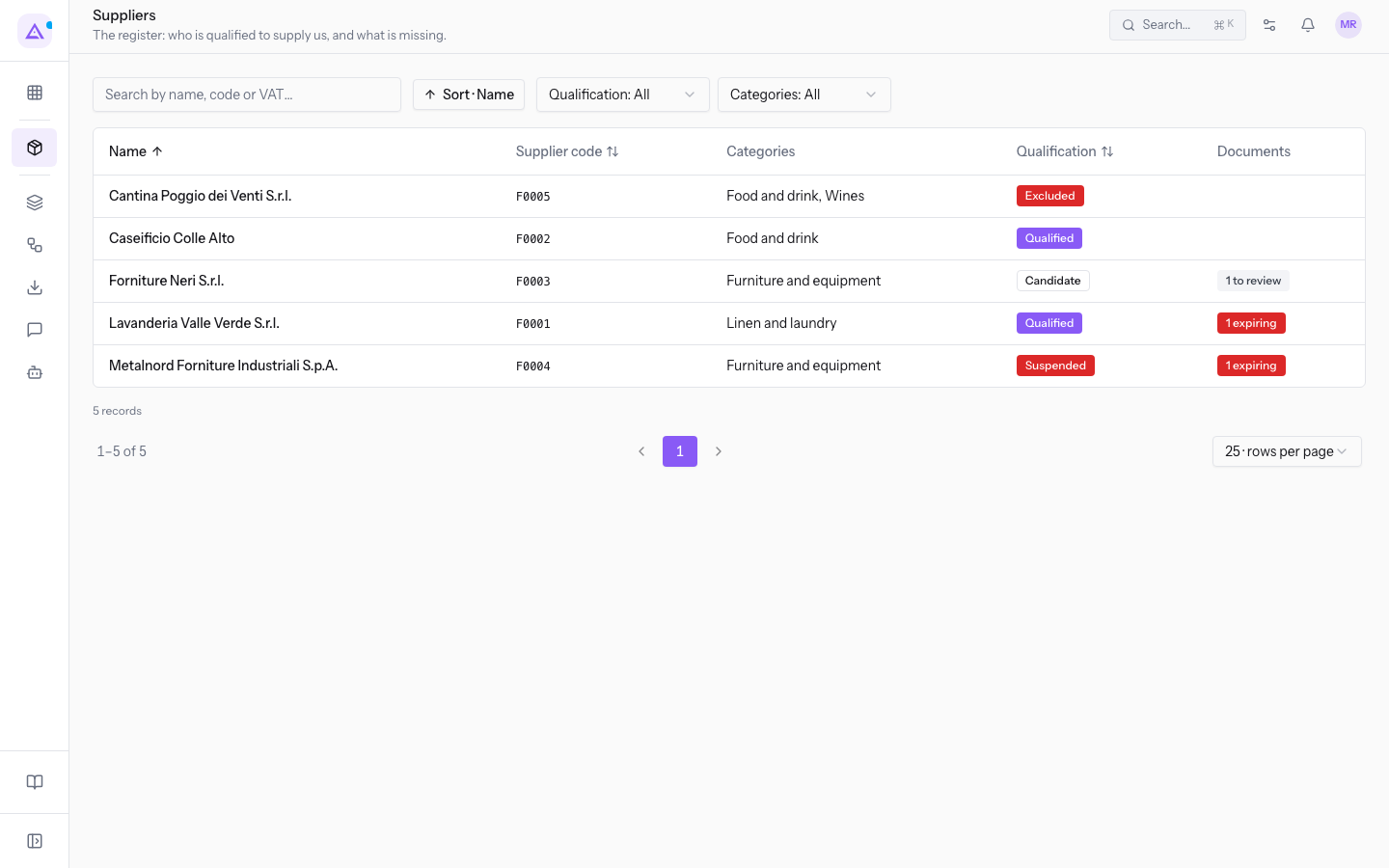
To search and filter suppliers, see Viewing the supplier register. For the supplier’s details, see Reading a supplier’s record.
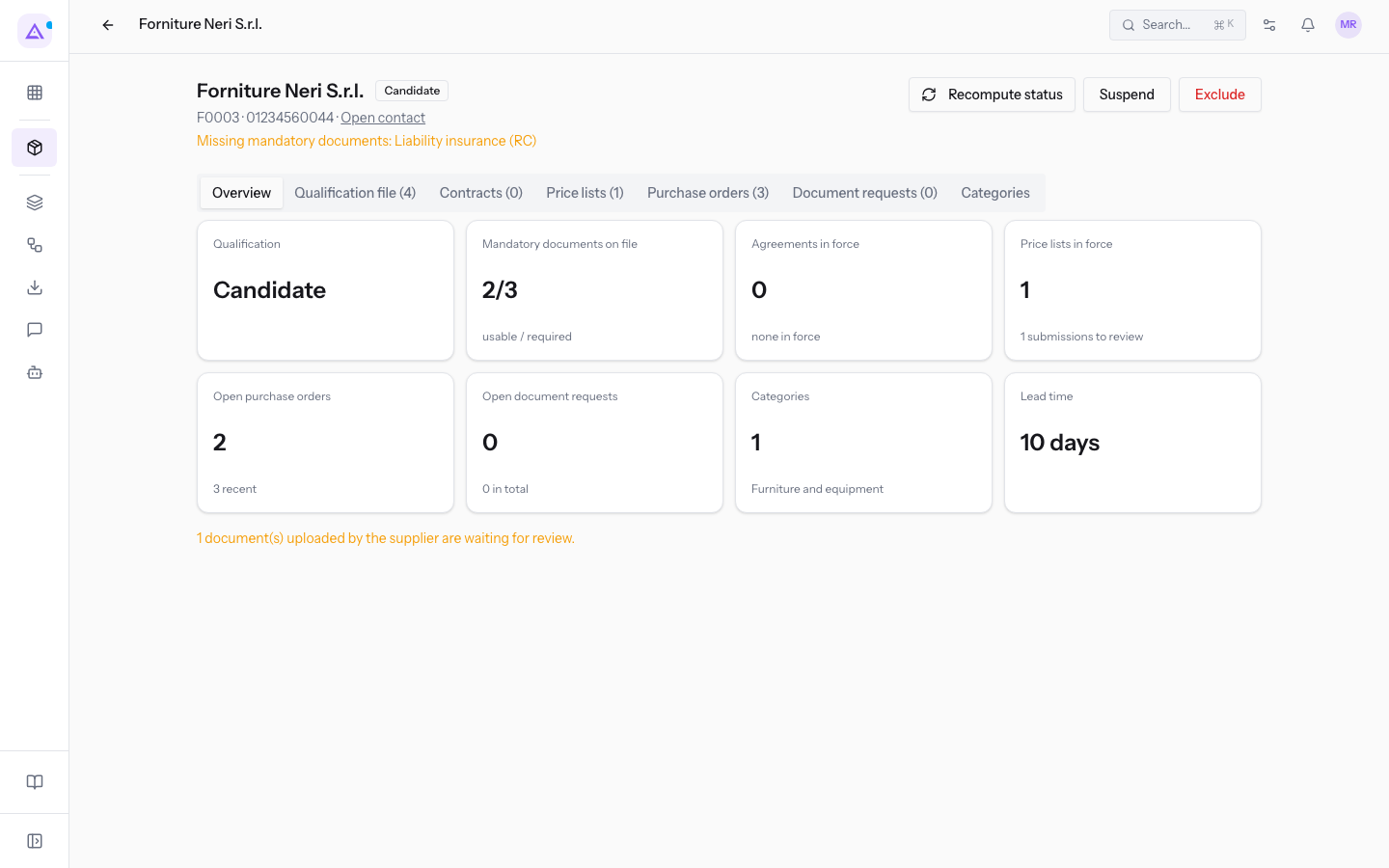
File and review documents in the Qualification file or the Supplier documents list. To stop or resume working with a supplier, see Suspend, exclude or reinstate a supplier. Define categories and required documents in Supplier settings.
Price lists and review
Each price list submission creates a version. Suppliers can submit versions through the portal; staff can upload files on their behalf. Unchanged lines are accepted immediately; the other lines need a decision.
Deciding the last pending line can activate the version immediately if the date in Valid from has arrived. A future effective date makes the version wait for the nightly check. A version with no accepted lines is rejected when its effective date is checked.
Start with Creating a price list and submitting a version. Then review the lines and check effective dates, organisational units and publication.
Who uses the module
There are three permission levels. Each includes the previous level.
- Module user: views the register and price lists. Sees lines available to every unit or to one of their organisational units.
- Purchasing office: reviews price lists, files and reviews documents, and sees all lines.
- Supplier manager: also manages suspension, exclusion, reinstatement and settings.
Through the portal, suppliers upload documents and price lists and read the outcomes and reasons for decisions.
Connections with other modules
Suppliers are contacts, and price list lines can be linked to catalogue items. If Purchases is active, publication updates purchase prices. The module also generates a CSV export and can publish to Business Central when the ERP connection is configured.
The supplier record also shows orders, contracts and document requests when the relevant modules are active. Organisational units restrict the availability of price lists and individual lines.
See it on your company, not on a slide deck.
In 30 minutes we map the software you use today.We show you how much work and how much margin Archimedes gives back.
Show me on my business →What industry are you in?
One tap — it lets us prepare the demo around your world.
What tools do you use today?
Pick the ones you recognise — or just type them. It helps us show you how they migrate.
Last step: your details.
We reply within one working day — and right after, if you like, you pick the demo slot yourself.
We couldn't send your request. Try again, or write to us at [email protected].
By sending, you agree to your data being processed so we can get back to you about the demo. Privacy notice.
Preview form — nothing is sent from this page.
Want to schedule the demo now?
Your call: book the slot you prefer yourself, or we'll call you to arrange it.
Live availability, 30 minutes, instant confirmation. The calendar opens in a new tab.
Lock in your slot ↗We'll get back to you within one working day — and we'll join the call already knowing your world.
The calendar is open in another tab: pick a slot and the demo is booked. Can't see it? Reopen it ↗
Preview page: nothing was sent.
Our calendar is live: take the slot that suits you and the demo is booked. 30 minutes, instant confirmation, no waiting.
Lock in your slot ↗