Suppliers
All modules
Suspend, exclude or reinstate a supplier
Suppliers · 6 of 10 · 3 min read
From a supplier's record you can suspend them, mark them as excluded, or reinstate them. Use these actions for example for a supplier with an expired document, with late deliveries, or with a serious irregularity.
Suspension or exclusion: which to choose
Suspension and exclusion record a decision to stop working with a supplier. Suspension can also happen automatically if the installation is configured to apply it when a mandatory document expires. Use Reinstate to remove either status.
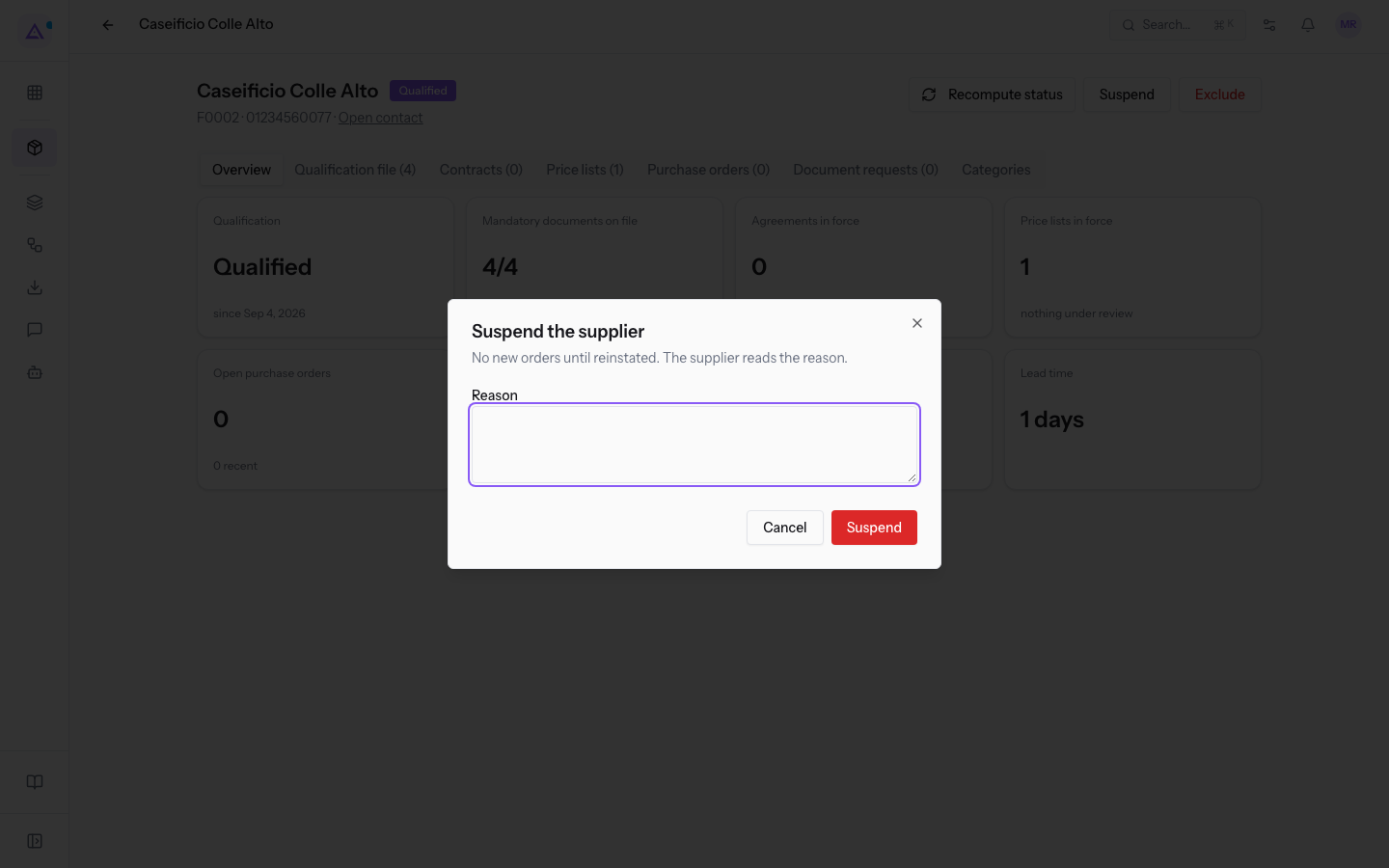
- Suspension: it is temporary. In the dialog the product describes it as No new orders until reinstated. The supplier reads the reason. The supplier moves to Suspended status.
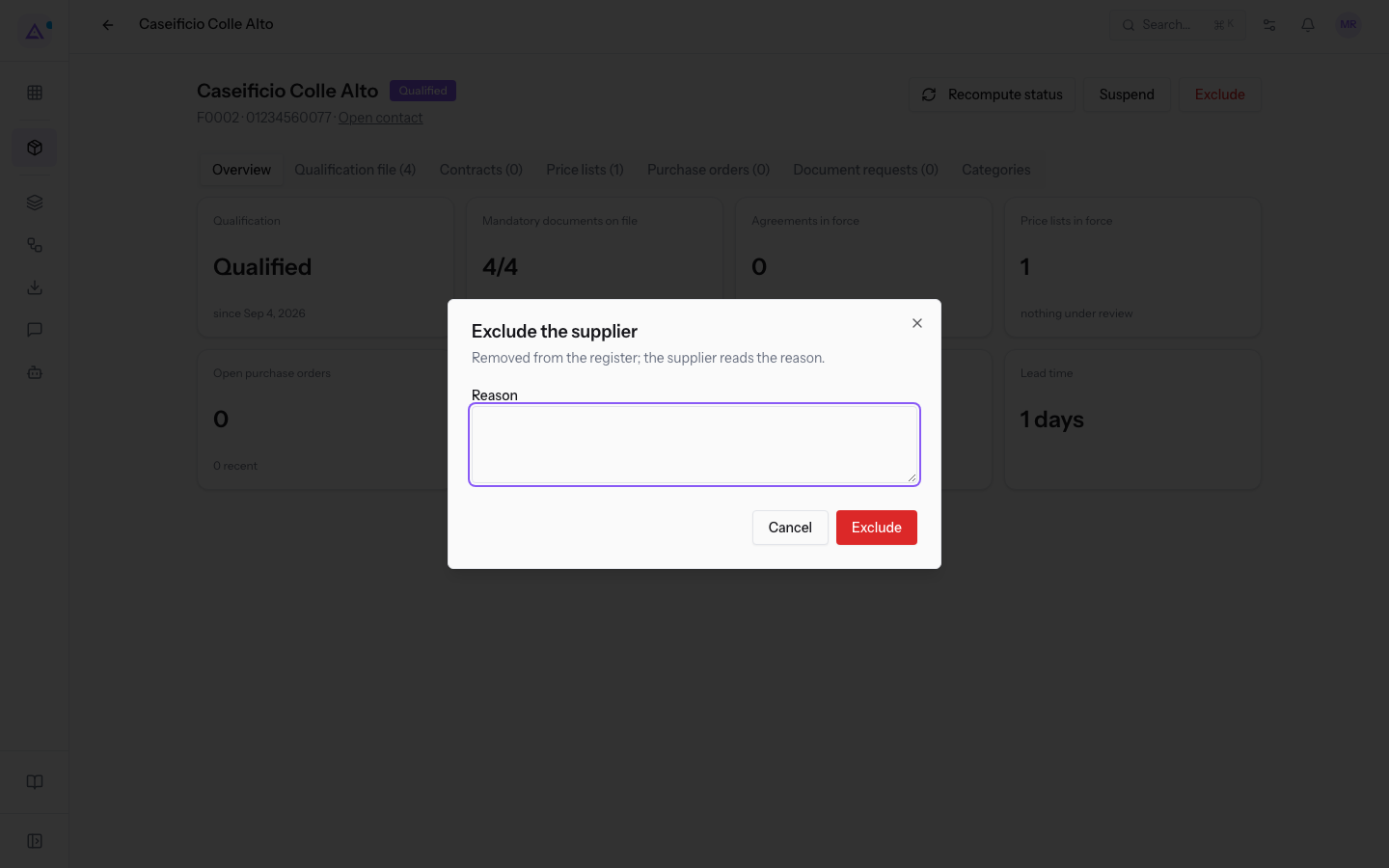
- Exclusion: it records a decision to stop working with the supplier, but can be reversed with Reinstate. In the dialog the product describes it as Removed from the register; the supplier reads the reason. The supplier moves to Excluded status and remains visible in the register.
If the problem is resolved by an action from the supplier, for example a document to renew or deliveries to bring back in order, choose suspension. If you no longer want to work with the supplier, choose exclusion.
In the demo:
- Metalnord Forniture Industriali S.p.A. (F0004) is Suspended with the reason
DURC expired: no new orders until the renewed one arrives. - Cantina Poggio dei Venti S.r.l. (F0005) is Excluded with the reason
Two deliveries arrived without a transport document: removed from the register.
The reason appears below the supplier record header and is visible to the supplier: explain what they need to correct. The dialog's wording about new orders describes the policy to follow; suspension status alone does not guarantee an automatic order block.
Suspend a supplier
Before you start: to suspend, exclude and reinstate a supplier you need the Supplier Manager permission.
Suspension is started from the supplier's record.
- Open Suppliers › Register and click the supplier, for example Caseificio Colle Alto (F0002, Qualified).
- In the record header click Suspend.
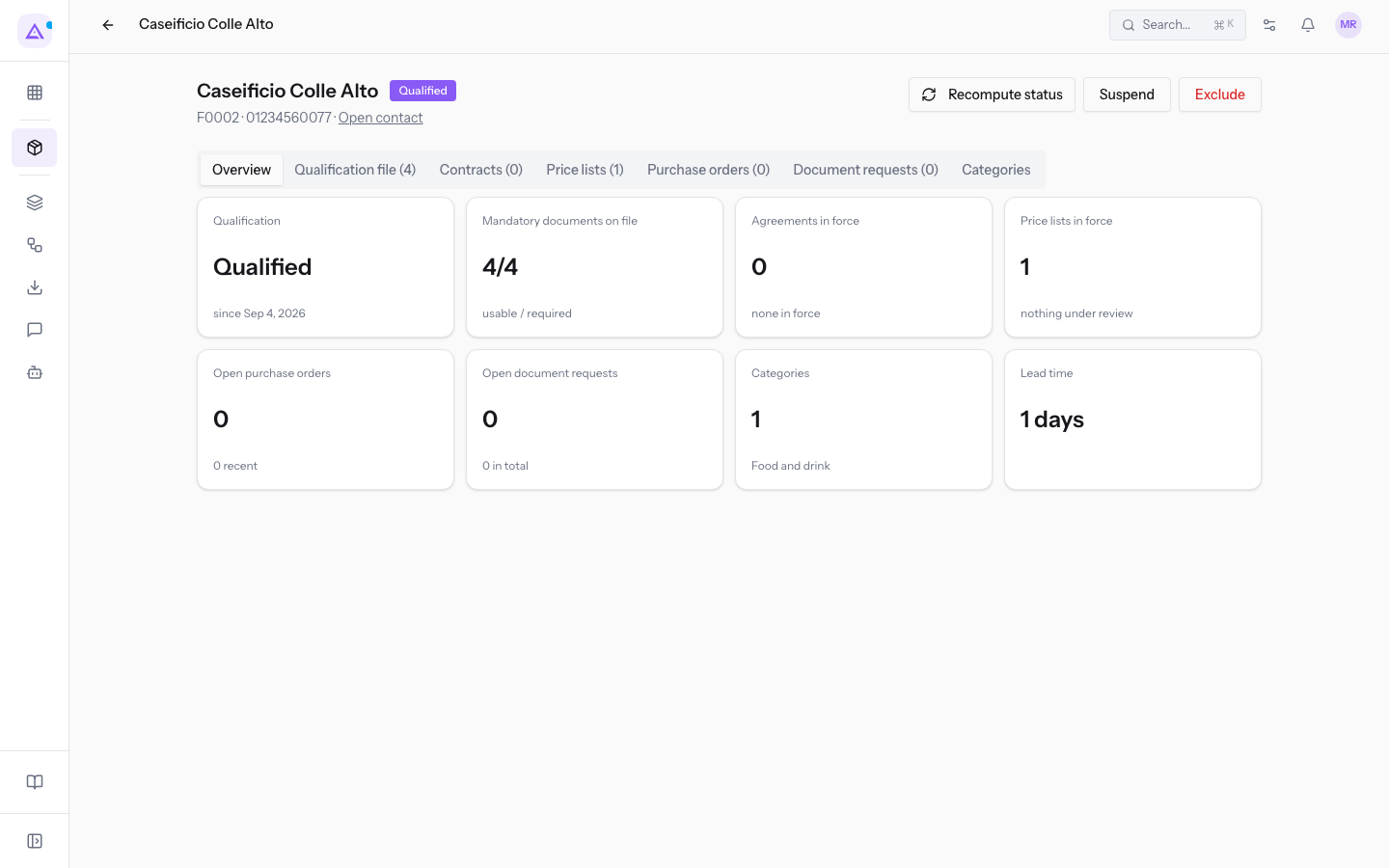
- In the Suspend the supplier dialog write the Reason.
- Click Suspend. To close without changing anything click Cancel.
Exclude a supplier
Exclusion is started from the same record, with the button next to Suspend.
- Open Suppliers › Register and click the supplier.
- Click Exclude.
- In the Exclude the supplier dialog write the Reason.
- Click Exclude. To close without changing anything click Cancel.
Reinstate a supplier
For a suspended or excluded supplier, instead of Suspend and Exclude the record shows the Reinstate button.
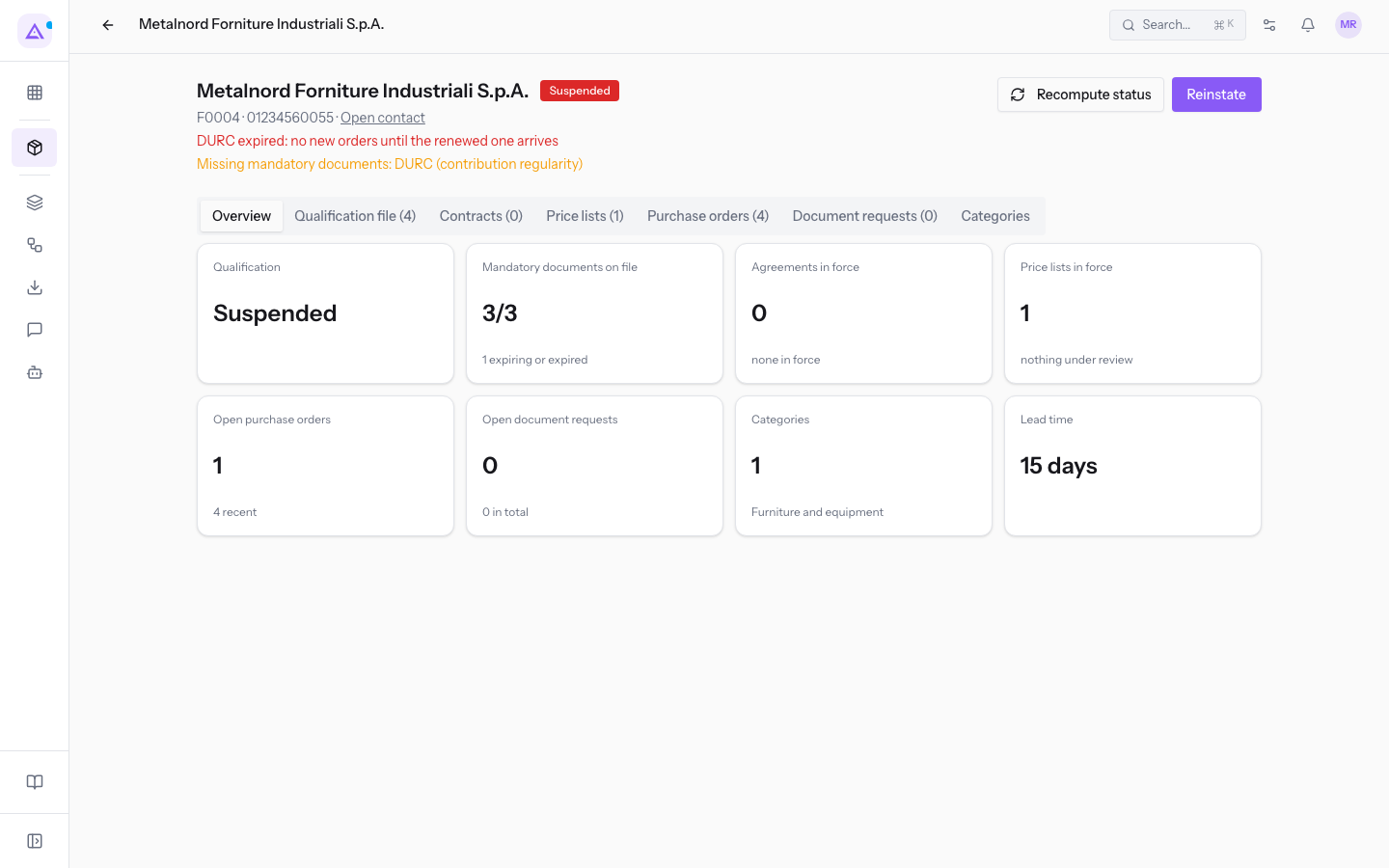
- Open Suppliers › Register and click the supplier, for example Metalnord Forniture Industriali S.p.A.
- Click Reinstate. The Supplier reinstated message appears.
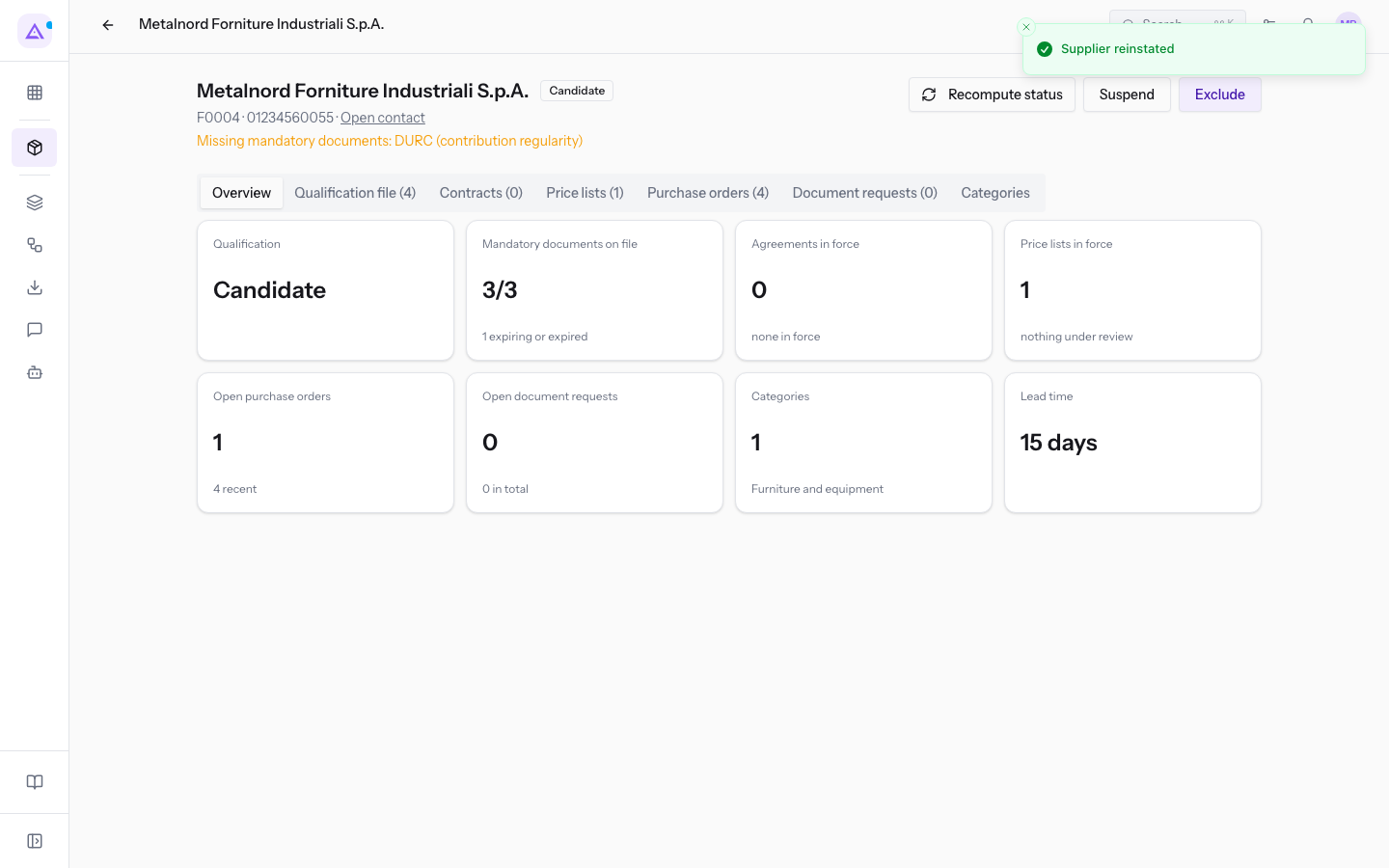
Reinstatement returns the supplier to Candidate and recalculates their status based on mandatory documents. The record shows Suspend and Exclude again.
If mandatory documents are missing, the supplier remains Candidate and the record lists the missing mandatory documents. For example Metalnord, reinstated with the DURC still expired, remains Candidate. They become Qualified when all mandatory documents are valid. For documents see Reading a supplier's record.
Important: Recompute status does not remove a suspension or exclusion. A Suspended or Excluded supplier does not change status on their own even when the missing documents arrive: to bring them back to the register you need Reinstate.
See it on your company, not on a slide deck.
In 30 minutes we map the software you use today.We show you how much work and how much margin Archimedes gives back.
Show me on my business →What industry are you in?
One tap — it lets us prepare the demo around your world.
What tools do you use today?
Pick the ones you recognise — or just type them. It helps us show you how they migrate.
Last step: your details.
We reply within one working day — and right after, if you like, you pick the demo slot yourself.
We couldn't send your request. Try again, or write to us at [email protected].
By sending, you agree to your data being processed so we can get back to you about the demo. Privacy notice.
Preview form — nothing is sent from this page.
Want to schedule the demo now?
Your call: book the slot you prefer yourself, or we'll call you to arrange it.
Live availability, 30 minutes, instant confirmation. The calendar opens in a new tab.
Lock in your slot ↗We'll get back to you within one working day — and we'll join the call already knowing your world.
The calendar is open in another tab: pick a slot and the demo is booked. Can't see it? Reopen it ↗
Preview page: nothing was sent.
Our calendar is live: take the slot that suits you and the demo is booked. 30 minutes, instant confirmation, no waiting.
Lock in your slot ↗