Compliance
All modules
Compliance
Compliance · 1 of 14 · 4 min read
The Compliance module shows which regulations apply to the company and how far along the work is to comply with them. It also collects certifications, the processing register, data retention, data subject requests, personal data incidents, and the inspection dossier.
How the applicable regulations are determined
The regulations that apply to the company are not chosen manually. The product calculates them from three sources: the company profile, the questionnaire answers, and the regulation catalog published by the platform.
- The profile contains the ATECO activity codes, annual data, and the calculated EU size class.
- The questionnaire asks what the company does, for example whether it sells online or handles food. Subsequent questions depend on the answers given.
- The catalog is shared across all companies and is maintained by platform administrators. Each new release appears automatically in the company's register and shows up in the changelog.
If you change the main ATECO code or a questionnaire answer, the register is recalculated. Without a main code and without a questionnaire, the register remains empty.
Note: the overview and the register show what has been assessed by the platform's rules engine based on the information provided. They do not constitute legal advice: verify with your advisor before relying on them.
The overview
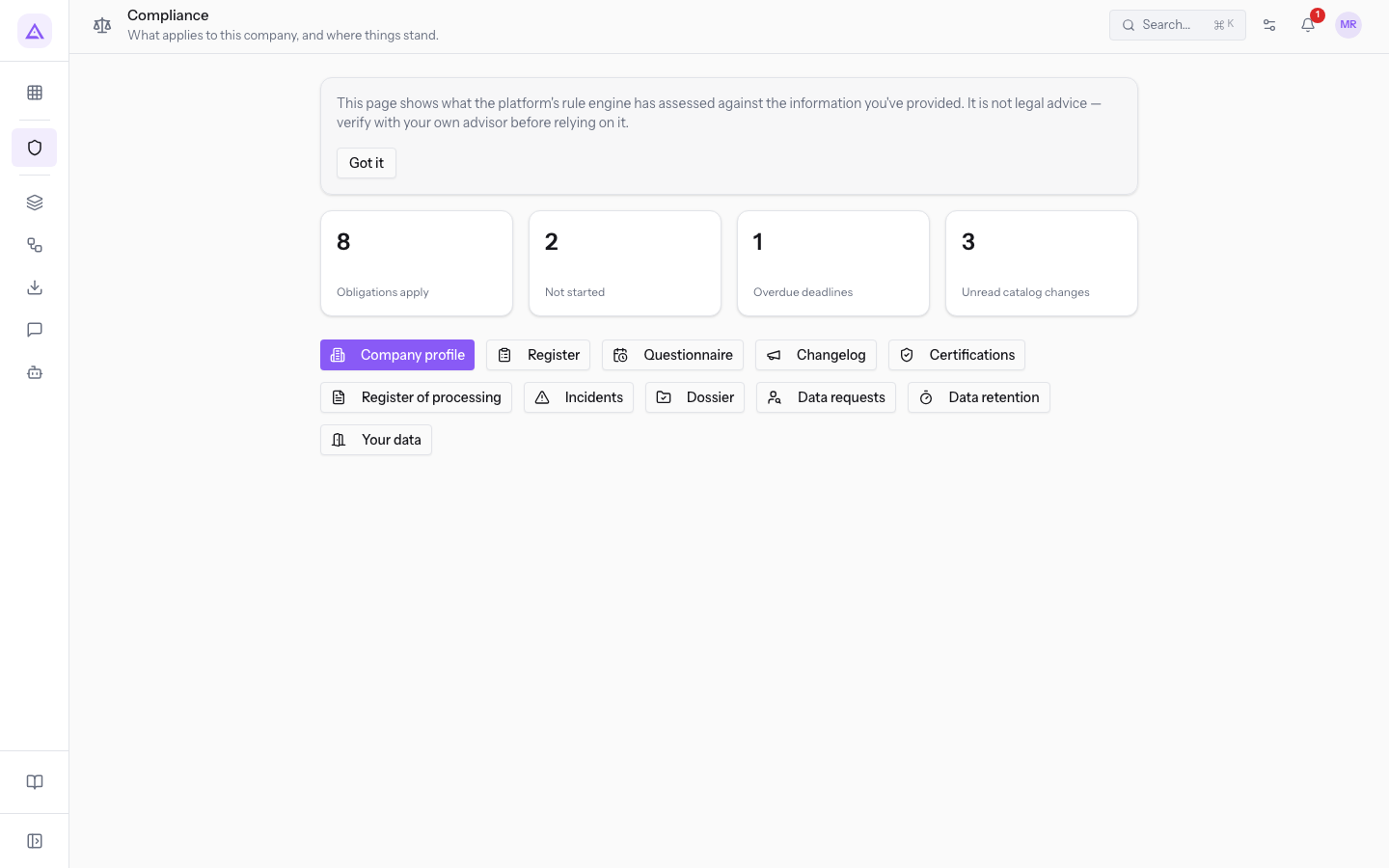
Open Compliance to see what applies to the company and how far along you are. At the top the page shows four summary boxes:
- Obligations apply: how many obligations from the catalog apply to the company. In the demo there are 8.
- Not started: how many applicable obligations have not yet been started.
- Overdue deadlines: how many deadlines have already passed.
- Unread catalog changes: how many catalog changes affecting the company have not yet been read.
Below the boxes are links to the module screens. For details on the boxes read Understanding where the company stands with the Compliance overview.
The module screens
From the overview you can reach these screens:
- Company profile: activity codes, annual data, and the calculated EU size class. Annual data (employees, revenue, and assets) are kept year by year as a historical record. See Filling in the compliance profile: ATECO codes and yearly figures.
- Questionnaire: the questions about what the company does. The platform uses the answers to determine which regulations apply.
- Register: which regulations apply to the company and why, with the status of each obligation and the attached evidence. See Reading the compliance register and updating obligation status.
- Changelog: what has changed in the regulations affecting the company, and when. See Tracking updates to the standards catalog.
- Certifications: the company's certifications, with the expiry date and the time to renew them. See Recording certifications and managing their renewals.
- Register of processing: the register under art. 30, built from the modules and vendors the company uses, plus the activities you declare yourself.
- Incidents: every incident involving personal data, with who was affected, who was notified, and how much of the 72 hours remains. See Log a Data Incident and Decide on Notification to the Authority.
- Dossier: everything an inspection asks for, in a single document, produced and stored among the company's documents.
- Data requests: who asks to view, correct, delete, or transfer their own data. You have one month to respond. See Log a data subject request and monitor its deadlines and Responding to a request: identity, data found, erasure, and reply letter.
- Data retention: the retention periods promised in the privacy notice, applied. You review them, unless you choose the automatic option.
- Your data: the complete data export and what happens to the data if the company leaves the platform. See Export your organisation's data and understand what happens if you leave Archimedes.
The compliance register
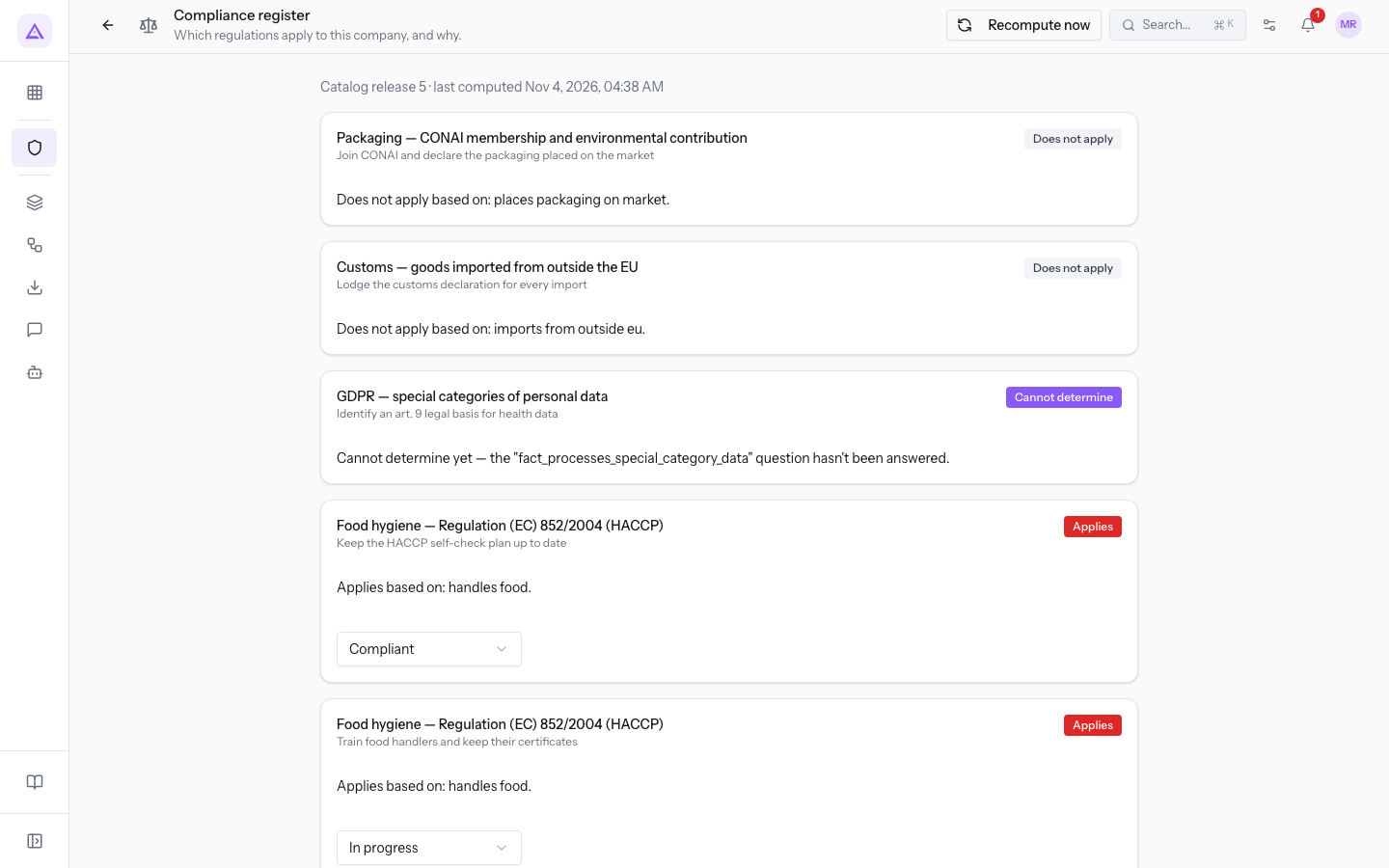
The register lists the catalog regulations with the outcome for the company and, for each obligation, the status of the work. At the top it shows the catalog version used and the date of the last calculation. With Recompute now you update the calculation.
Each obligation has one of these statuses, which you choose from the list next to the obligation:
- Not started
- In progress
- Compliant
- Non-compliant
Links with other modules
The module reads what each active module declares.
- The processing register and the retention rules arise from the declarations of active modules: cookies, retention periods, vendors, and public data collection forms. Activating or deactivating a module changes these registers.
- A data subject request searches for the person across all modules.
- Active modules also count among the criteria used to determine whether a regulation applies.
Note: the retention periods applied by the module that stores the data are set in Organization → Legal and privacy.
See it on your company, not on a slide deck.
In 30 minutes we map the software you use today.We show you how much work and how much margin Archimedes gives back.
Show me on my business →What industry are you in?
One tap — it lets us prepare the demo around your world.
What tools do you use today?
Pick the ones you recognise — or just type them. It helps us show you how they migrate.
Last step: your details.
We reply within one working day — and right after, if you like, you pick the demo slot yourself.
We couldn't send your request. Try again, or write to us at [email protected].
By sending, you agree to your data being processed so we can get back to you about the demo. Privacy notice.
Preview form — nothing is sent from this page.
Want to schedule the demo now?
Your call: book the slot you prefer yourself, or we'll call you to arrange it.
Live availability, 30 minutes, instant confirmation. The calendar opens in a new tab.
Lock in your slot ↗We'll get back to you within one working day — and we'll join the call already knowing your world.
The calendar is open in another tab: pick a slot and the demo is booked. Can't see it? Reopen it ↗
Preview page: nothing was sent.
Our calendar is live: take the slot that suits you and the demo is booked. 30 minutes, instant confirmation, no waiting.
Lock in your slot ↗