Directory
All modules
Assign or revoke the «Recommended by us» badge
Directory · 10 of 13 · 3 min read
The quality badge marks the businesses that the organization recommends on the public site. The manager grants and revokes it from the listing's page; the Listings list shows which listings have it.
How the badge works
The badge is not a field of the listing: you don't change it by editing the listing. You grant and revoke it only with the dedicated buttons.
- If you are a directory manager, you can grant and revoke the badge.
- If you are an operator, you fill in and edit the listings but you cannot grant or revoke the badge.
This way the badge stays a decision of the manager.
The badge name is not fixed: it is the one written in the Badge label field of the directory settings. In the demo the name is Recommended by us. The same name appears in the button text, in the column and in the list filter.
Note: the public site shows only listings in Published status. The badge of a listing in Draft or Archived is not visible on the public site.
See which listings have the badge
The Listings list shows the badge in a column and lets you filter the listings that have it.
- Open Directory › Listings.
- Look at the Recommended by us column: listings with the badge show the badge name, the others show the sign —.
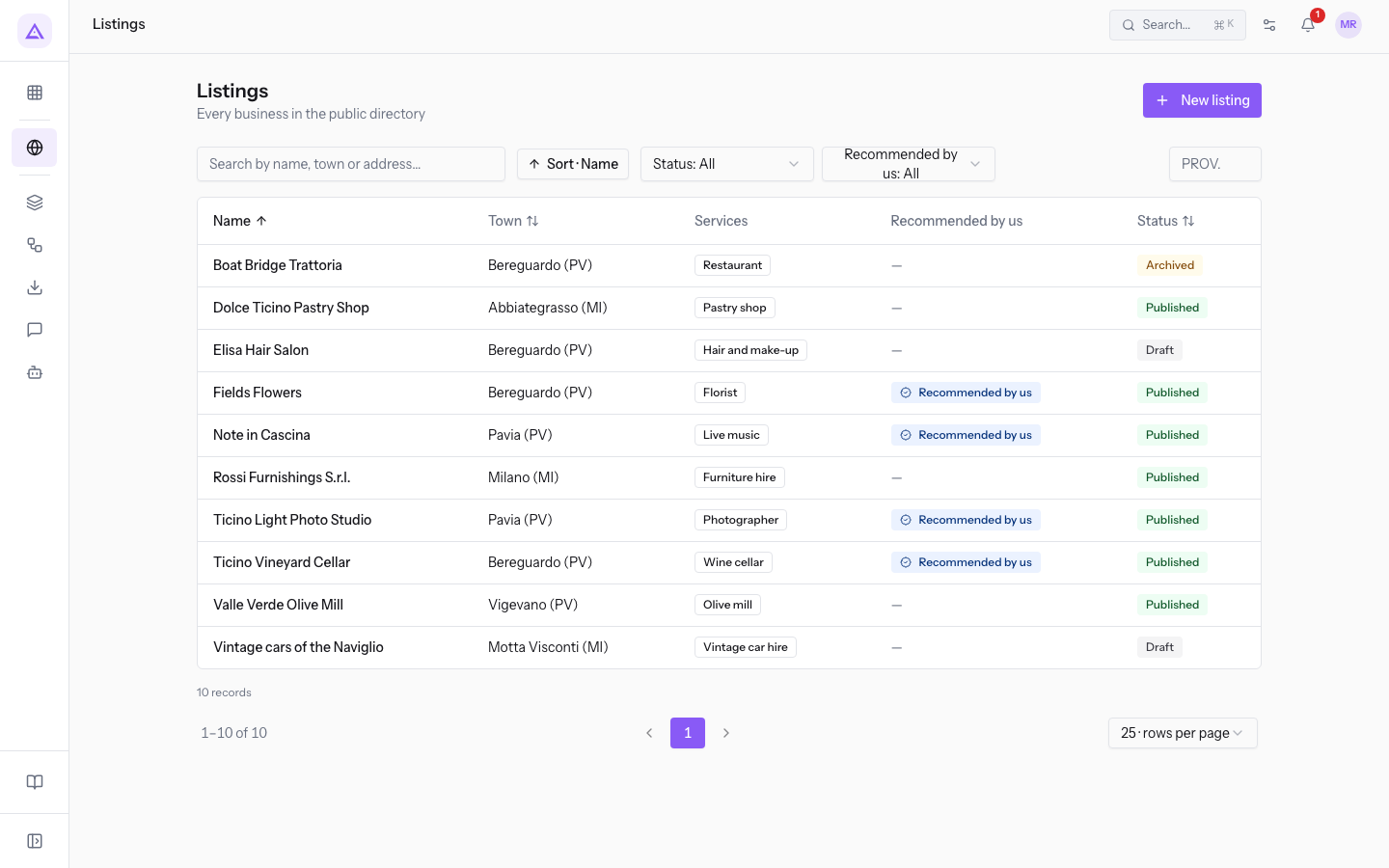
- To see only the listings with the badge, or only those without, open the Recommended by us filter and choose an option.
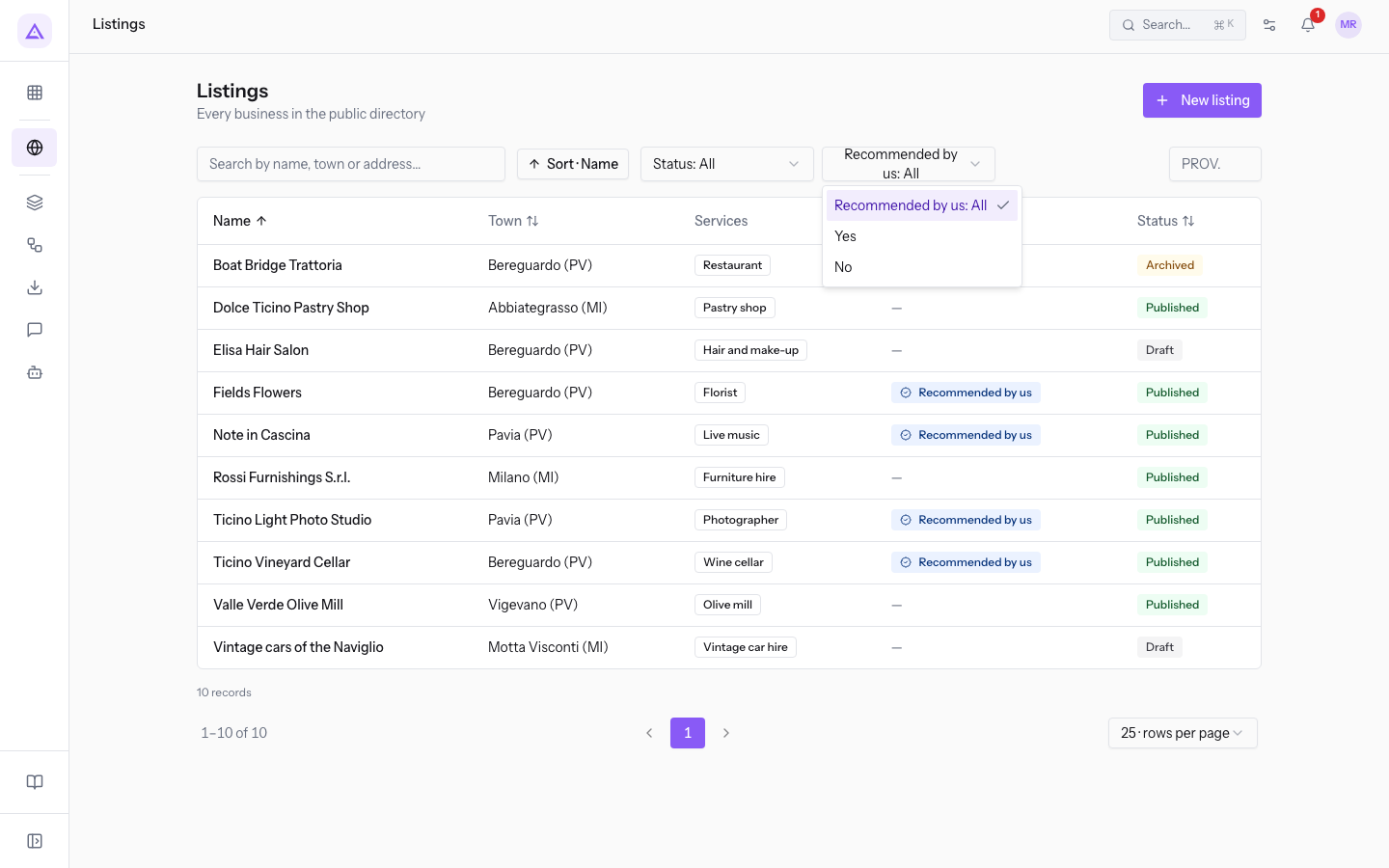
The filter options:
- Recommended by us: All: shows all listings.
- Yes: shows only the listings with the badge.
- No: shows only the listings without the badge.
In the demo, Fiori di Campo, Ticino Light Photo Studio, Ticino Vineyard Cellar and Note in Cascina have the badge. Olive mill Valle Verde is published and does not have the badge.
Grant the badge
Grant the badge to a listing you want to flag as recommended, for example Olive mill Valle Verde.
Before you start: you must be a directory manager.
- Open Directory › Listings and press the listing's row.
- Press the grant button. Its text contains the badge name: in the demo, Grant “Recommended by us”. The message Badge granted appears.
In the listing, in the Contacts panel, the Badge granted on row shows the date the badge was granted.
Revoke the badge
Revoke the badge when the organization no longer recommends the business, for example on Note in Cascina.
Before you start: you must be a directory manager.
- Open Directory › Listings and press the listing's row.
- Press the revoke button. Its text contains the badge name: in the demo, Revoke “Recommended by us”. The message Badge revoked appears.
After the revocation, in the Recommended by us column of the list the listing shows the sign — and the Badge granted on row of the listing becomes empty.
See it on your company, not on a slide deck.
In 30 minutes we map the software you use today.We show you how much work and how much margin Archimedes gives back.
Show me on my business →What industry are you in?
One tap — it lets us prepare the demo around your world.
What tools do you use today?
Pick the ones you recognise — or just type them. It helps us show you how they migrate.
Last step: your details.
We reply within one working day — and right after, if you like, you pick the demo slot yourself.
We couldn't send your request. Try again, or write to us at [email protected].
By sending, you agree to your data being processed so we can get back to you about the demo. Privacy notice.
Preview form — nothing is sent from this page.
Want to schedule the demo now?
Your call: book the slot you prefer yourself, or we'll call you to arrange it.
Live availability, 30 minutes, instant confirmation. The calendar opens in a new tab.
Lock in your slot ↗We'll get back to you within one working day — and we'll join the call already knowing your world.
The calendar is open in another tab: pick a slot and the demo is booked. Can't see it? Reopen it ↗
Preview page: nothing was sent.
Our calendar is live: take the slot that suits you and the demo is booked. 30 minutes, instant confirmation, no waiting.
Lock in your slot ↗