Marketing
All modules
Managing a voice profile
Marketing · 6 of 10 · 5 min read
The record of a voice profile shows everything the Ghostwriter uses to write in that voice: themes, theses, forbidden phrases, words, style notes and examples. From the record you can make the profile the default, edit it, reset its guidance to the system values, or delete it. For example you can manage The farmhouse's voice for texts in Italian and For guests from abroad for those in English.
To create a new profile and to learn the meaning of each field, read Setting up voice profiles.
Opening a profile record
Each voice profile has its own record, with the subtitle «The voice the Ghostwriter writes in.».
- In the Marketing menu open Voice Profile.
- Click the profile name, for example
For guests from abroad.
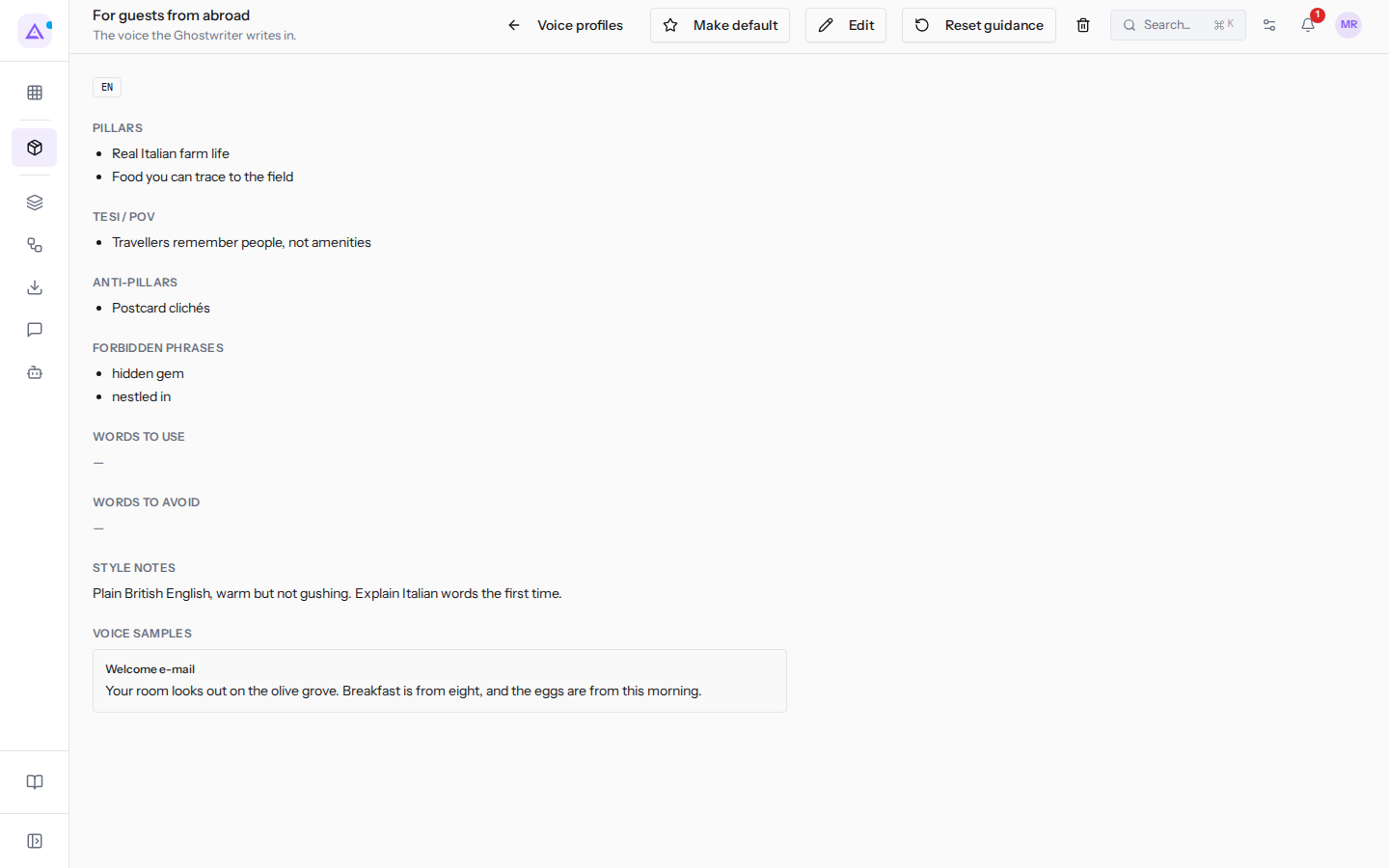
Below the title two labels appear: «default» only on the default profile, and the profile language (IT or EN).
At the top there are the buttons:
- Voice profiles: goes back to the list of profiles.
- Make default: makes the profile the default. It only appears on profiles that are not the default.
- Edit: opens the edit dialog.
- Reset guidance: resets the writing guidance to the system values.
- The bin: deletes the profile. It is disabled on the default profile.
The record sections
The record shows the profile content in sections. An empty section shows —.
- «Pillars»: the themes the profile writes about, one per bullet. For example
Real Italian farm lifeandFood you can trace to the field. - «Tesi / POV»: the theses and point of view of the profile. For example
Travellers remember people, not amenities. - «Anti-pillars»: the themes to avoid. For example
Postcard clichés. - «Forbidden phrases»: the phrases that must not appear in the texts. For example
hidden gemandnestled in. - «Words to use»: the preferred words.
- «Words to avoid»: the words not to use.
- «Style notes»: free-text style guidance. For example
Plain British English, warm but not gushing. Explain Italian words the first time. - «Voice samples»: text examples written in this voice, each with its label (for example
Welcome e-mail) and the text.
Note: the profile's forbidden phrases are one of the anti-slop filter rules on drafts. See Reviewing, approving and publishing a draft.
Making a profile the default
The Ghostwriter writes with the default profile, unless asked otherwise. The organisation has only one default profile.
- If you want all subsequent drafts to use this voice, make the profile the default.
- If the voice is only needed for some texts, for example those for foreign guests, leave the main profile as the default and choose this voice in the settings of the autonomous Ghostwriter agent: in a conversation with Ari the default is always used.
- Open the profile record, for example
Company events. - Click Make default.
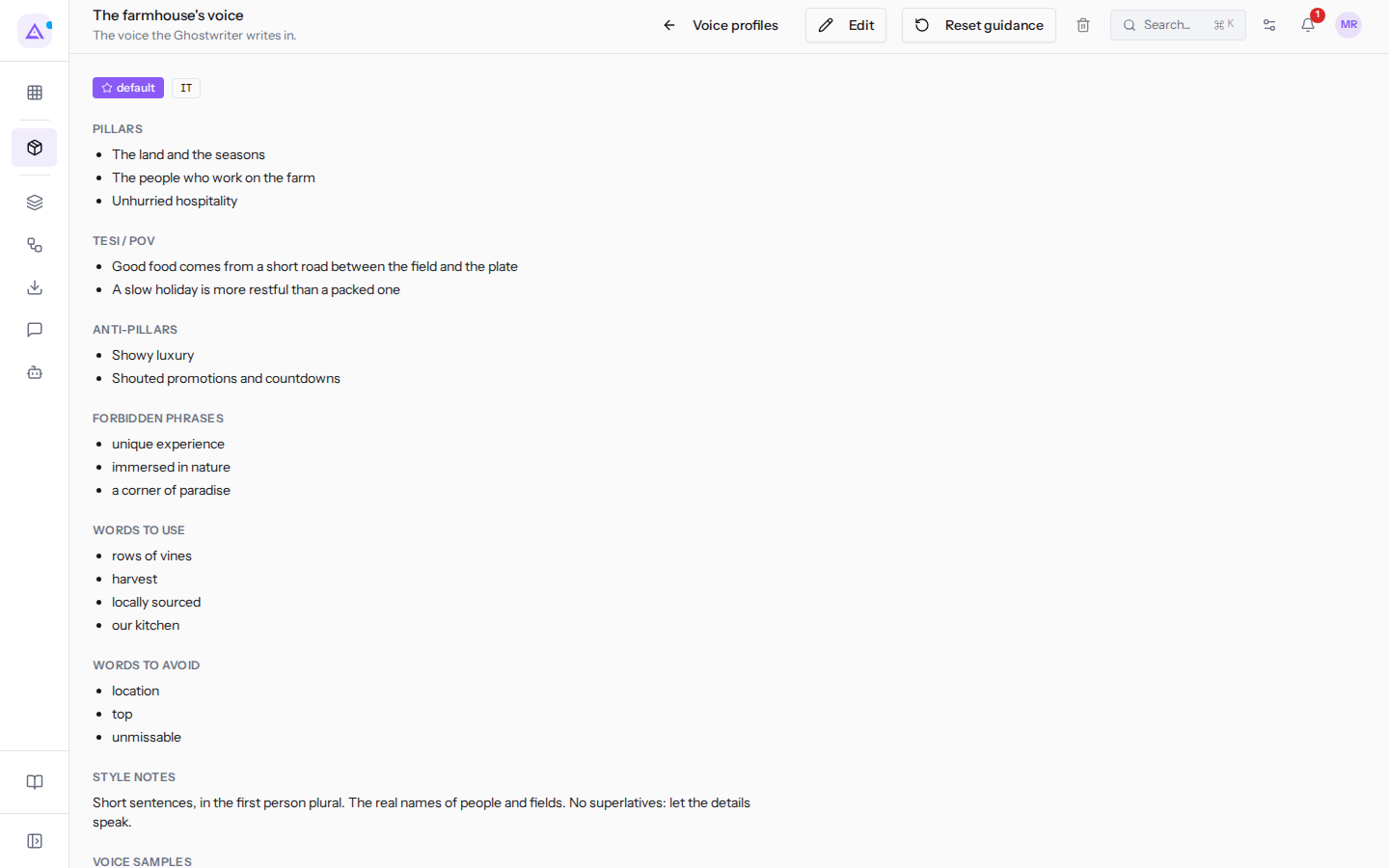
The profile receives the «default» label, the Make default button no longer appears on its record and the bin is disabled. The profile that was previously the default loses the label. Here is how the record of a default profile, The farmhouse's voice, looks:
Important: after changing the default profile, paper scores remain as calculated before. Recalculate them from the Papers page, as explained in Choosing the research papers to start from.
Editing a profile
The edit dialog contains the same fields as creation, already filled with the profile's values.
- Open the profile record.
- Click Edit. The dialog opens with the profile name, for example
Edit For guests from abroad.
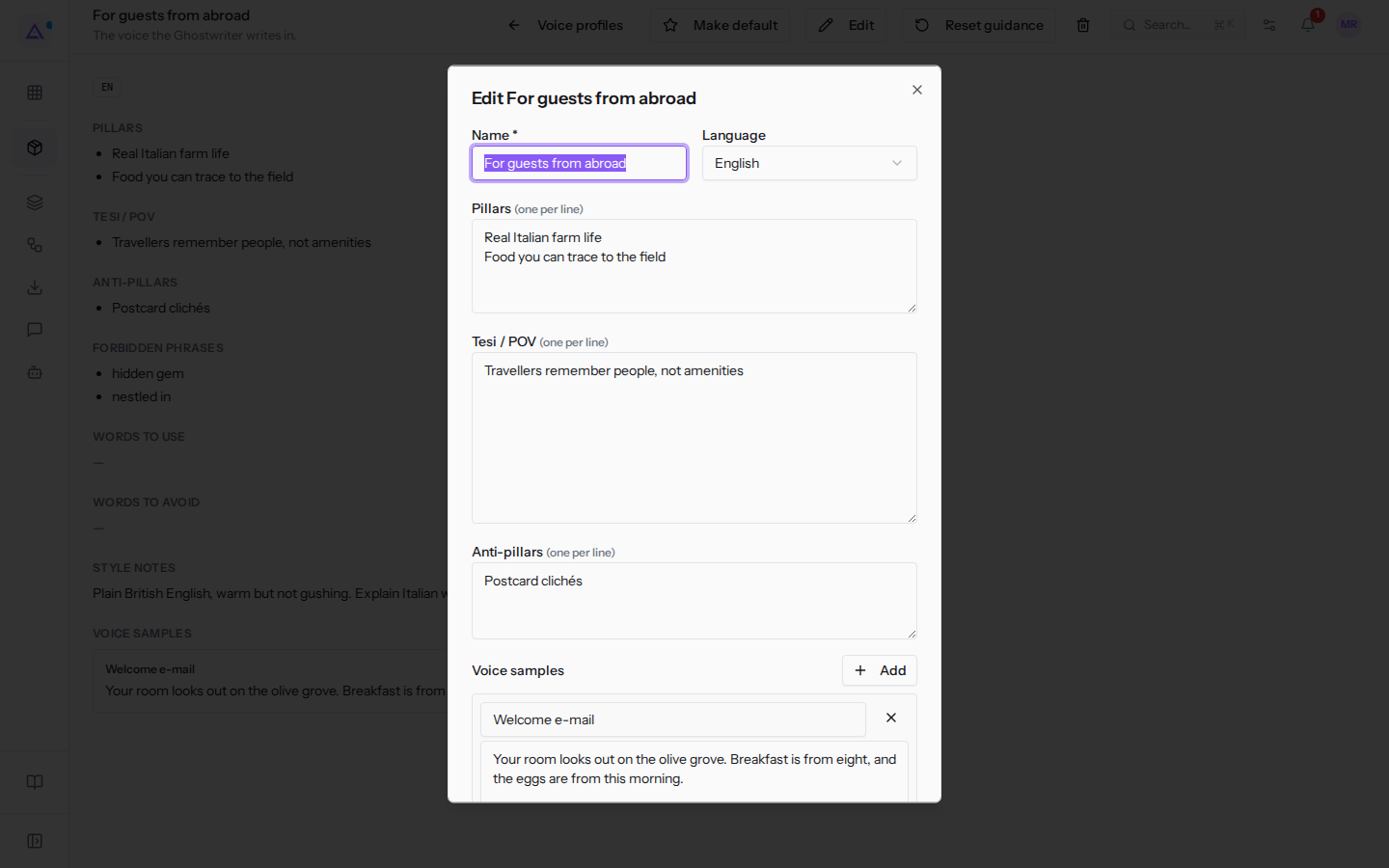
- Edit the fields.
- Click Save. To close without saving click Cancel.
The dialog fields:
- Name: the profile name. The field is required.
- «Language»: the language of the texts.
- English
- Italiano
- Pillars (one per line): the themes, one per line.
- Tesi / POV (one per line): the theses, one per line.
- Anti-pillars (one per line): the themes to avoid, one per line.
- «Voice samples»: text examples. Each example has a label and a text. To add an example click Add.
- Style notes: style guidance.
- Forbidden phrases (one per line): forbidden phrases, one per line.
- Words to use: preferred words.
- Words to avoid: words to avoid.
Resetting guidance to system values
Reset guidance resets the profile's writing guidance to the system values. Use it when the profile's guidance no longer gives the desired result and you want to start again from the base values.
- Open the profile record.
- Click Reset guidance. The confirmation prompt Reset voice guidance? opens.
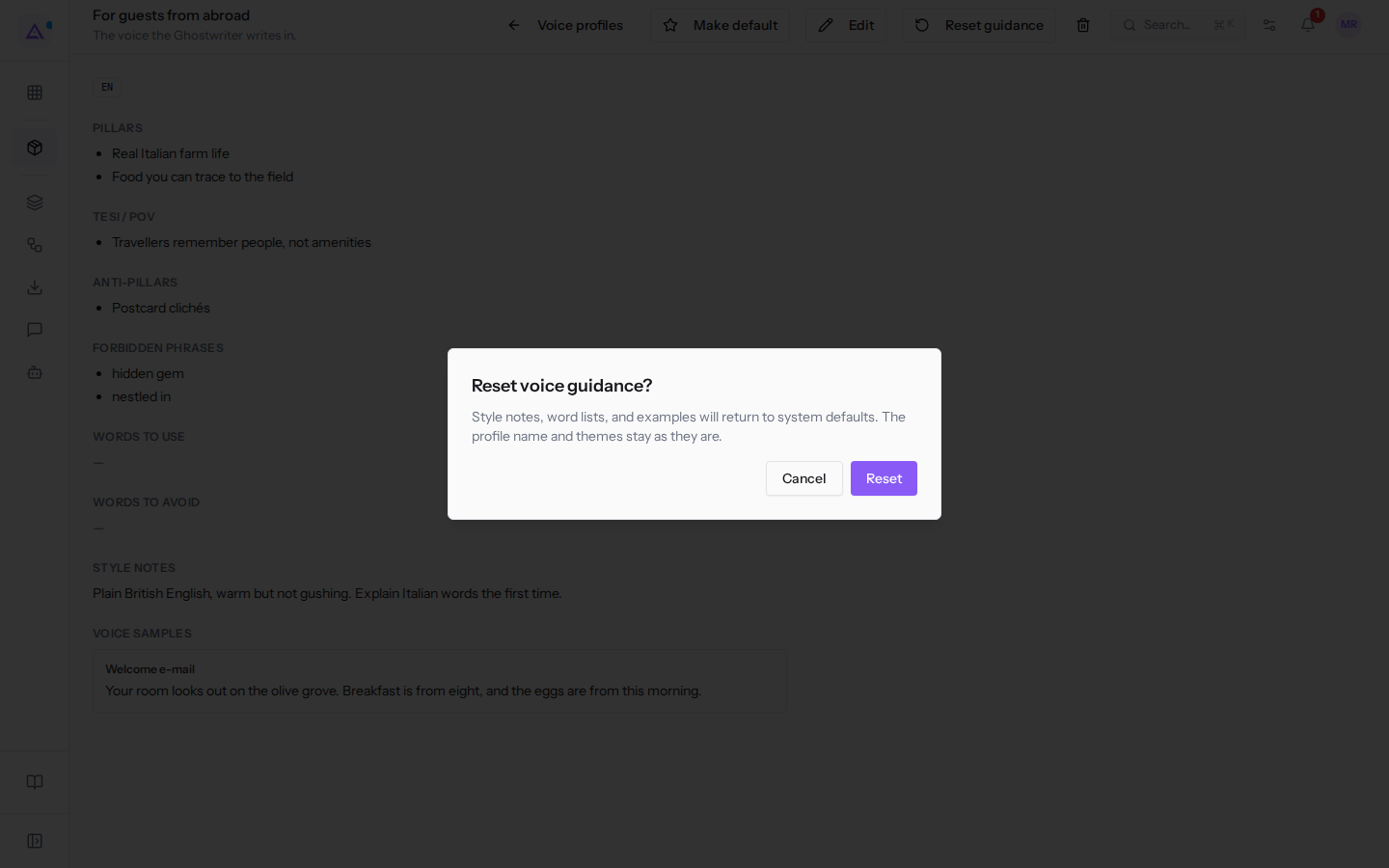
- Click Reset to confirm, or Cancel to leave the profile as it is.
The style notes revert to a generic system text. «Words to use», «Words to avoid», «Voice samples» and also «Forbidden phrases» are cleared. The name, language, «Pillars», «Tesi / POV» and «Anti-pillars» remain as they are.
Important: the values you wrote in those fields are replaced. If you want to keep them, copy them before confirming.
Deleting a profile
You can delete a profile that is not the default. The default profile cannot be deleted: the bin is disabled and, when you hover over it, «Set another profile as default first» appears. Deletion is reserved for users in the «Marketing Manager» group.
- If the profile is the default, make another profile the default with Make default.
- Open the record of the profile to delete, for example
Company events. - Click the bin icon. The confirmation prompt «Delete voice profile?» opens.
- Click Delete to confirm, or Cancel.
After deletion you return to the list of profiles. The Ghostwriter no longer uses the deleted profile and writes with the default profile.
Drafts already written can be found as described in Finding the drafts written by the Ghostwriter.
See it on your company, not on a slide deck.
In 30 minutes we map the software you use today.We show you how much work and how much margin Archimedes gives back.
Show me on my business →What industry are you in?
One tap — it lets us prepare the demo around your world.
What tools do you use today?
Pick the ones you recognise — or just type them. It helps us show you how they migrate.
Last step: your details.
We reply within one working day — and right after, if you like, you pick the demo slot yourself.
We couldn't send your request. Try again, or write to us at [email protected].
By sending, you agree to your data being processed so we can get back to you about the demo. Privacy notice.
Preview form — nothing is sent from this page.
Want to schedule the demo now?
Your call: book the slot you prefer yourself, or we'll call you to arrange it.
Live availability, 30 minutes, instant confirmation. The calendar opens in a new tab.
Lock in your slot ↗We'll get back to you within one working day — and we'll join the call already knowing your world.
The calendar is open in another tab: pick a slot and the demo is booked. Can't see it? Reopen it ↗
Preview page: nothing was sent.
Our calendar is live: take the slot that suits you and the demo is booked. 30 minutes, instant confirmation, no waiting.
Lock in your slot ↗