Agorà
All modules
Confirm a campaign and lock the final price
Agorà · 9 of 12 · 2 min read
Confirmation locks the final price and stops new pledges. It requires Threshold met, an enabled organiser organisation and Agorà Manager membership on your user.
Check before confirming
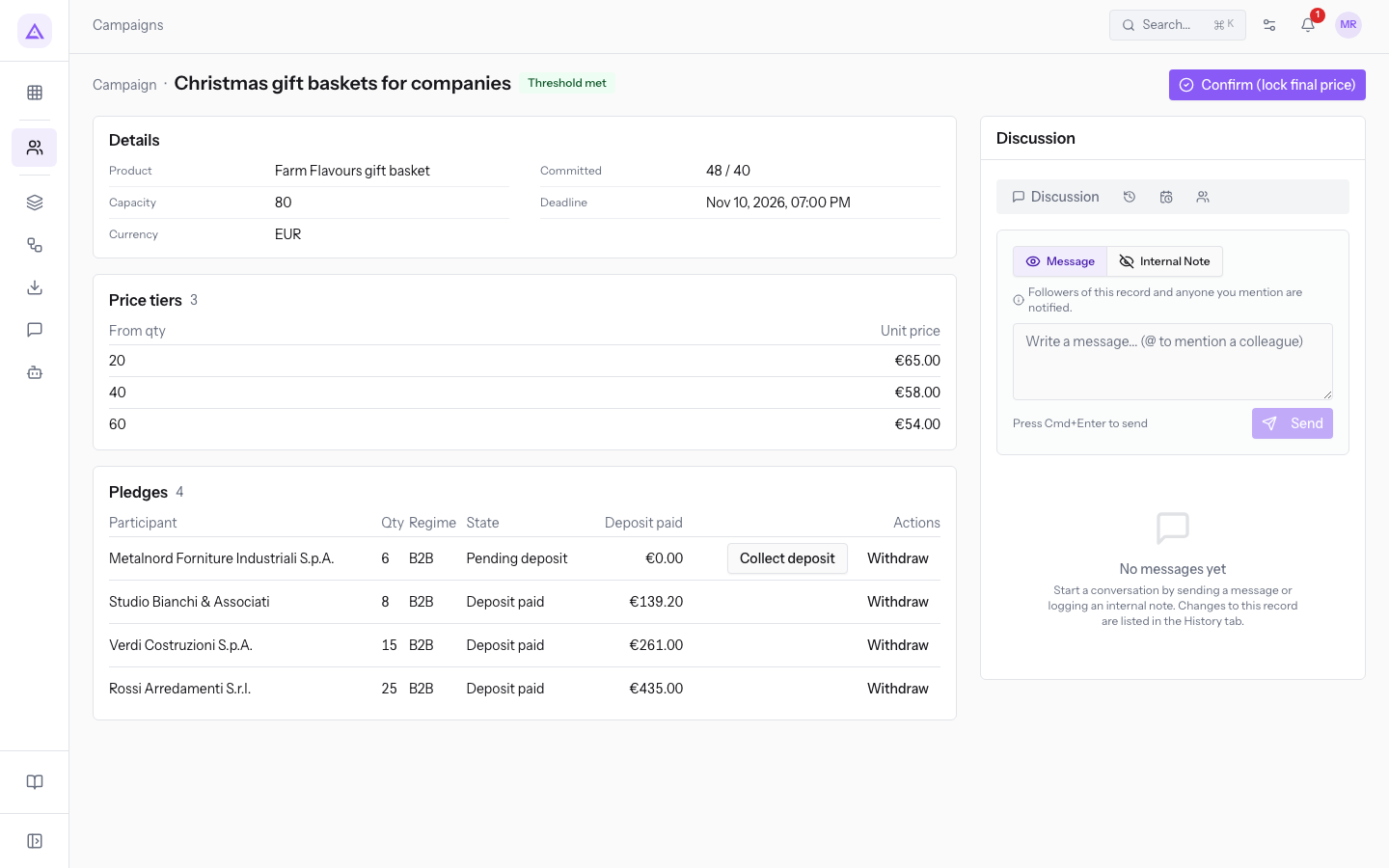
- Open the campaign and check Committed in Details. It must still meet the threshold: withdrawals can reduce it without changing the badge. The action does not recheck this requirement. Ask support instead of confirming if quantity has fallen below the threshold.
- Check Price tiers and the price covering the current quantity. Verify that it does not exceed the maximum recorded on pledges: decreasing prices are not validated by the product.
- Resolve Pending deposit pledges first. Collect a deposit only while collection remains valid, or withdraw an unconfirmed pledge after checking the case. Ask support for pledges hidden beyond the first page.
- Consider refund limits: confirmation releases funds from the simulated wallet and subsequent cancellation may have insufficient funds.
Confirm
- Press Confirm (lock final price) in the header.
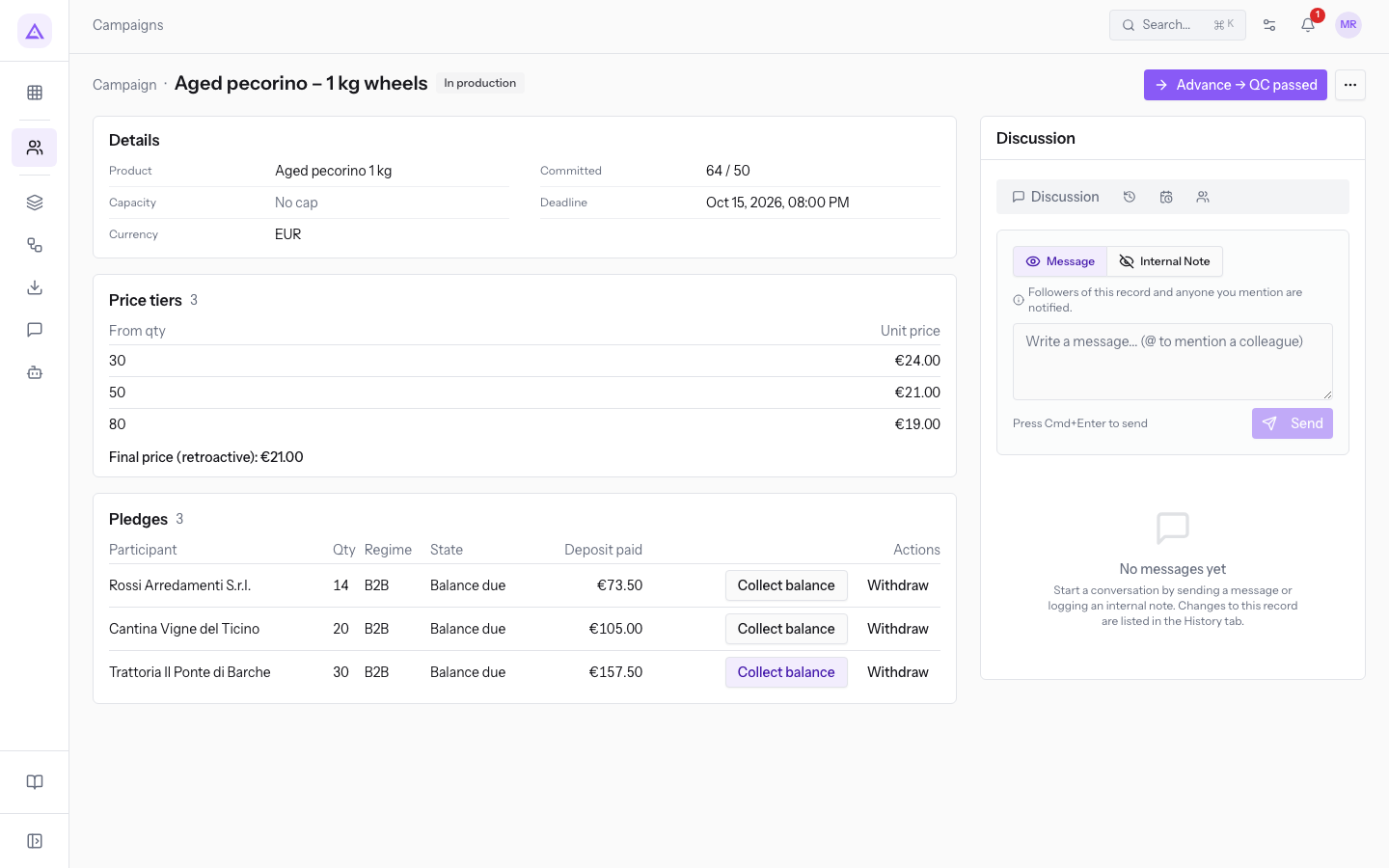
- Check the result. On success, the campaign becomes Confirmed, and committed pledges receive the final price and become Balance due.
- Check the final price in Price tiers and updated states in Pledges.
The simulated wallet records a release of final price × committed quantity × deposit percentage. This is not a bank transfer to the supplier or organiser. Each pledge's balance is final price × quantity − recorded deposit; the price improvement reduces that balance.
Pledges left pending receive neither the final price nor conversion to Balance due. Do not collect their deposits after confirmation: ask support to reconcile the case.
The product attempts confirmation and balance-request notifications to eligible recipients. Confirmation does not prove delivery; check Email outcomes.
There is no action to reverse confirmation to the previous state. Continue with production, delivery and balances, or see cancellation.
For example, with tiers 20 → €65, 40 → €58 and 60 → €54, a committed quantity of 48 sets a €58 final price. After confirmation, the next action is Advance → Ordered.
Reference screenshots
See it on your company, not on a slide deck.
In 30 minutes we map the software you use today.We show you how much work and how much margin Archimedes gives back.
Show me on my business →What industry are you in?
One tap — it lets us prepare the demo around your world.
What tools do you use today?
Pick the ones you recognise — or just type them. It helps us show you how they migrate.
Last step: your details.
We reply within one working day — and right after, if you like, you pick the demo slot yourself.
We couldn't send your request. Try again, or write to us at [email protected].
By sending, you agree to your data being processed so we can get back to you about the demo. Privacy notice.
Preview form — nothing is sent from this page.
Want to schedule the demo now?
Your call: book the slot you prefer yourself, or we'll call you to arrange it.
Live availability, 30 minutes, instant confirmation. The calendar opens in a new tab.
Lock in your slot ↗We'll get back to you within one working day — and we'll join the call already knowing your world.
The calendar is open in another tab: pick a slot and the demo is booked. Can't see it? Reopen it ↗
Preview page: nothing was sent.
Our calendar is live: take the slot that suits you and the demo is booked. 30 minutes, instant confirmation, no waiting.
Lock in your slot ↗