Agorà
All modules
Track production and delivery and manage balances
Agorà · 10 of 12 · 2 min read
After confirmation, the record tracks supply progress and lets you manage simulated balances. It does not send orders, perform quality checks or arrange shipments.
Advance
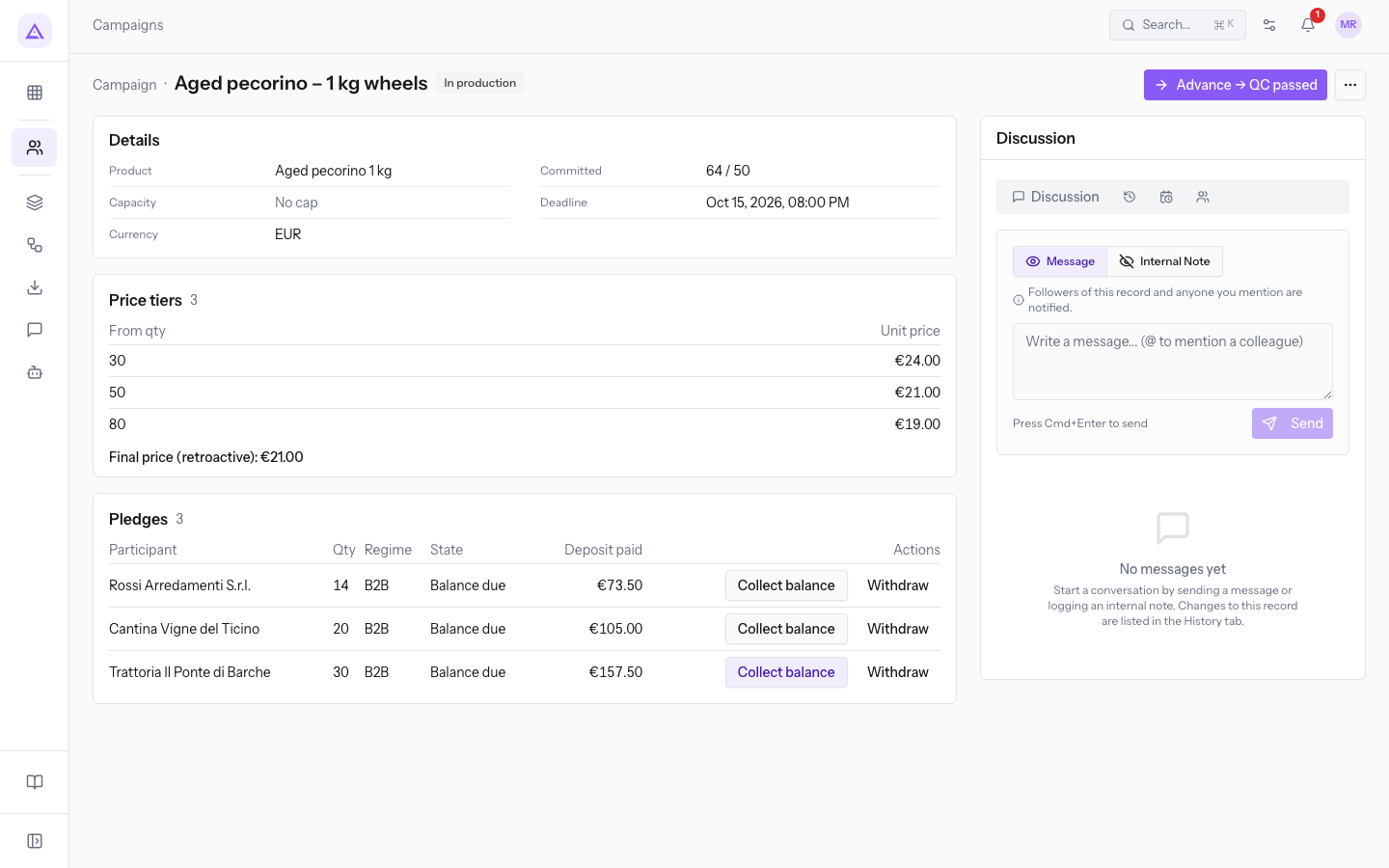
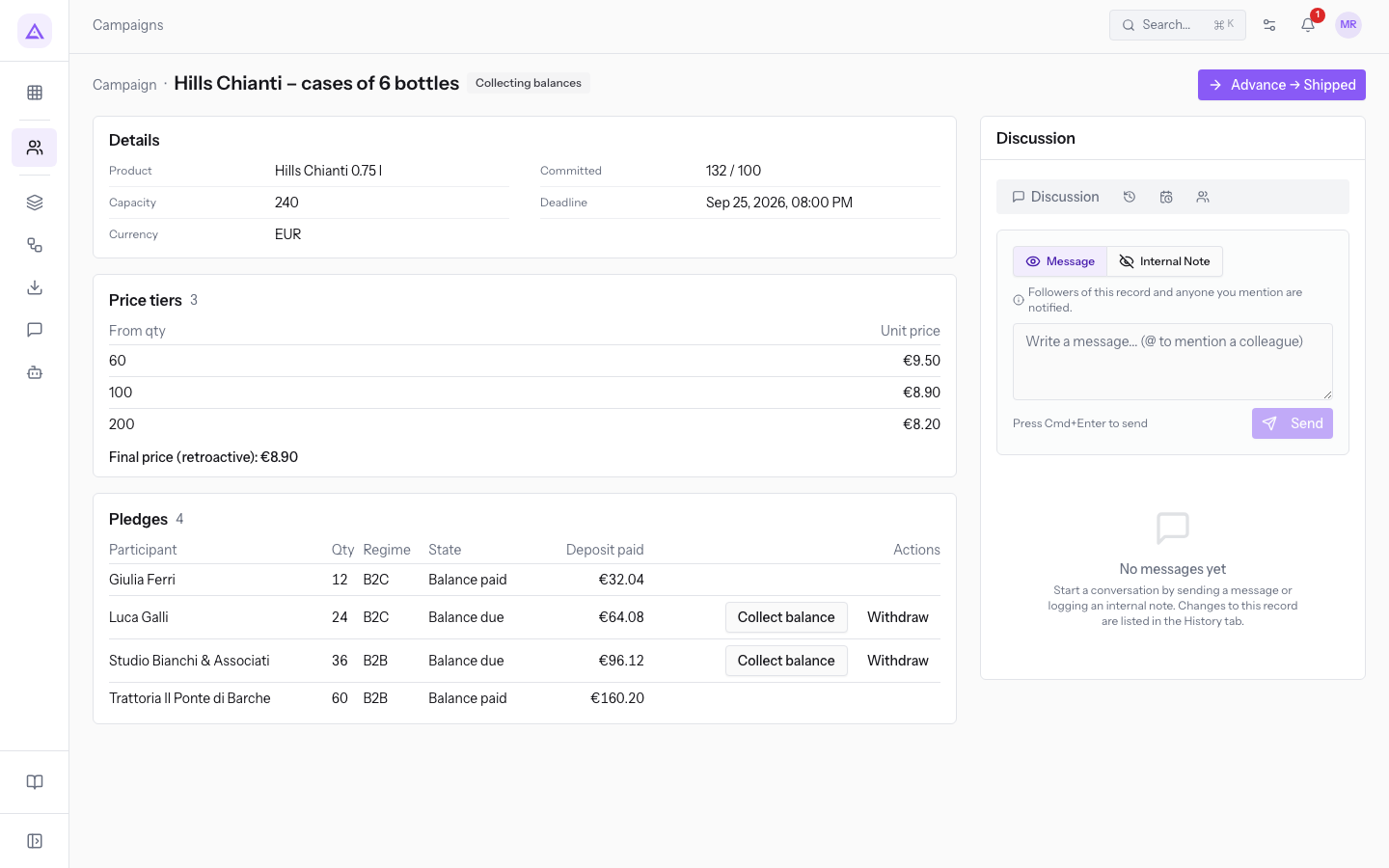
The ordinary path is Confirmed → Ordered → In production → QC passed → Collecting balances → Shipped → Arrived → Completed.
- Open the campaign from Agorà › Campaigns.
- Verify outside the record that the next state reflects actual progress. For example, record Ordered only after sending the supplier order, and QC passed only after a successful quality check.
- Press Advance → followed by the next state, then check the badge.
These steps neither record payment movements nor send participant notifications. The screen does not offer a return to the previous state.
Important: normal advancement from production proposes QC passed. Do not use it after a failed check. The screen has limitations for failed quality checks; it may also offer cancellation during production although the service rejects that transition. Ask support for a failed check or blocked supply instead of advancing to an inaccurate state.
Record a balance
The balance is final price × quantity − recorded deposit. The balance request is attempted at confirmation; you do not have to wait for Collecting balances to use the action.
- Open a confirmed campaign with Balance due pledges.
- In the visible rows, find the participant and check quantity, final price and deposit.
- Press Collect balance on the row and check that it becomes Balance paid.
This updates the simulated ledger without charging a real payment. A lower final price reduces the balance without a partial deposit refund. The list shows only the first page; ask support for missing pledges.
Withdrawals and completion
A Balance due pledge can still be withdrawn; a Balance paid pledge cannot. B2B withdrawal leaves the deposit with the campaign; B2C withdrawal attempts a refund that can fail if funds are insufficient. See Pledges.
Before settlement, check all pledges, not just visible rows, and resolve inconsistent amounts or states. Completed supply status is not proof that all payments have been reconciled.
Reference screenshots
See it on your company, not on a slide deck.
In 30 minutes we map the software you use today.We show you how much work and how much margin Archimedes gives back.
Show me on my business →What industry are you in?
One tap — it lets us prepare the demo around your world.
What tools do you use today?
Pick the ones you recognise — or just type them. It helps us show you how they migrate.
Last step: your details.
We reply within one working day — and right after, if you like, you pick the demo slot yourself.
We couldn't send your request. Try again, or write to us at [email protected].
By sending, you agree to your data being processed so we can get back to you about the demo. Privacy notice.
Preview form — nothing is sent from this page.
Want to schedule the demo now?
Your call: book the slot you prefer yourself, or we'll call you to arrange it.
Live availability, 30 minutes, instant confirmation. The calendar opens in a new tab.
Lock in your slot ↗We'll get back to you within one working day — and we'll join the call already knowing your world.
The calendar is open in another tab: pick a slot and the demo is booked. Can't see it? Reopen it ↗
Preview page: nothing was sent.
Our calendar is live: take the slot that suits you and the demo is booked. 30 minutes, instant confirmation, no waiting.
Lock in your slot ↗