Agorà
All modules
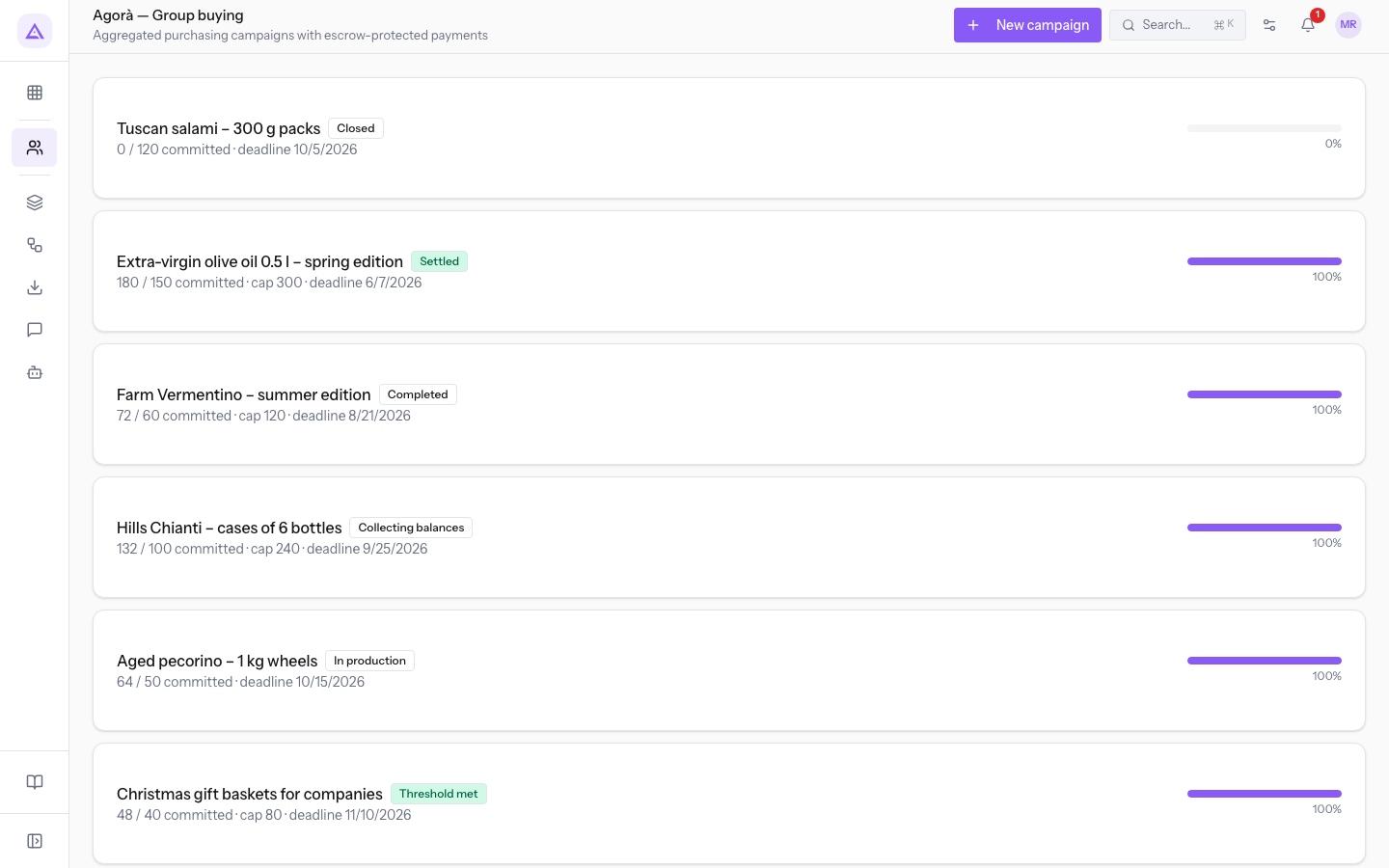
Browse campaigns and campaign records
Agorà · 3 of 12 · 2 min read
Open Agorà › Campaigns, then click a campaign to open its record. New campaign opens the creation form.
List and details
Each list row shows the name, state, committed quantity against the threshold, capacity if set, and deadline. The percentage is committed quantity divided by the threshold, rounded and capped at 100%.
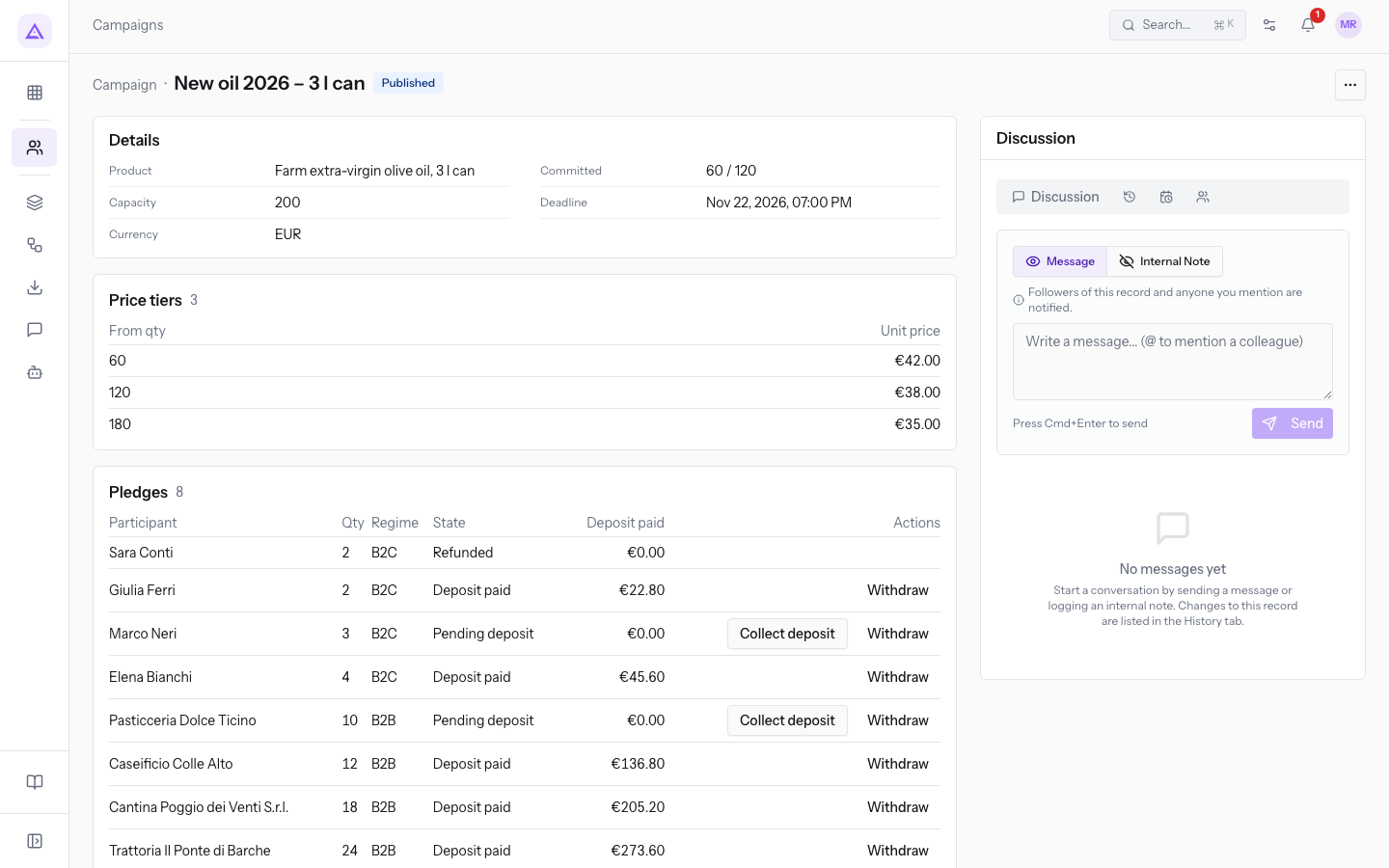
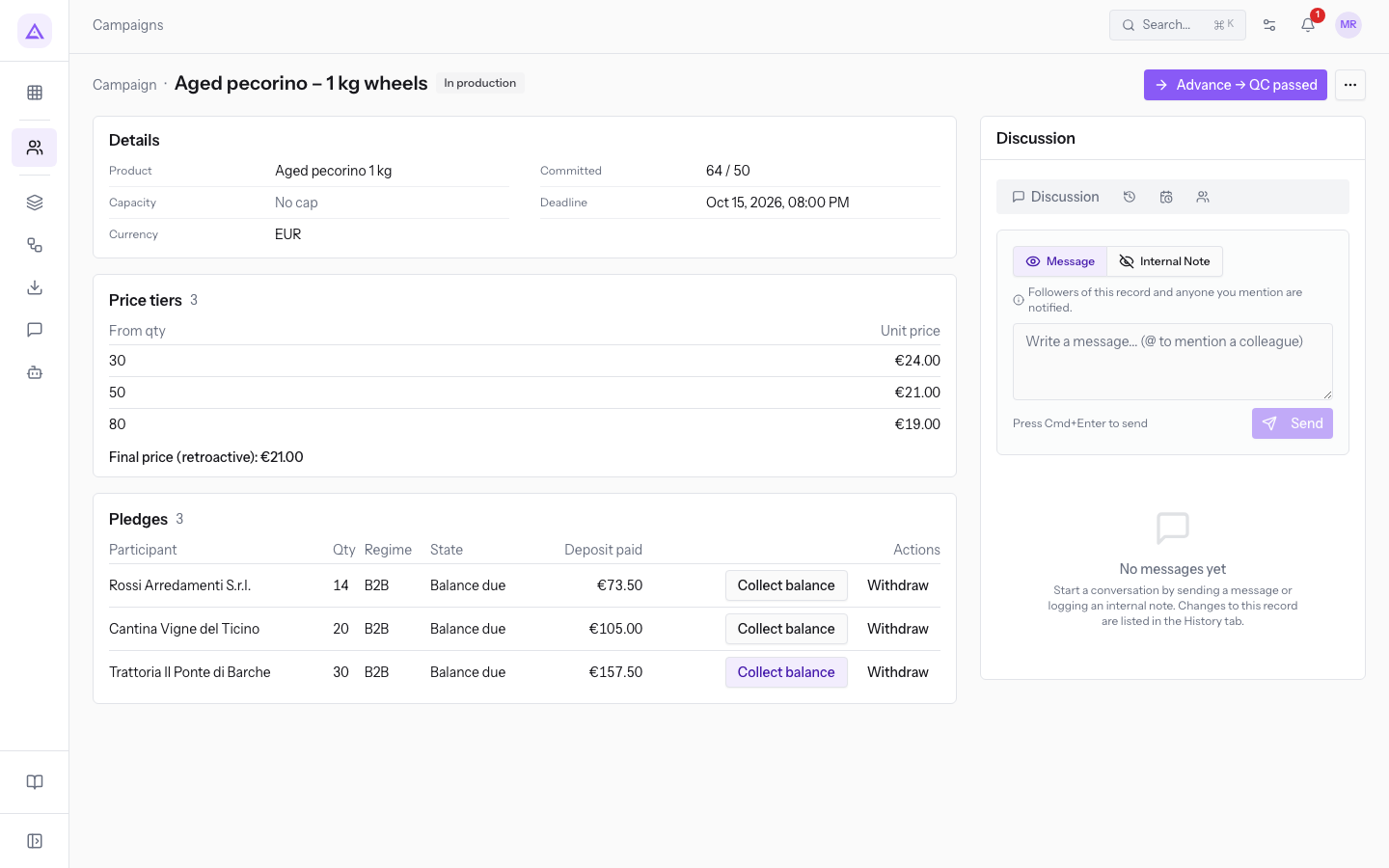
The record header shows the state, main action and, when available, More actions. Details contains:
- Product: the linked product, if selected.
- Committed: committed pledge quantities against the threshold.
- Capacity: a limit or No cap. Editing is offered only in the relevant states.
- Deadline: date and time; extension is offered only when available.
- Currency: the campaign currency.
Price tiers shows From qty and Unit price. After confirmation it also shows the final price. The record does not offer tier editing.
Pledges
Pledges contains Participant, Qty, Regime, State, Deposit paid and Actions. Pending deposit does not count towards the threshold; Deposit paid, Balance due and Balance paid count. Withdrawn and Refunded do not count.
Note: the campaign list and pledge section load only the first page of results, without controls for subsequent pages. The total can exceed the visible rows. Ask support if campaigns or pledges are missing; visible rows alone are not a complete balance check.
Amounts represent the simulated ledger, not bank transactions. For actions, see deposits and withdrawals, balances and settlement.
Discussion
In Discussion, choose Message or Internal Note, enter the text and press Send. The other tabs provide history, tasks and followers. A discussion message does not replace checking delivery of participant notifications.
Reference screenshots
See it on your company, not on a slide deck.
In 30 minutes we map the software you use today.We show you how much work and how much margin Archimedes gives back.
Show me on my business →What industry are you in?
One tap — it lets us prepare the demo around your world.
What tools do you use today?
Pick the ones you recognise — or just type them. It helps us show you how they migrate.
Last step: your details.
We reply within one working day — and right after, if you like, you pick the demo slot yourself.
We couldn't send your request. Try again, or write to us at [email protected].
By sending, you agree to your data being processed so we can get back to you about the demo. Privacy notice.
Preview form — nothing is sent from this page.
Want to schedule the demo now?
Your call: book the slot you prefer yourself, or we'll call you to arrange it.
Live availability, 30 minutes, instant confirmation. The calendar opens in a new tab.
Lock in your slot ↗We'll get back to you within one working day — and we'll join the call already knowing your world.
The calendar is open in another tab: pick a slot and the demo is booked. Can't see it? Reopen it ↗
Preview page: nothing was sent.
Our calendar is live: take the slot that suits you and the demo is booked. 30 minutes, instant confirmation, no waiting.
Lock in your slot ↗