Agorà
All modules
Publish a campaign
Agorà · 6 of 12 · 2 min read
Publishing moves a campaign from Draft to Published, enabling public pledge functions. It does not create a participant page or checkout; an integrated interface is required, as explained in the overview.
Prerequisites
- Your organisation is enabled as an organiser and your user belongs to Agorà Manager.
- The organisation's platform contract is accepted. If it is missing, ask the owner or an administrator to complete it in Organization → Legal & privacy. The platform handles its own administrator exemption separately.
- A published Form notice, or the fallback Privacy notice — customers. A generic privacy document not recognised by this check is insufficient.
- At least one tier, with its first starting quantity no greater than the threshold and prices no lower than the deposit share of the recorded maximum. See Price tiers.
- A future deadline.
Publish
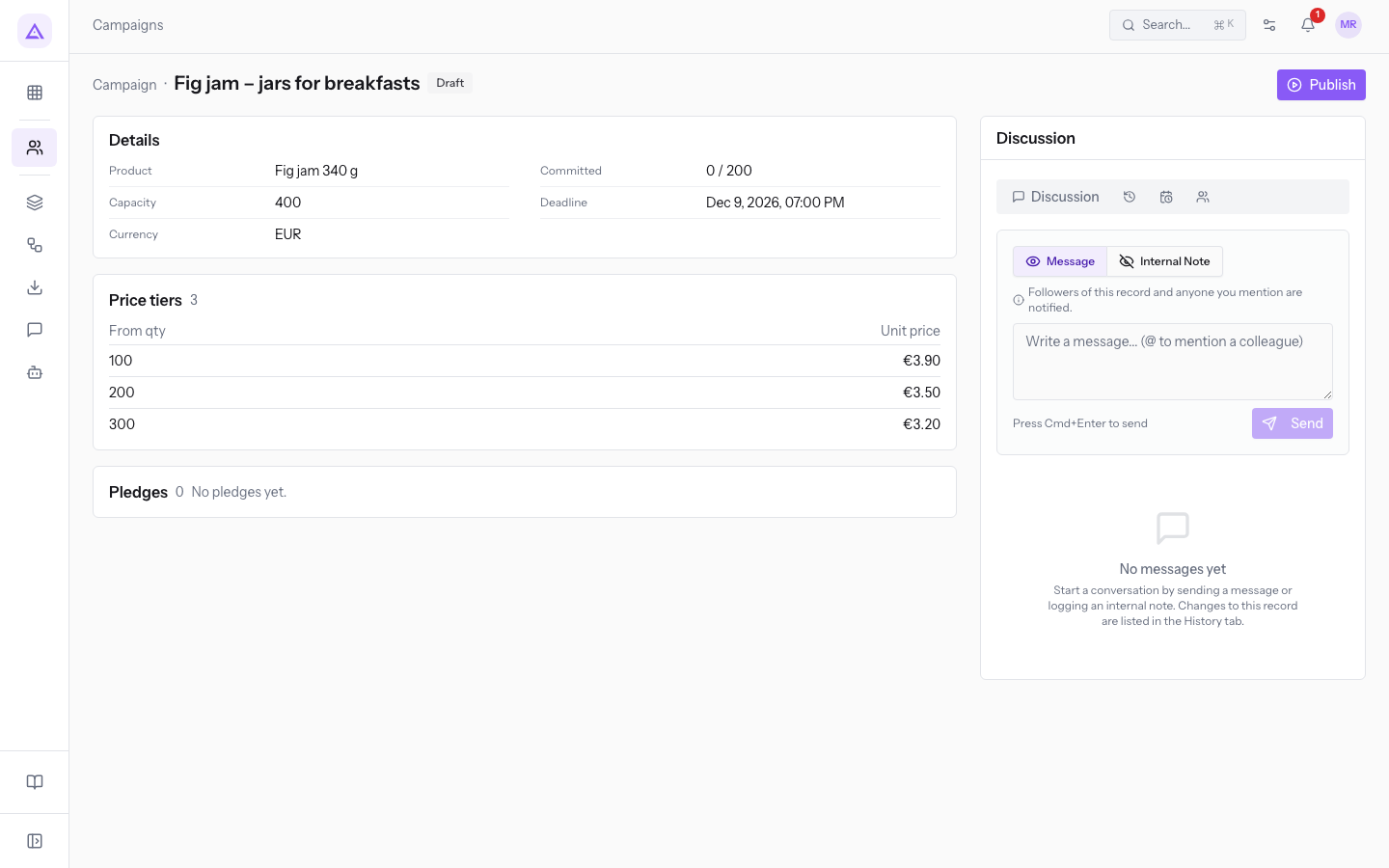
- Open the Draft campaign from Agorà › Campaigns.
- Check the product if selected, quantities, capacity, deadline and tiers. Also check that prices decrease: the product does not validate this condition.
- Press Publish in the header. If checks pass, the badge changes to Published.
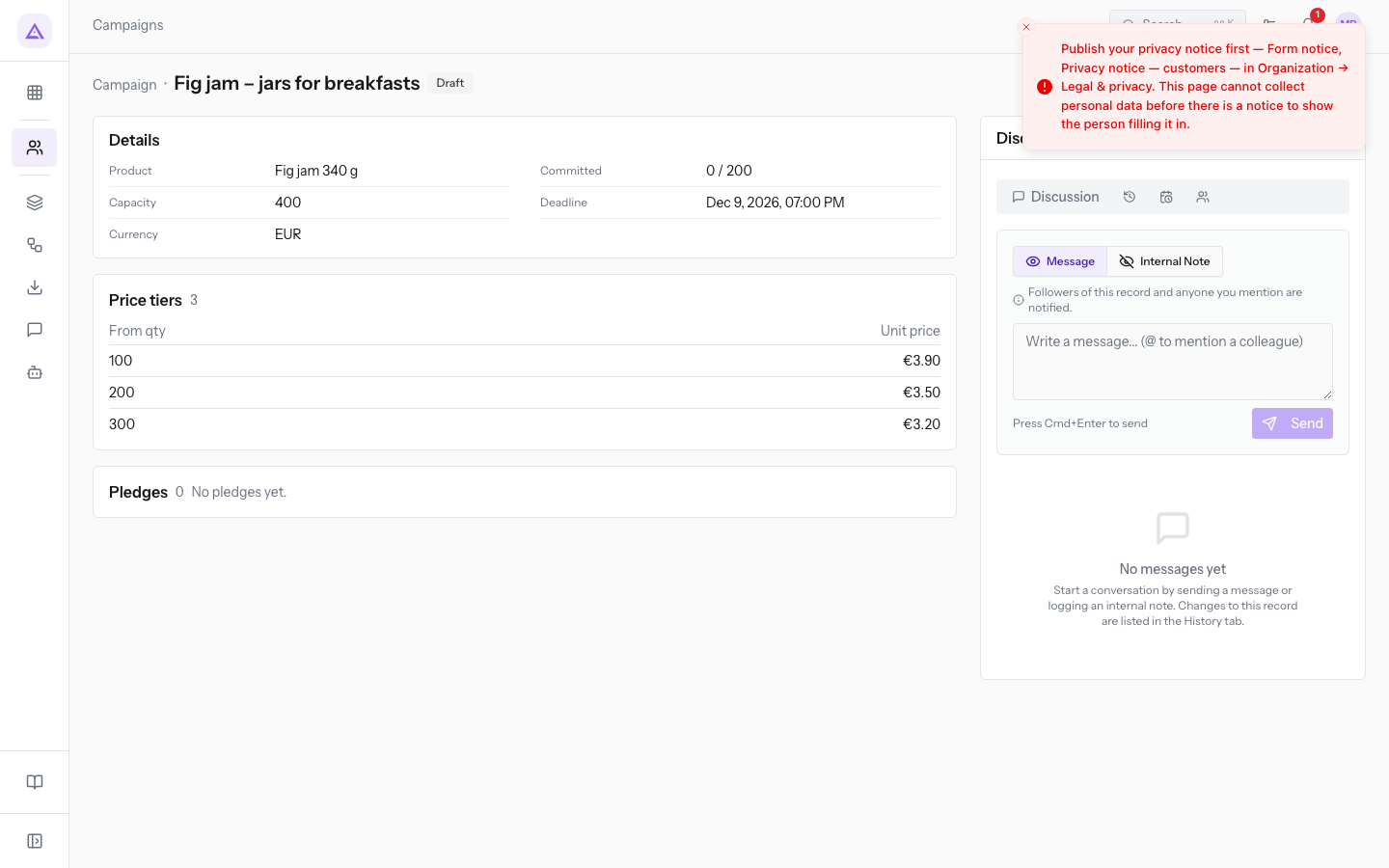
- If an error appears, resolve the stated prerequisite and try again. An unmet prerequisite leaves the campaign in Draft.
If the notice is missing, Publish your privacy notice first identifies the accepted documents and settings location. A missing contract produces a separate contract message: publishing a notice does not satisfy that requirement.
After publication
A wallet is created in the simulated ledger, without opening a financial account. New pledges are accepted until the deadline or confirmation, within capacity. Pending deposits reserve capacity but do not count towards the threshold.
The record offers only specific changes, such as capacity increases and extension. Expiry does not automatically close the campaign; see failure and cancellation.
Notifications depend on recipients, Email configuration and sending outcomes. Reaching Published does not prove a communication was delivered.
Reference screenshots
See it on your company, not on a slide deck.
In 30 minutes we map the software you use today.We show you how much work and how much margin Archimedes gives back.
Show me on my business →What industry are you in?
One tap — it lets us prepare the demo around your world.
What tools do you use today?
Pick the ones you recognise — or just type them. It helps us show you how they migrate.
Last step: your details.
We reply within one working day — and right after, if you like, you pick the demo slot yourself.
We couldn't send your request. Try again, or write to us at [email protected].
By sending, you agree to your data being processed so we can get back to you about the demo. Privacy notice.
Preview form — nothing is sent from this page.
Want to schedule the demo now?
Your call: book the slot you prefer yourself, or we'll call you to arrange it.
Live availability, 30 minutes, instant confirmation. The calendar opens in a new tab.
Lock in your slot ↗We'll get back to you within one working day — and we'll join the call already knowing your world.
The calendar is open in another tab: pick a slot and the demo is booked. Can't see it? Reopen it ↗
Preview page: nothing was sent.
Our calendar is live: take the slot that suits you and the demo is booked. 30 minutes, instant confirmation, no waiting.
Lock in your slot ↗