Agorà
All modules
Set up price tiers
Agorà · 5 of 12 · 2 min read
A tier contains a starting quantity and unit price. It applies from that quantity until the next tier. Enter tiers while creating the draft.
Price calculation
The tier with the highest starting quantity no greater than the threshold determines the maximum price recorded on a new pledge. Confirmation instead applies the tier reached by committed quantity to all committed pledges.
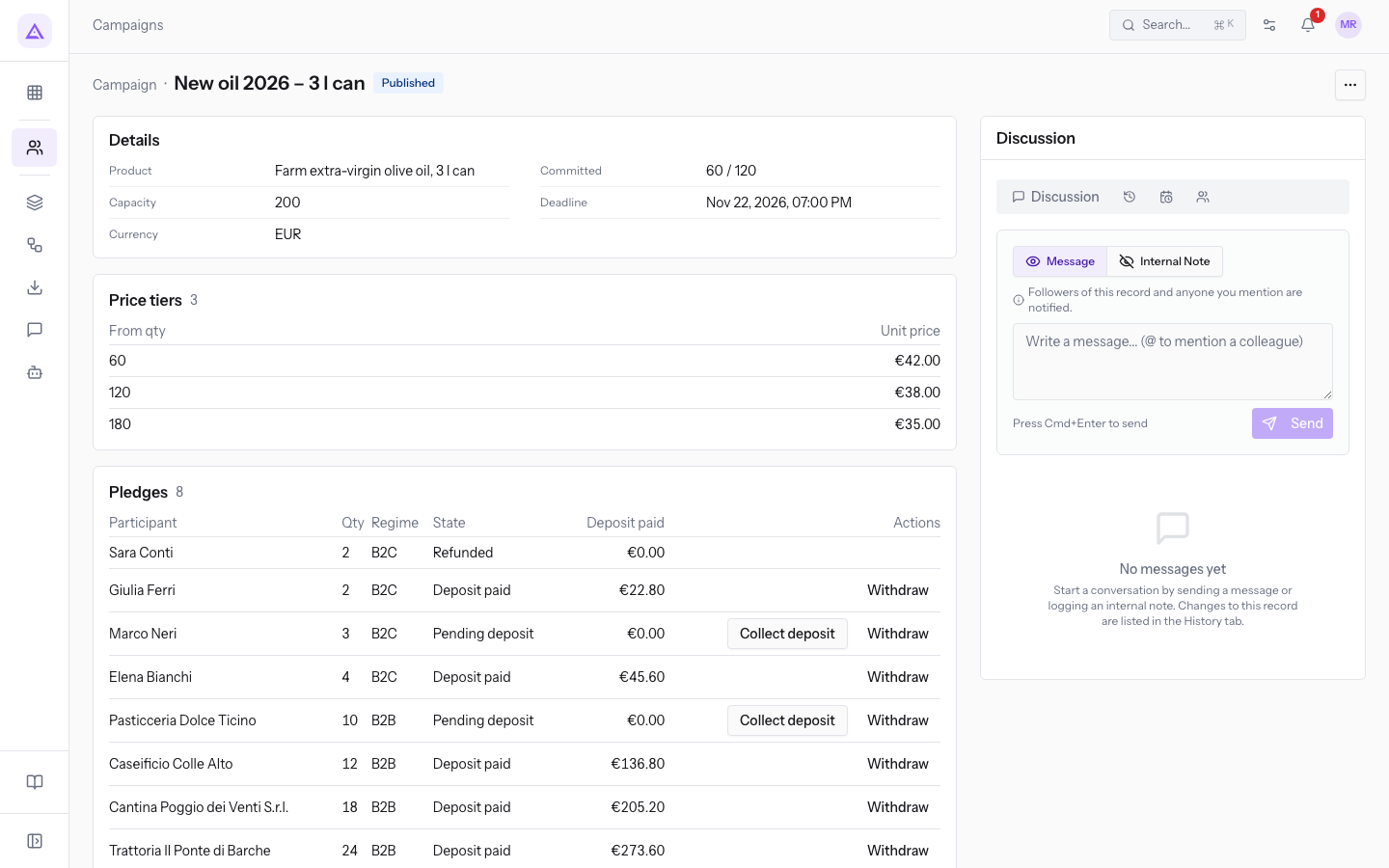
A tier starting below the threshold can also determine the final price. With a threshold of 120 and tiers 60 → €42 and 180 → €35, confirmation at 120 uses the €42 price from the tier starting at 60.
Adding a tier at 120 → €38 makes the maximum €38. A 30% deposit is €11.40 per unit. Confirmation at 180 sets a €35 price and €23.60 balance per unit. Deposits are rounded on the total pledge amount.
Important: use decreasing prices and distinct starting quantities. The product does not validate decreasing prices; a more expensive later tier can exceed the promised maximum. The Threshold met badge can remain after a withdrawal: check committed quantity again before confirming.
Enter and save tiers
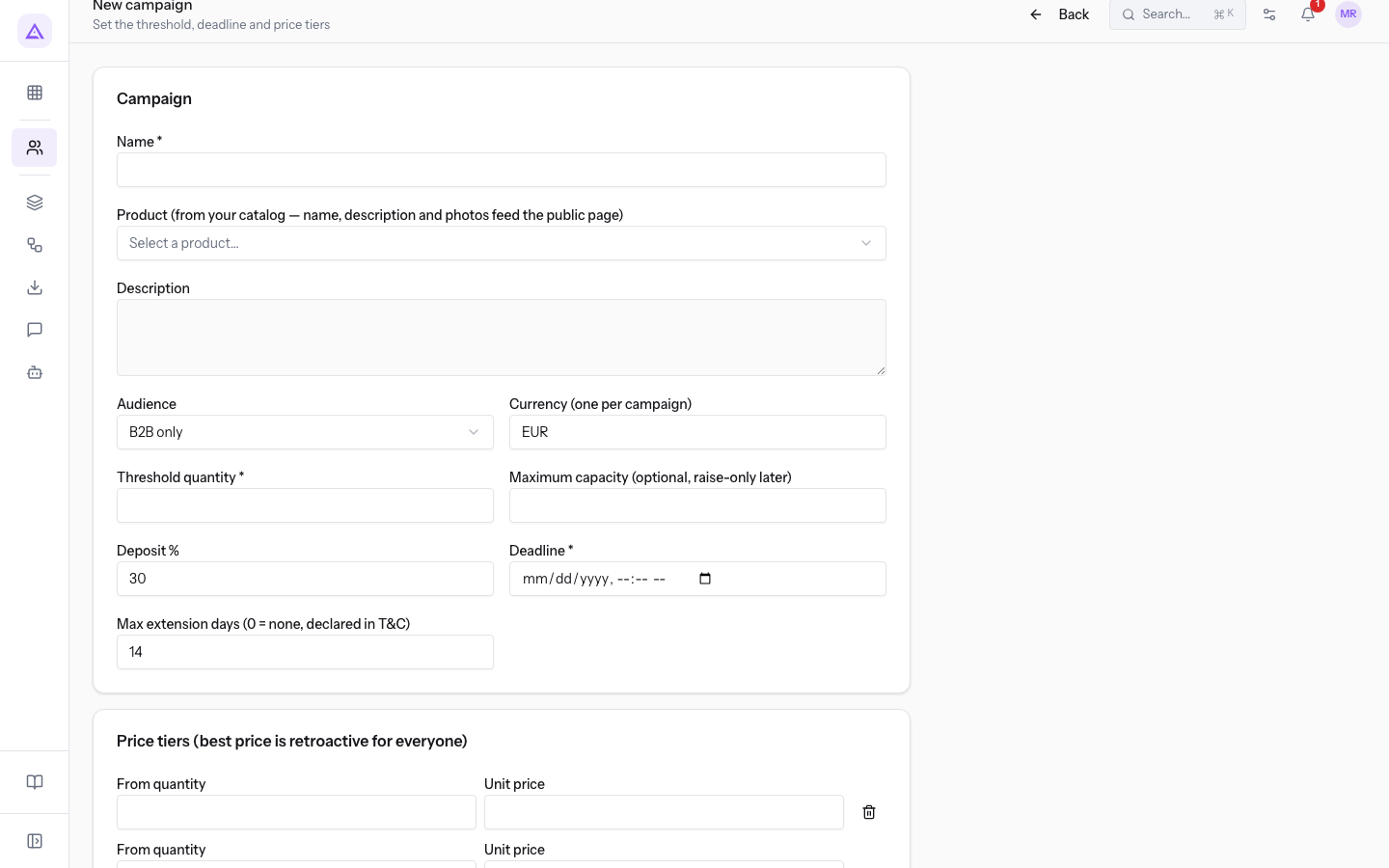
- In New campaign, enter an integer of at least 1 in From quantity and a price of at least 0.01 in Unit price.
- Press Add tier for more rows. The bin removes a row, but is disabled on the final row.
- Complete the remaining form fields and press Create draft.
Creation requires at least one complete valid tier. Incomplete rows are omitted; saving is refused if every row is empty. Duplicate starting quantities are not allowed.
Publication checks
Publication requires the first tier to cover the threshold and every price to be at least the deposit share of the recorded maximum, rounded to two decimals. With a €38 maximum and 30% deposit, the floor is €11.40. Also check that capacity allows the threshold to be reached.
A lower final price reduces the balance; it does not trigger a partial deposit refund. Payment operations are simulated, as explained in the overview.
The record's Price tiers section shows From qty, Unit price and, after confirmation, the final price. It does not offer tier editing.
Reference screenshots
See it on your company, not on a slide deck.
In 30 minutes we map the software you use today.We show you how much work and how much margin Archimedes gives back.
Show me on my business →What industry are you in?
One tap — it lets us prepare the demo around your world.
What tools do you use today?
Pick the ones you recognise — or just type them. It helps us show you how they migrate.
Last step: your details.
We reply within one working day — and right after, if you like, you pick the demo slot yourself.
We couldn't send your request. Try again, or write to us at [email protected].
By sending, you agree to your data being processed so we can get back to you about the demo. Privacy notice.
Preview form — nothing is sent from this page.
Want to schedule the demo now?
Your call: book the slot you prefer yourself, or we'll call you to arrange it.
Live availability, 30 minutes, instant confirmation. The calendar opens in a new tab.
Lock in your slot ↗We'll get back to you within one working day — and we'll join the call already knowing your world.
The calendar is open in another tab: pick a slot and the demo is booked. Can't see it? Reopen it ↗
Preview page: nothing was sent.
Our calendar is live: take the slot that suits you and the demo is booked. 30 minutes, instant confirmation, no waiting.
Lock in your slot ↗