Agorà
All modules
Settle a campaign
Agorà · 11 of 12 · 2 min read
Settlement records the fee and release of the simulated wallet's remainder, then moves the campaign from Completed to Settled. It does not make bank transfers.
Checks
Your organisation must be enabled and your user must belong to Agorà Manager.
- Verify that supply is complete and the campaign is Completed.
- Check all pledges. The service blocks settlement if any pledge is Balance due, including one hidden beyond the first page. Ask support for missing rows.
- Also resolve pending pledges and deposits collected after confirmation: the settlement check does not exclude these states or establish that they are correct.
- Ask support to verify the wallet balance and amounts where the record provides insufficient information.
Calculation
The service uses final price × currently committed quantity as transaction volume. The fee is volume × fee percentage, rounded to two decimals. The organiser release is available wallet balance minus the fee.
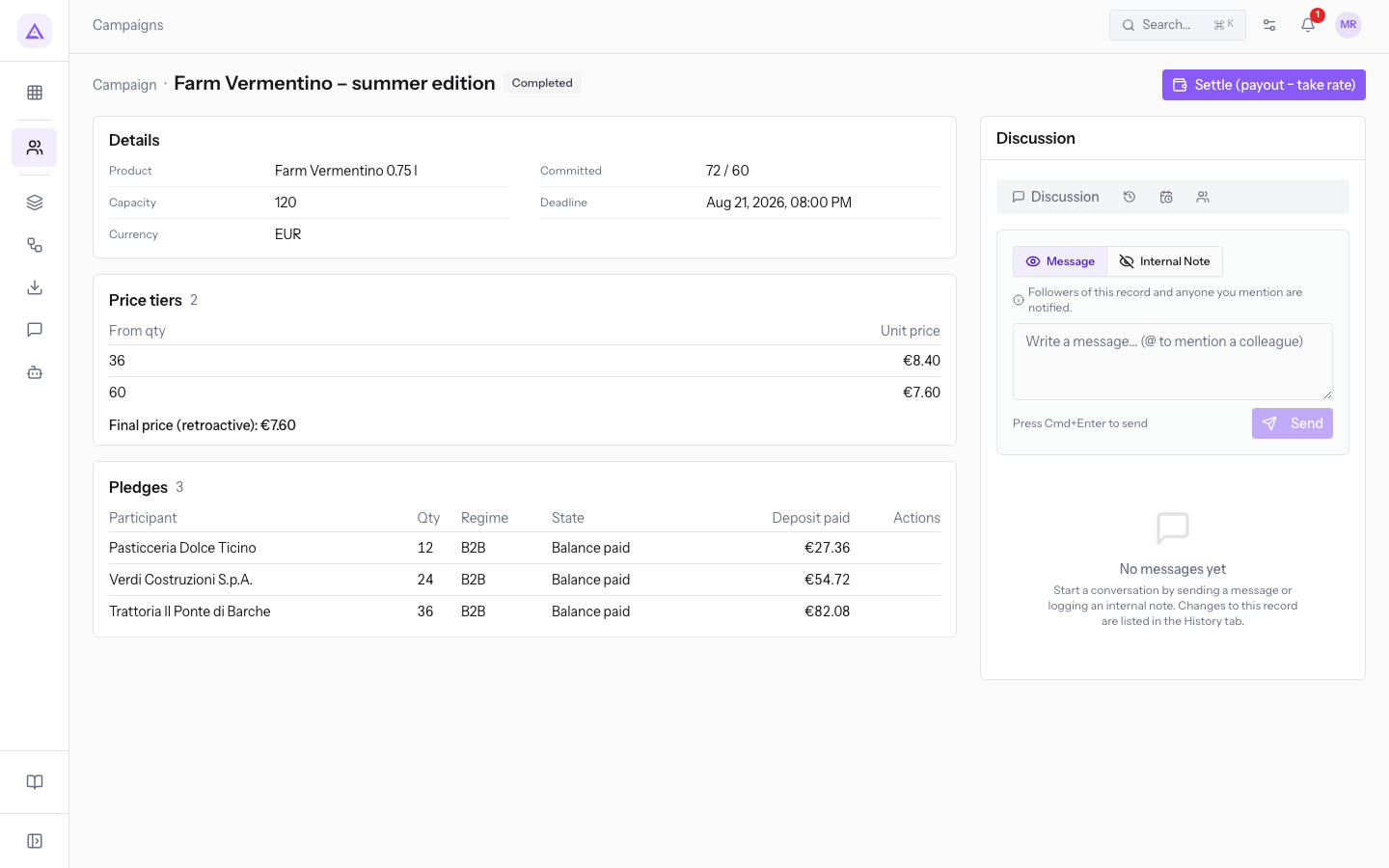
With 72 units at €7.60, volume is €547.20. At a 3% fee, the fee is €16.42. The remainder is not necessarily €547.20 minus €16.42: confirmation already recorded the deposit-share release.
The ledger's actual balance, rather than pledge amounts alone, determines what can be released. If it cannot cover the fee, the action can fail.
Settle
- Open the Completed campaign.
- After the checks, press Settle (payout − take rate) in the header.
- Check the result and Settled badge. If it fails, ask support to reconcile the ledger before trying again.
There is no action to undo settlement. The header offers no further actions, but a remaining pending row may still show Collect deposit. Do not use it after settlement: the product does not fully enforce that boundary.
Settlement does not establish that participants received real payments or refunds. For closure limits, see failure and cancellation.
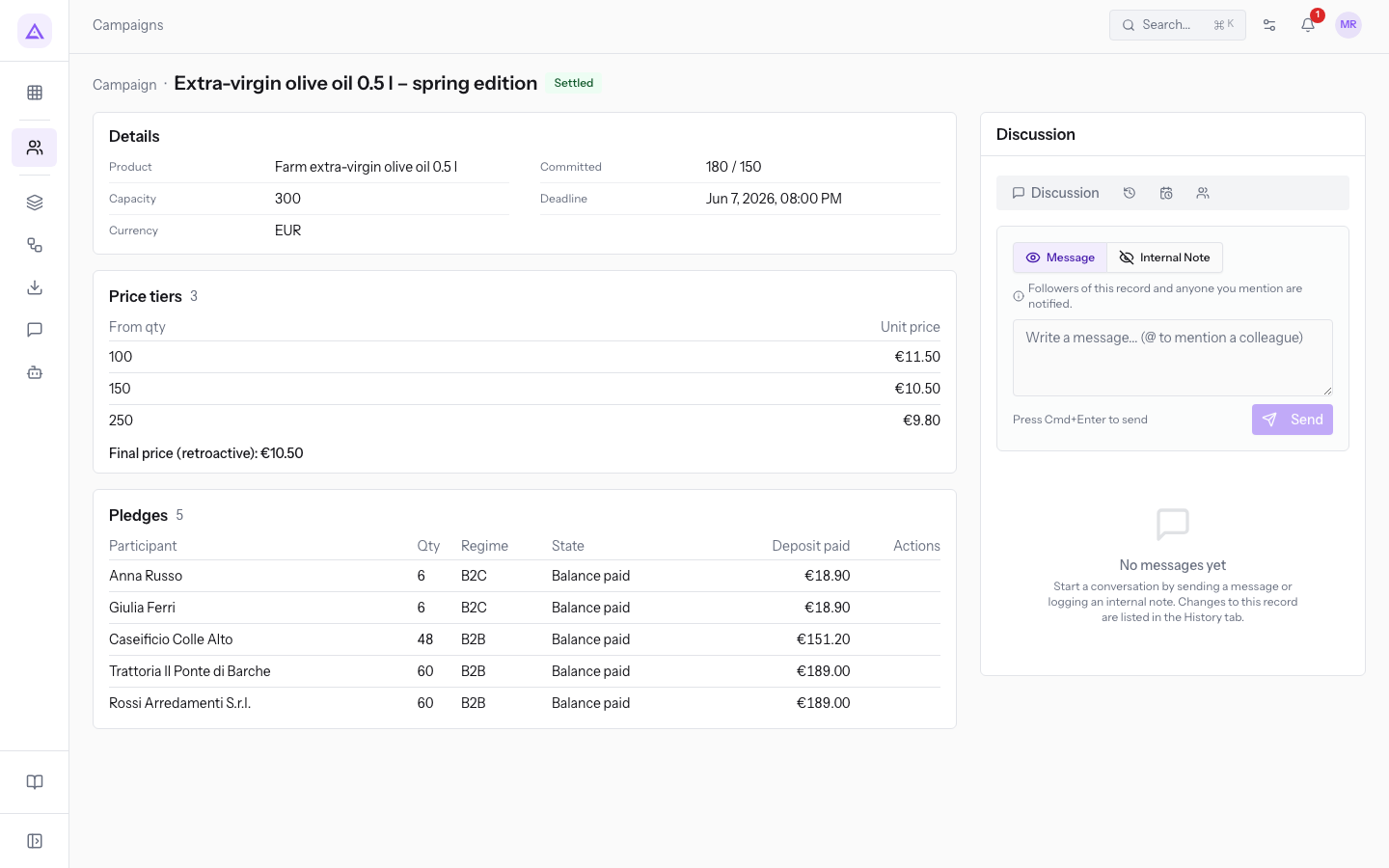
Reference screenshots
On this page
See it on your company, not on a slide deck.
In 30 minutes we map the software you use today.We show you how much work and how much margin Archimedes gives back.
Show me on my business →What industry are you in?
One tap — it lets us prepare the demo around your world.
What tools do you use today?
Pick the ones you recognise — or just type them. It helps us show you how they migrate.
Last step: your details.
We reply within one working day — and right after, if you like, you pick the demo slot yourself.
We couldn't send your request. Try again, or write to us at [email protected].
By sending, you agree to your data being processed so we can get back to you about the demo. Privacy notice.
Preview form — nothing is sent from this page.
Want to schedule the demo now?
Your call: book the slot you prefer yourself, or we'll call you to arrange it.
Live availability, 30 minutes, instant confirmation. The calendar opens in a new tab.
Lock in your slot ↗We'll get back to you within one working day — and we'll join the call already knowing your world.
The calendar is open in another tab: pick a slot and the demo is booked. Can't see it? Reopen it ↗
Preview page: nothing was sent.
Our calendar is live: take the slot that suits you and the demo is booked. 30 minutes, instant confirmation, no waiting.
Lock in your slot ↗