Tree of Knowledge
All modules
Understanding which content is read
Tree of Knowledge · 13 of 14 · 4 min read
The By Content tab of the statistics shows how many times a portal's pages and reels are opened, and by how many visitors. It lets you compare the elements and see which visitors opened each one.
Choose the tab based on what you want to know:
- If you want to know which elements are opened, use the By Content tab.
- If you want to know what a visitor opened, use the By Visitor tab, described in See who opened the portal.
- If you want to follow individual events, use the Activity Log tab, described in Check the activity log.
Reading the Content Performance table
The Content Performance table summarizes each page and reel of the portal in one row.
- In Tree of Knowledge open the portal and press Analytics.
- Open the By Content tab.
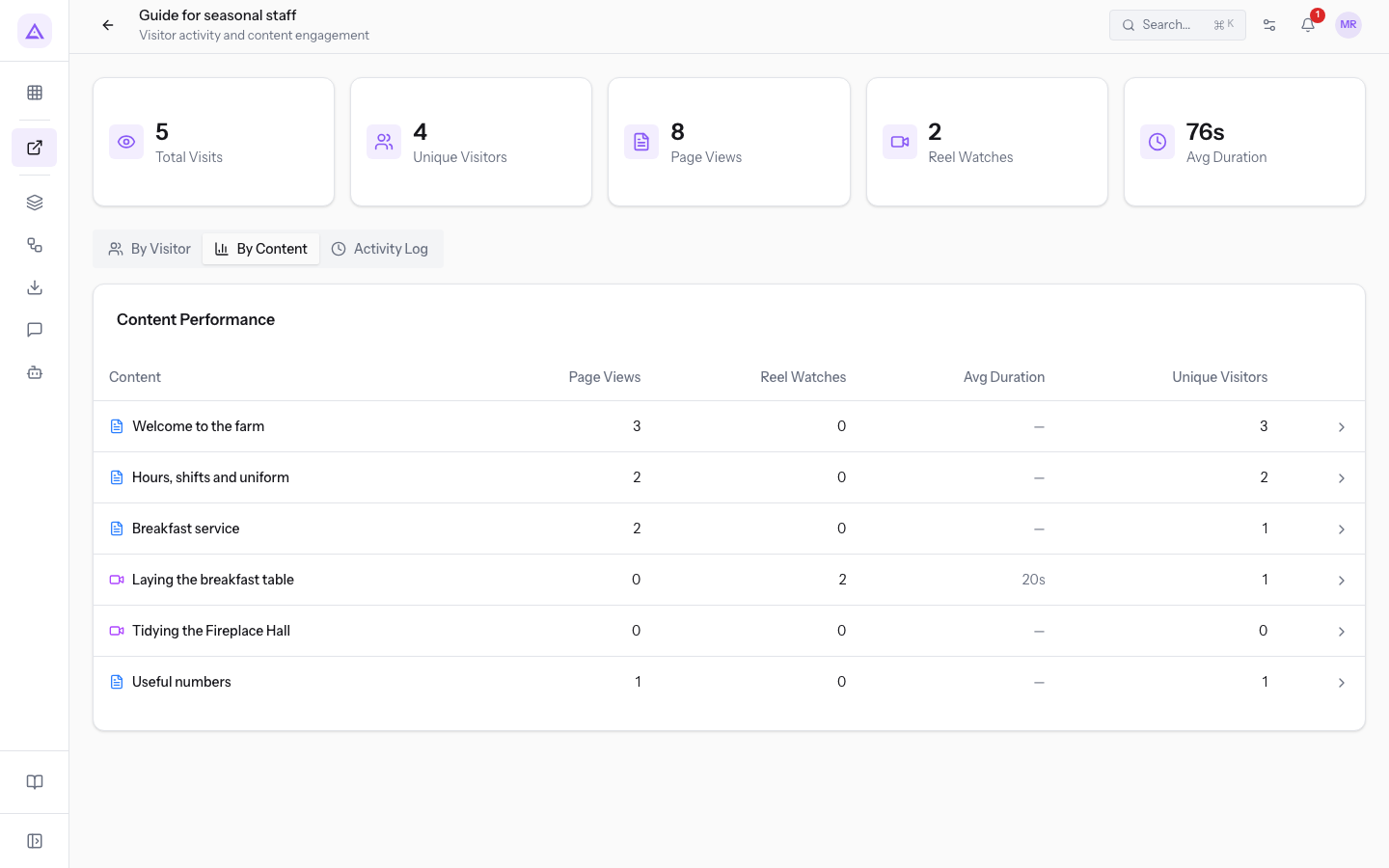
The table has these columns:
- Content: the title of the page or reel. An icon distinguishes the two types.
- Page Views: the total number of times the page was opened. For a reel the value is 0.
- Reel Watches: the total number of times the reel was watched. For a page the value is 0.
- Avg Duration: the average watch time of the reel, in seconds. It applies only to reels: for pages and for reels with no recorded duration the column shows a dash.
- Unique Visitors: the number of different visitors who opened the element.
The table also lists elements with no visits, with the values at 0. Sections do not appear: they group other elements and do not have a row of their own.
The row order is fixed and does not depend on the numbers: to find the most opened element, compare the values in the columns.
Note: until the portal has invitations, the No content yet message appears instead of the table, even if the tree already contains pages and reels.
Note: the numbers include visits from all of the portal's invitations, including expired or revoked ones.
Note: the Avg Duration box at the top considers all events of the portal with a recorded duration. The Avg Duration column considers only the reel watches of the row. For this reason the two values can differ: in the image they are 76s and 20s.
Reading the numbers in a row
The values in a row are read together, because views and visitors count different things.
- If Page Views or Reel Watches is higher than Unique Visitors, at least one visitor opened the element more than once:
Breakfast servicehas 2 views and 1 visitor. - If the Page Views and Unique Visitors values match, each visitor opened the page only once:
Welcome to the farmhas 3 views from 3 visitors. - If a reel has all values at 0, check that it has its video:
Tidying the Fireplace Hallhas no visits because the video is missing. To add the video, follow Upload or record a reel.
Seeing the visitors of an element
The panel of an element lists the visitors who opened it, with how many times each one opened it.
In the Content Performance table press the row of the element. The panel opens with the title of the element.
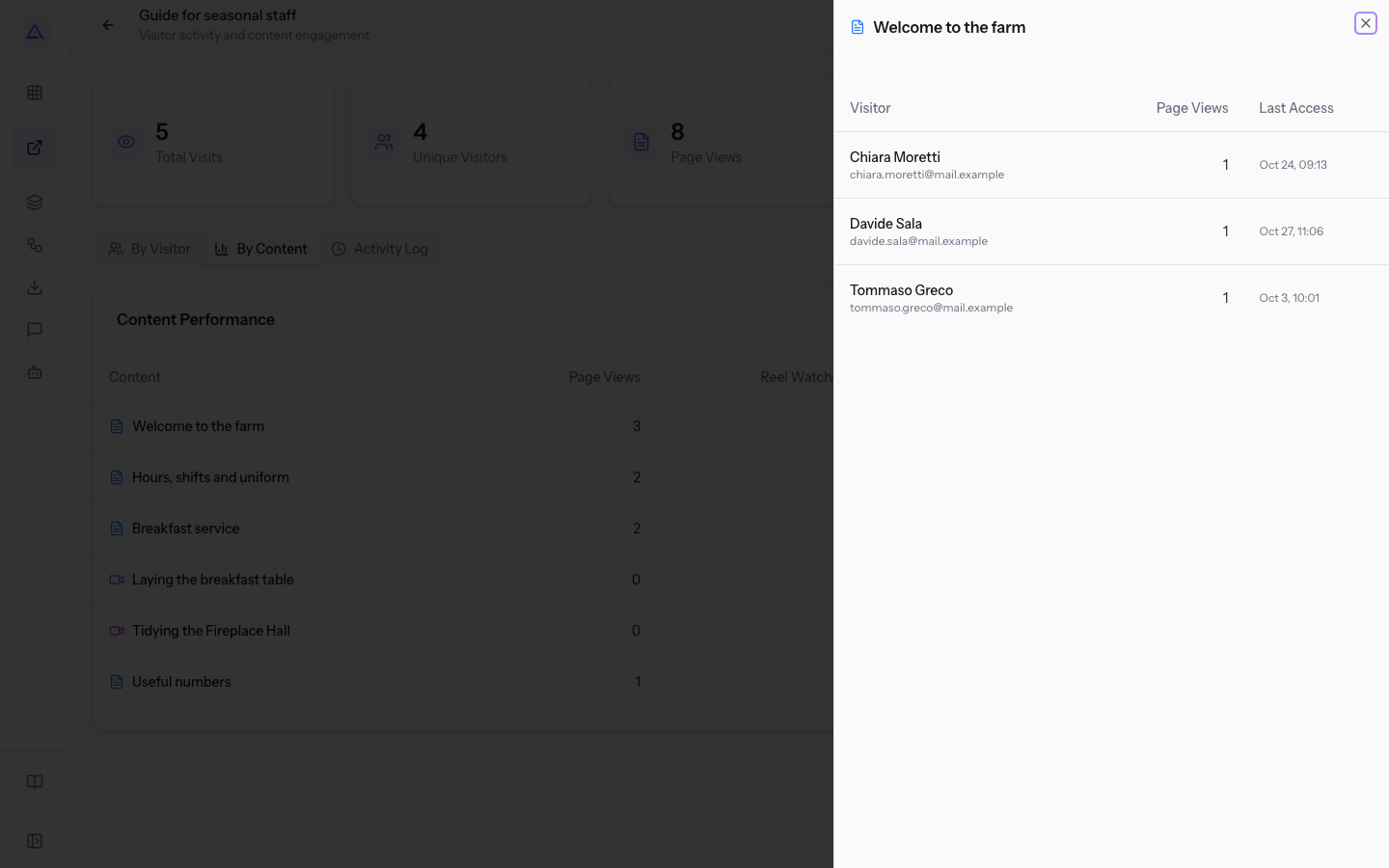
The panel has these columns:
- Visitor: the name and email address of the visitor. If the invitation has no name, only the email address appears.
- Page Views: how many times the visitor opened the page. The column appears only for pages.
- Reel Watches: how many times the visitor watched the reel, followed by their average watch time. The column appears only for reels.
- Last Access: the date and time the visitor last opened the element.
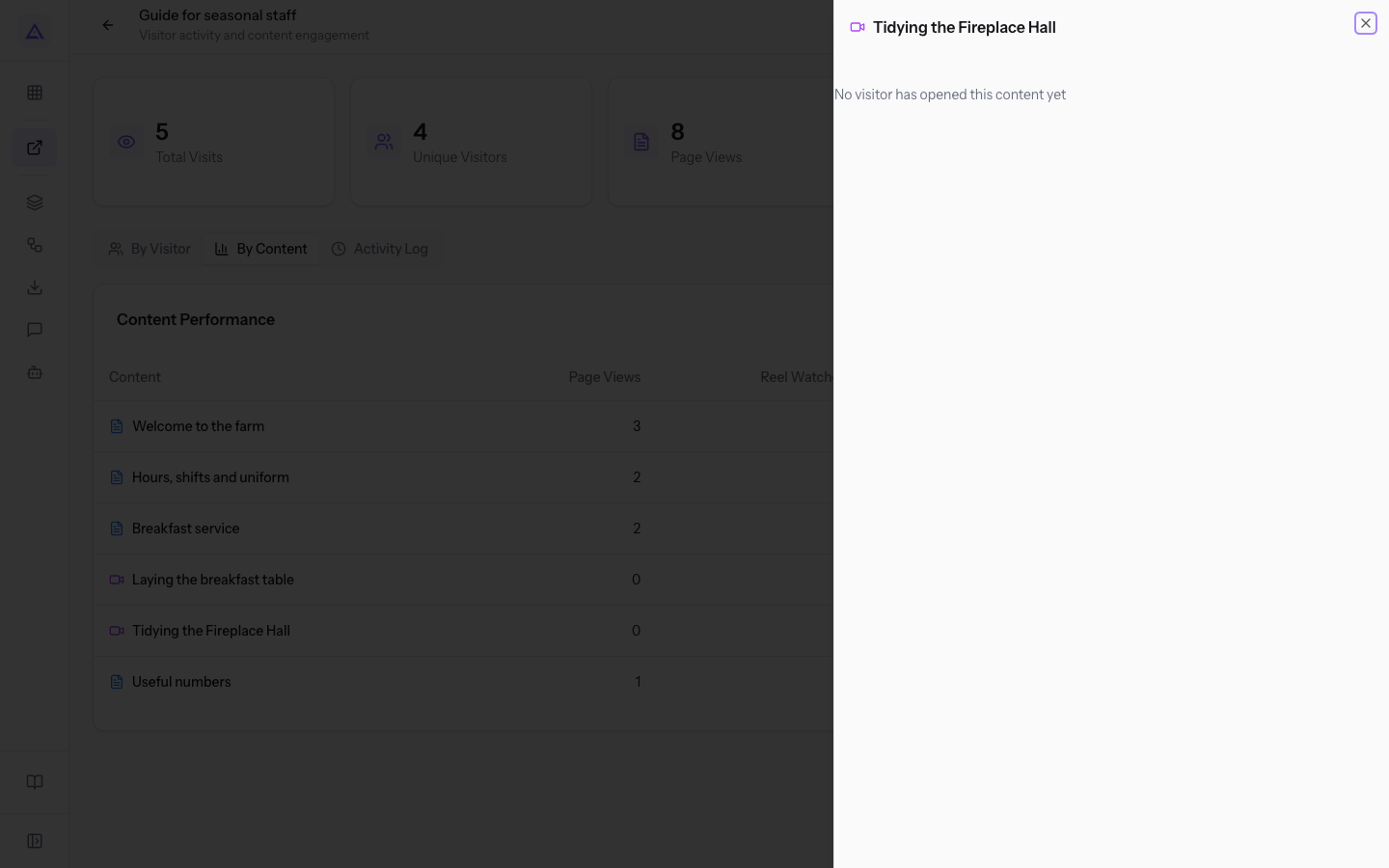
The panel lists only the visitors who opened the element. If no one has opened it, it shows the message No visitor has opened this content yet.
See it on your company, not on a slide deck.
In 30 minutes we map the software you use today.We show you how much work and how much margin Archimedes gives back.
Show me on my business →What industry are you in?
One tap — it lets us prepare the demo around your world.
What tools do you use today?
Pick the ones you recognise — or just type them. It helps us show you how they migrate.
Last step: your details.
We reply within one working day — and right after, if you like, you pick the demo slot yourself.
We couldn't send your request. Try again, or write to us at [email protected].
By sending, you agree to your data being processed so we can get back to you about the demo. Privacy notice.
Preview form — nothing is sent from this page.
Want to schedule the demo now?
Your call: book the slot you prefer yourself, or we'll call you to arrange it.
Live availability, 30 minutes, instant confirmation. The calendar opens in a new tab.
Lock in your slot ↗We'll get back to you within one working day — and we'll join the call already knowing your world.
The calendar is open in another tab: pick a slot and the demo is booked. Can't see it? Reopen it ↗
Preview page: nothing was sent.
Our calendar is live: take the slot that suits you and the demo is booked. 30 minutes, instant confirmation, no waiting.
Lock in your slot ↗