Availability
All modules
How people who booked move or cancel their booking
Availability · 10 of 10 · 3 min read
Anyone who books an appointment from the website receives, on the confirmation page and by email, the link Change or cancel this booking. The link opens a public page, Your booking, where the person moves or cancels the booking without an account. This article describes it as, for example, Chiara Fontana sees it for her wedding venue visit, so you know what she can do on her own and what reaches you.
The booking page
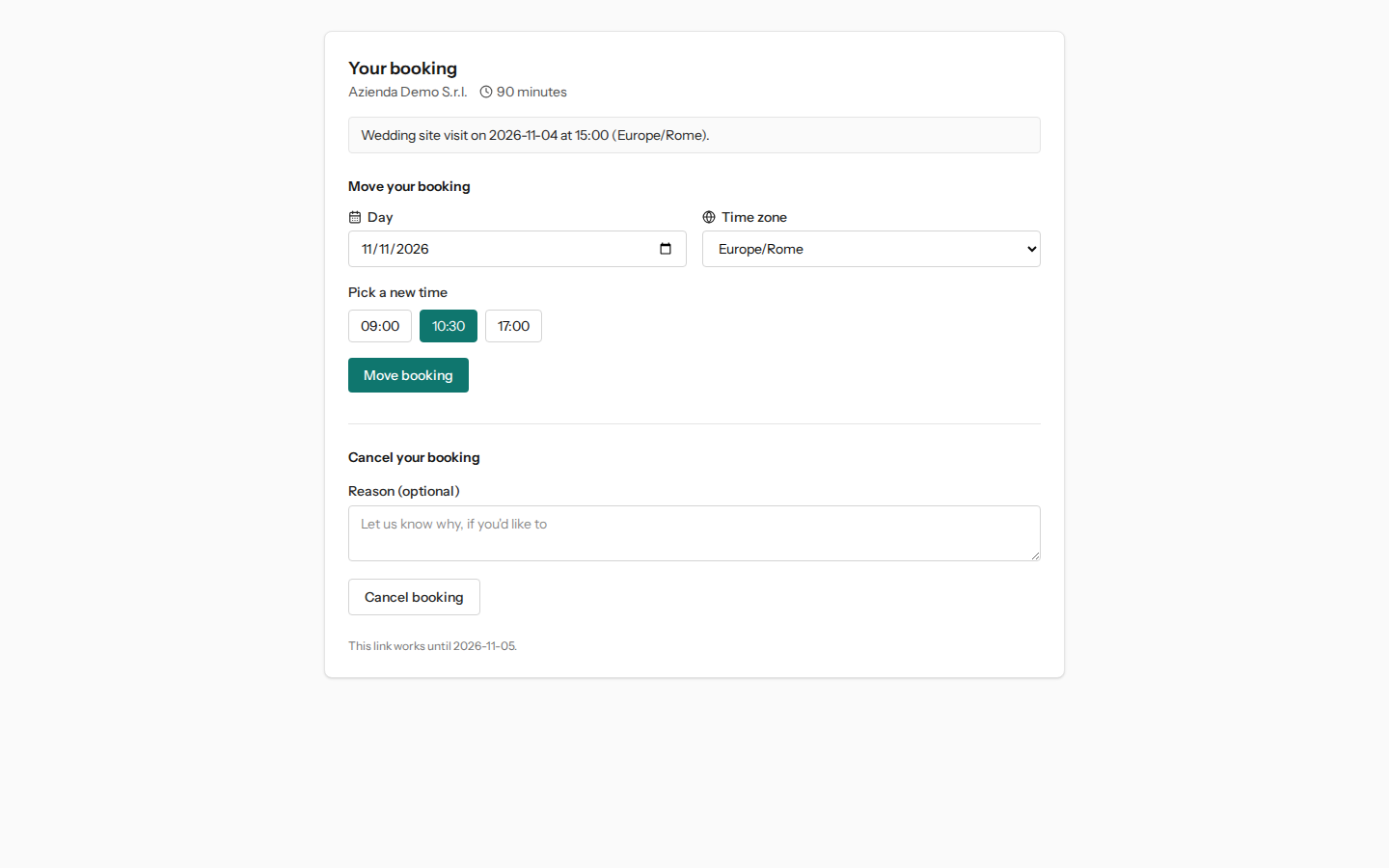
At the top the page shows the organization's name, the duration and the booking: the appointment type, the day, the time and the time zone. Below there are two sections, Move your booking and Cancel your booking. At the bottom, «This link works until …»: the link is valid until the day after the appointment.
Moving the booking
The new time is chosen from those the appointment type offers at that moment, the same ones a new visitor would see: a time the host has since taken will not appear.
- In Day choose the new day; Time zone only changes the time zone in which the times are displayed.
- In Pick a new time click on one of the suggested times.
- Press Move booking. The page confirms with «Moved to … at …» and the link remains valid, now until the day after the new appointment.
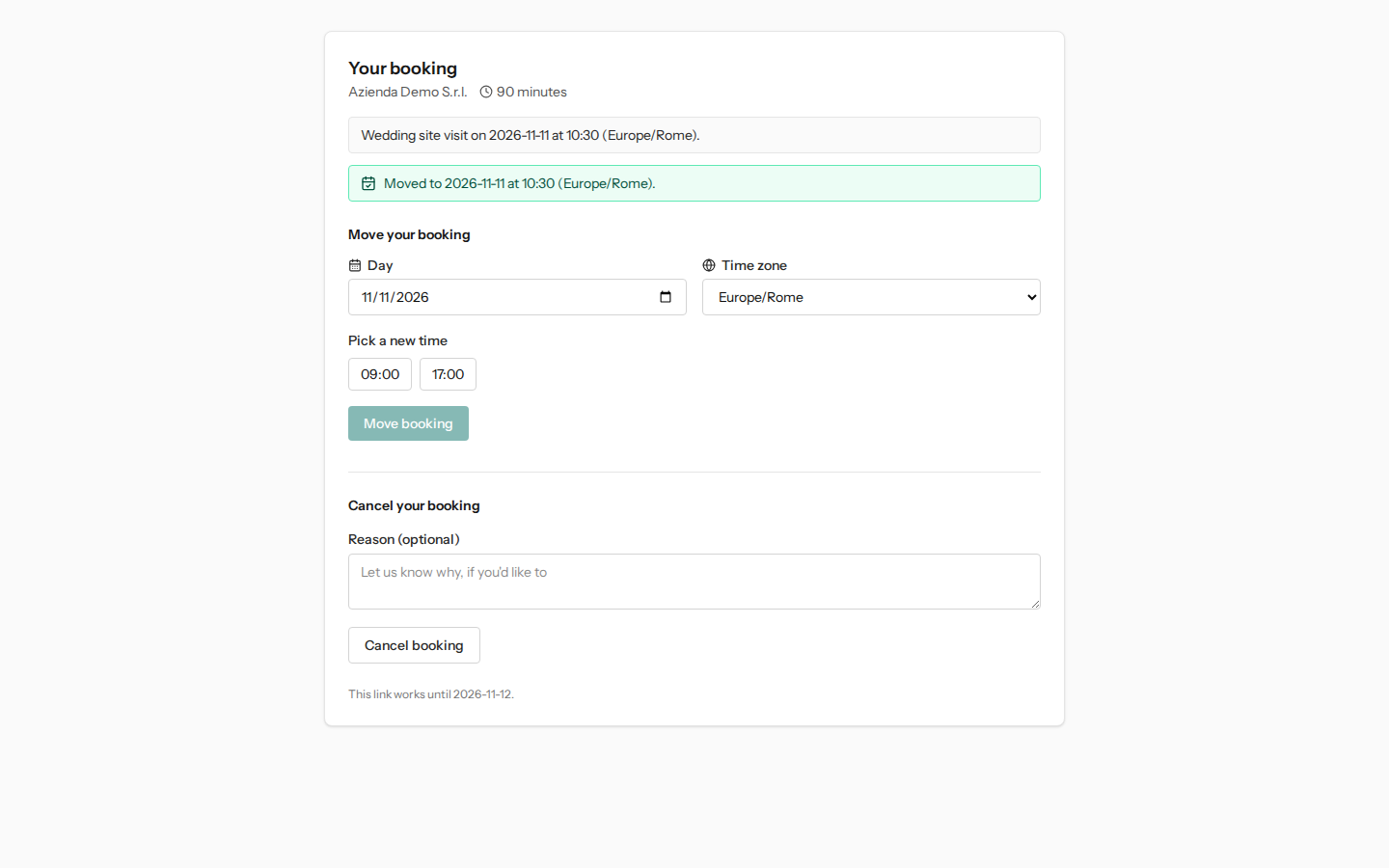
If another visitor takes the same time just before, the page responds «That time was just taken. Your booking hasn't changed — please pick another one.» The new time must also be at least 120 minutes ahead of the current time.
Cancelling the booking
- In Reason (optional) you can write why, up to 1000 characters.
- Press Cancel booking and confirm the prompt «Cancel this booking? This can't be undone.»
The page shows Your booking is cancelled and the time slot becomes available again on the booking page. From that moment the link no longer opens anything: anyone who wants another appointment books again from the public link of the appointment type.
When the page does not allow changes
- Too close to the appointment. Moving and cancelling are possible up to 120 minutes before the start. After that, the page shows This booking can't be changed online any more and invites them to contact you directly.
- The type is no longer offered online. If in the meantime the appointment type has been deactivated or changed host, the booking can no longer be moved but can still be cancelled: the page says so with «This booking can't be moved online any more, but you can still cancel it below.»
- The link is no longer valid. After a cancellation, after expiry or with an incorrect link, the page shows This link is no longer valid.
What the organization sees
The move or cancellation immediately changes the host's availability: the old time slot becomes bookable again and the new one is marked as taken.
Important: at the moment the appointment on the Appointments page does not follow these changes. It stays on the day and time originally booked and in the Confirmed status, and no one receives an email, even though the cancellation page says «We've let everyone know». If the person who booked tells you they have moved or cancelled, update the appointment yourself: Editing or moving an appointment and Opening an appointment and changing its status.
See it on your company, not on a slide deck.
In 30 minutes we map the software you use today.We show you how much work and how much margin Archimedes gives back.
Show me on my business →What industry are you in?
One tap — it lets us prepare the demo around your world.
What tools do you use today?
Pick the ones you recognise — or just type them. It helps us show you how they migrate.
Last step: your details.
We reply within one working day — and right after, if you like, you pick the demo slot yourself.
We couldn't send your request. Try again, or write to us at [email protected].
By sending, you agree to your data being processed so we can get back to you about the demo. Privacy notice.
Preview form — nothing is sent from this page.
Want to schedule the demo now?
Your call: book the slot you prefer yourself, or we'll call you to arrange it.
Live availability, 30 minutes, instant confirmation. The calendar opens in a new tab.
Lock in your slot ↗We'll get back to you within one working day — and we'll join the call already knowing your world.
The calendar is open in another tab: pick a slot and the demo is booked. Can't see it? Reopen it ↗
Preview page: nothing was sent.
Our calendar is live: take the slot that suits you and the demo is booked. 30 minutes, instant confirmation, no waiting.
Lock in your slot ↗