Availability
All modules
What people booking from the website see
Availability · 9 of 10 · 3 min read
The public booking link for an appointment type opens a page that anyone can use without an account. This article describes it as the visitor sees it: knowing what they are asked and what they receive helps you choose the right questions and respond to people who call because they cannot find a time slot. Where to copy the link, and how to write the questions, is explained in Publishing the booking link and questions for bookers.
Choosing the day and time
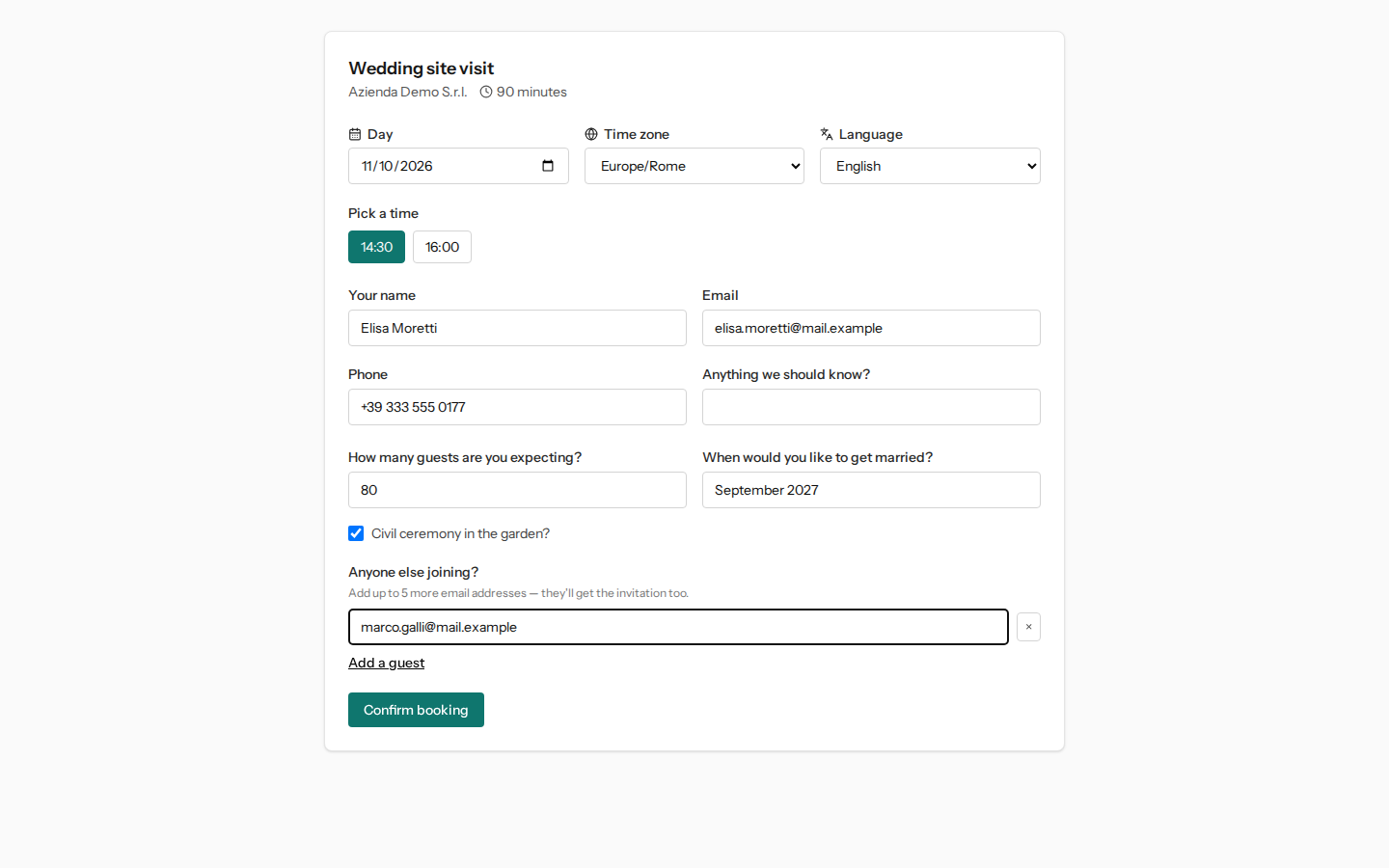
At the top, the page shows the appointment type, for example Wedding site visit, the organization name, and the duration. Below, three fields:
- Day: starts from today and you cannot choose a past day.
- Time zone: automatically suggested by the visitor's browser; it only changes how the times are written.
- Language: the language of the page.
In Pick a time, the available time slots for the chosen day appear, calculated at that moment: Understanding which time slots are offered to people booking explains where they come from. If there are none, the page says «No times are free on this day. Try another day.» The Confirm booking button activates only after choosing a time slot.
The details that are requested
- Your name: the only always-required field.
- Email: optional, but without an address the visitor does not receive the email confirmation and the link to move or cancel stays only on the confirmation page.
- Phone and Anything we should know?: optional.
- The appointment type's questions, if it has any. For the site visit, these are «How many guests are you expecting?», «When would you like to get married?», and the checkbox «Civil ceremony in the garden?». A required question must be filled in before confirming.
- Anyone else joining?: with Add a guest the visitor adds up to 5 email addresses of other people, who also receive the invitation; the × next to an address removes it.
If the organization has a published privacy policy, the page shows the link to read it before booking.
After confirmation
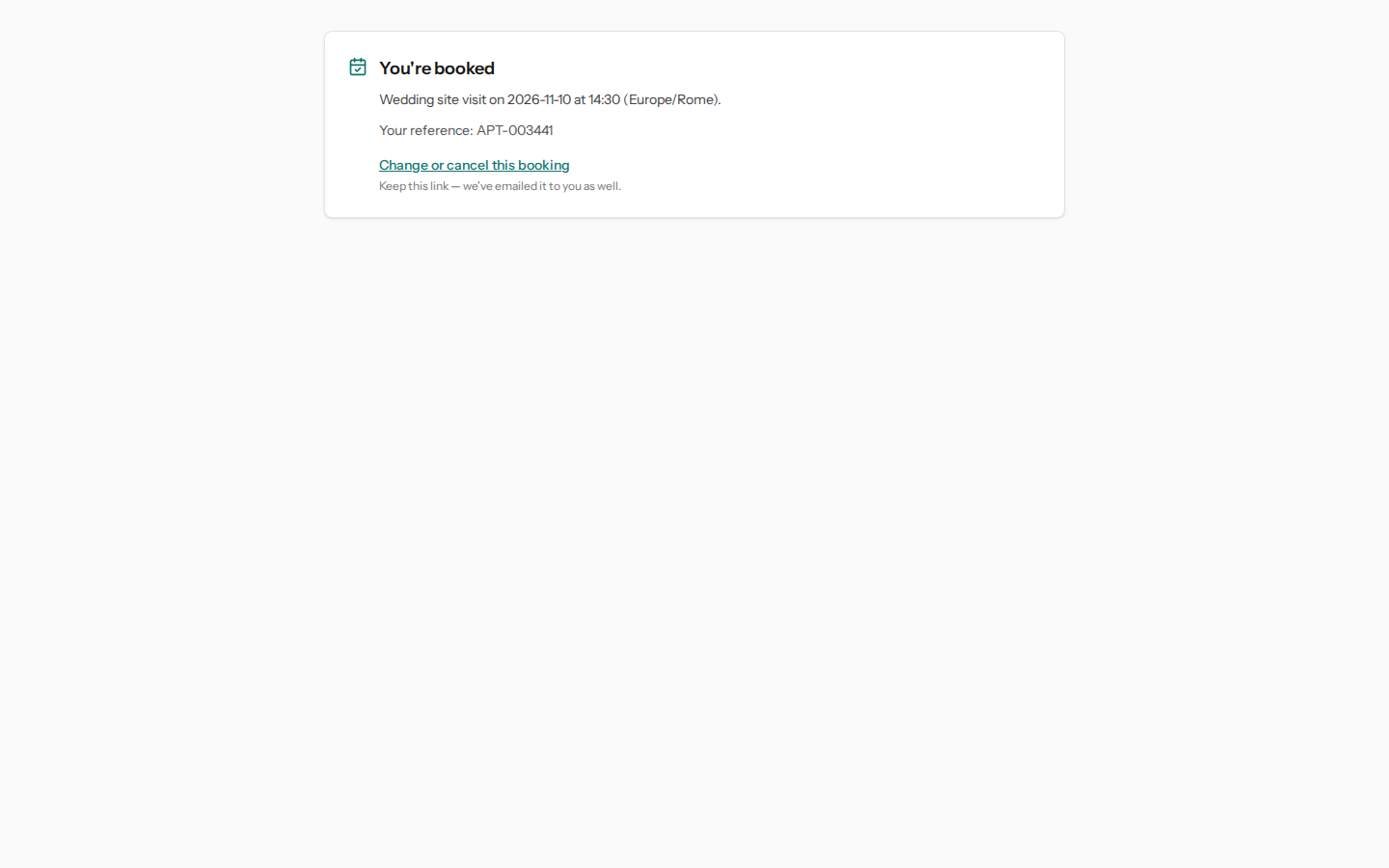
After pressing Confirm booking, the page shows You're booked with the type, day, time, and time zone, the booking reference (for example APT-003284), and the Change or cancel this booking link, which also arrives by email. From that link the visitor moves or cancels on their own: see How people who booked move or cancel their booking.
The booking arrives immediately as a confirmed appointment on the Appointments page, with the answers to the questions: Recognizing and tracking an online booking.
When something goes wrong
- If another visitor takes the same time slot a moment earlier, the page responds «That time was just taken. Here are the times still free on this day.» and shows the remaining time slots.
- If the type is no longer offered online, or the link is wrong, the page shows This booking page isn't available. This happens, for example, when the type is archived or loses its assigned person.
See it on your company, not on a slide deck.
In 30 minutes we map the software you use today.We show you how much work and how much margin Archimedes gives back.
Show me on my business →What industry are you in?
One tap — it lets us prepare the demo around your world.
What tools do you use today?
Pick the ones you recognise — or just type them. It helps us show you how they migrate.
Last step: your details.
We reply within one working day — and right after, if you like, you pick the demo slot yourself.
We couldn't send your request. Try again, or write to us at [email protected].
By sending, you agree to your data being processed so we can get back to you about the demo. Privacy notice.
Preview form — nothing is sent from this page.
Want to schedule the demo now?
Your call: book the slot you prefer yourself, or we'll call you to arrange it.
Live availability, 30 minutes, instant confirmation. The calendar opens in a new tab.
Lock in your slot ↗We'll get back to you within one working day — and we'll join the call already knowing your world.
The calendar is open in another tab: pick a slot and the demo is booked. Can't see it? Reopen it ↗
Preview page: nothing was sent.
Our calendar is live: take the slot that suits you and the demo is booked. 30 minutes, instant confirmation, no waiting.
Lock in your slot ↗