Contacts
All modules
Viewing and revoking a contact's Consents
Contacts · 13 of 13 · 4 min read
The Consents panel on a contact's record collects the privacy and marketing decisions recorded for that person, for example the consent given by filling in a public form or booking on a booking page. From here you read each decision, the point where it was collected and the version of the Privacy notice in force at the time, and you record a withdrawal.
Check consents before including a contact in a mailing: sending channels only use valid consents. If the person asks not to be contacted anymore, use Revoke: the original consent stays on file and every sending channel stops using it.
Opening a contact's Consents
Consents live on the contact's record, alongside the other information of the contact record.
- Open Contacts and select the contact, for example
Giulia FerriorMarco Neri. - Stay on the Overview tab and scroll down to the Consents panel.
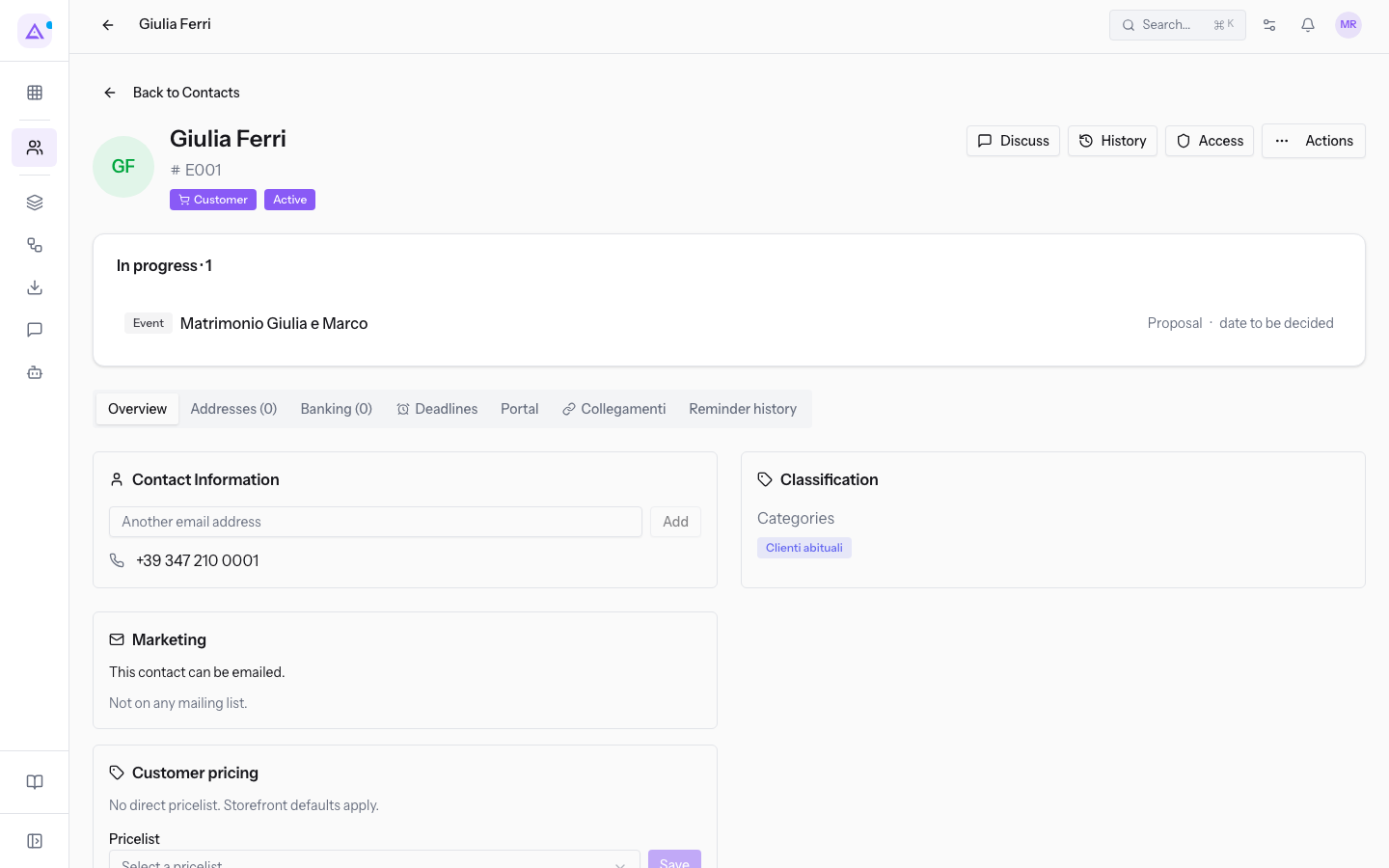
When no decision has been recorded for the person yet, the panel shows "No consent has been recorded for this person yet.".
Reading each consent's decision
Every consent carries the decision that determines whether it is valid.
- Given: the person gave their consent and the consent is valid.
- Declined: the person refused.
- Withdrawn: the consent had been given and was later revoked.
- Awaiting confirmation: a marketing consent ticked on a public form only counts after the address confirms it by email; until the confirmation arrives it stays pending.
- Never confirmed: the email confirmation did not arrive within the days set in the Confirmation window (days).
Note: a marketing consent awaiting confirmation is not a valid consent. It only becomes valid once the email address confirms it.
Seeing where the consent was collected
The Collected on field shows the point where the decision was recorded.
- Collected on: the origin of the consent.
- Public form: the consent checkbox of a public form. A consent checkbox is recorded with the text that was shown and the version of the privacy notice in force.
- Booking page: the consent question of a booking page.
- Recorded by a user: the decision was entered by a user in the organization.
Checking the Privacy notice version
Every consent keeps the version of the Privacy notice in force at the time it was collected: consents already on record keep that version even after a new version is published.
- Privacy notice: the version recorded on the consent. It comes from the legal document your organization has published.
- No version recorded: appears on consents that do not carry a privacy notice version.
- Date not recorded: appears when the consent has no date on it.
Revoking a consent
Revoke a consent when the person asks to stop receiving communications for that purpose.
- In the Consents panel, find the consent to revoke.
- Press Revoke.
- In the Withdraw this consent? dialog, read what the operation does: a withdrawal of the purpose is recorded with today's date, the original consent stays on file and every sending channel stops using it.
- Confirm. When it completes, The withdrawal has been recorded. appears and the consent changes to Withdrawn.
Important: the withdrawal does not delete the previous consent. It stays recorded with its date, its origin and its privacy notice version.
Setting the Privacy notice and the Confirmation window
The two settings that determine what gets recorded on consents live in the organization's legal documents, not on the contact's record.
- Privacy notice: the notice your public forms and booking pages display, and the version recorded on every consent from now on. Consents already on record keep the version in force when they were collected.
- Confirmation window (days): the days allowed to confirm by email a marketing consent ticked on a public form. Once these days have passed it is recorded as Never confirmed.
To open the organization's legal documents, use Open Legal documents.
Note: without a published privacy notice no public form can be published: the interface shows "No published privacy notice: no public form can be published".
See it on your company, not on a slide deck.
In 30 minutes we map the software you use today.We show you how much work and how much margin Archimedes gives back.
Show me on my business →What industry are you in?
One tap — it lets us prepare the demo around your world.
What tools do you use today?
Pick the ones you recognise — or just type them. It helps us show you how they migrate.
Last step: your details.
We reply within one working day — and right after, if you like, you pick the demo slot yourself.
We couldn't send your request. Try again, or write to us at [email protected].
By sending, you agree to your data being processed so we can get back to you about the demo. Privacy notice.
Preview form — nothing is sent from this page.
Want to schedule the demo now?
Your call: book the slot you prefer yourself, or we'll call you to arrange it.
Live availability, 30 minutes, instant confirmation. The calendar opens in a new tab.
Lock in your slot ↗We'll get back to you within one working day — and we'll join the call already knowing your world.
The calendar is open in another tab: pick a slot and the demo is booked. Can't see it? Reopen it ↗
Preview page: nothing was sent.
Our calendar is live: take the slot that suits you and the demo is booked. 30 minutes, instant confirmation, no waiting.
Lock in your slot ↗