Manufacturing
All modules
Calculate the cost and view the structure of a bill of materials
Manufacturing · 7 of 15 · 4 min read
From the page of a saved bill of materials you can calculate how much it costs to produce the product, and see its components and operations with their quantities in a window.
Before you start: only users in the Manufacturing Manager group see bills of materials in the menu. You create them as explained in Create a bill of materials with components and operations.
When to use Cost and when to use Explode
The two buttons work only on a bill of materials that is already saved.
- If you need the cost of one unit of product, use Cost.
- If you need the quantities and the cost of each component for the quantity of the bill of materials, use Explode.
The two calculations use a different quantity. Cost calculates the costs for one unit of the finished product. Explode uses the quantity set in the bill of materials. For BOM/00003, which produces 50 bottles, Cost shows the cost of one bottle and Explode shows the cost of 50 bottles.
Where the costs come from
The system calculates the costs every time you press the button. It takes the data at that moment from the products and the work centers.
- Material Cost: for each component, the cost of the product multiplied by the quantity. If a component has a bill of materials of type Kit / Phantom, the cost panel takes the cost of the kit's components.
- Operation Cost: for each operation, the duration in minutes divided by 60 and multiplied by the hourly cost of the work center. Operations without a work center are not included in the calculation. You set the hourly cost in Setting up work centers (olive mill, kitchen workshop).
- Total Cost: the sum of the two costs, rounded to two decimal places.
Note: if you change the cost of a component or the hourly cost of a work center, press Cost again. The panel shows the updated values.
Calculate the cost of a bill of materials
The cost panel shows, in three values, how much one unit of the product costs. Open the bill of materials from the list, for example BOM/00003, and press Cost. The cost panel appears below the BoM Details panel.
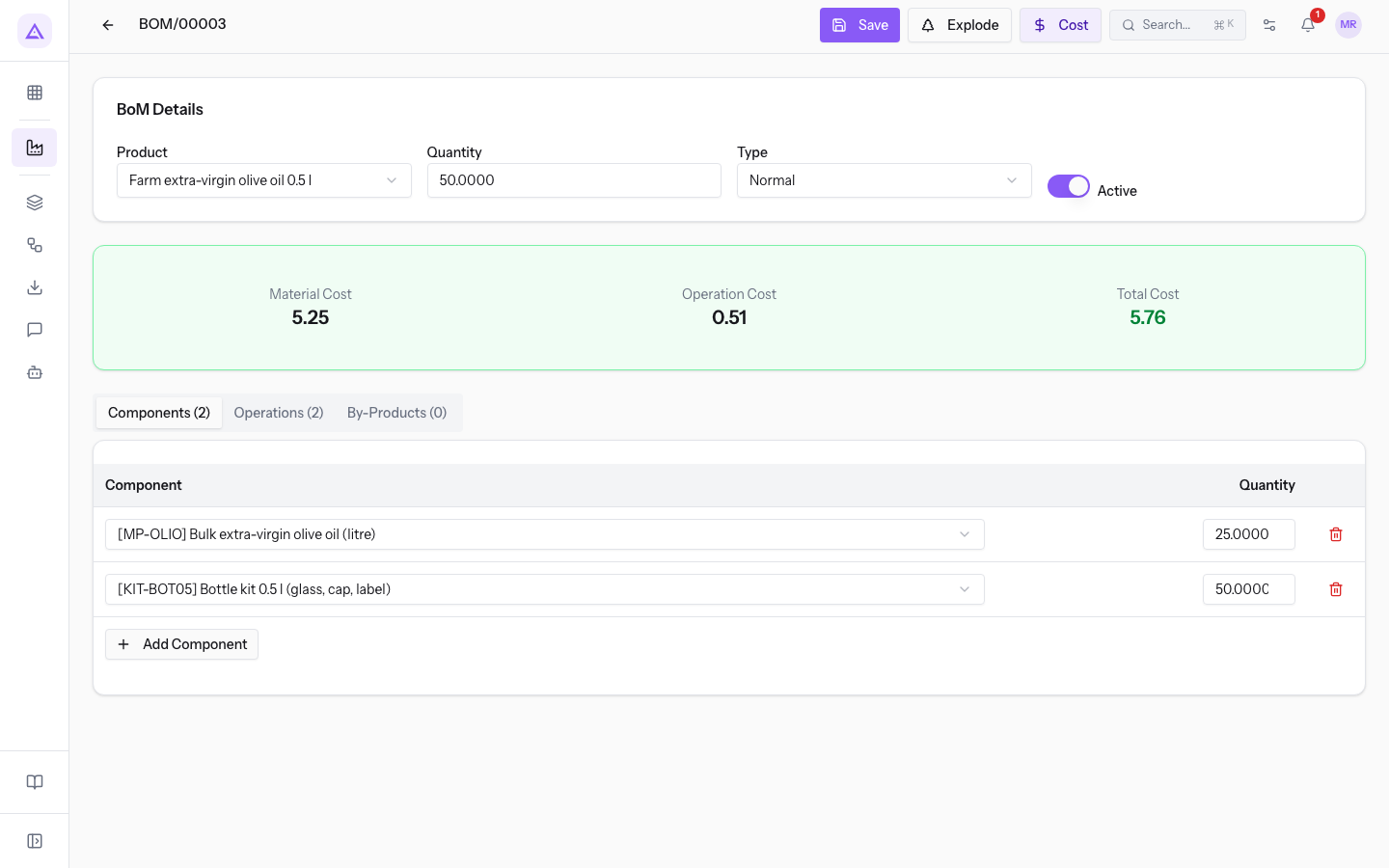
For BOM/00003 the panel shows:
- Material Cost 5.25: the cost of the components for one unit of product.
- Operation Cost 0.51: the cost of the operations for one unit of product. The operations are Bottling and Capping and labelling, both on the Bottling line.
- Total Cost 5.76: the sum of the two costs.
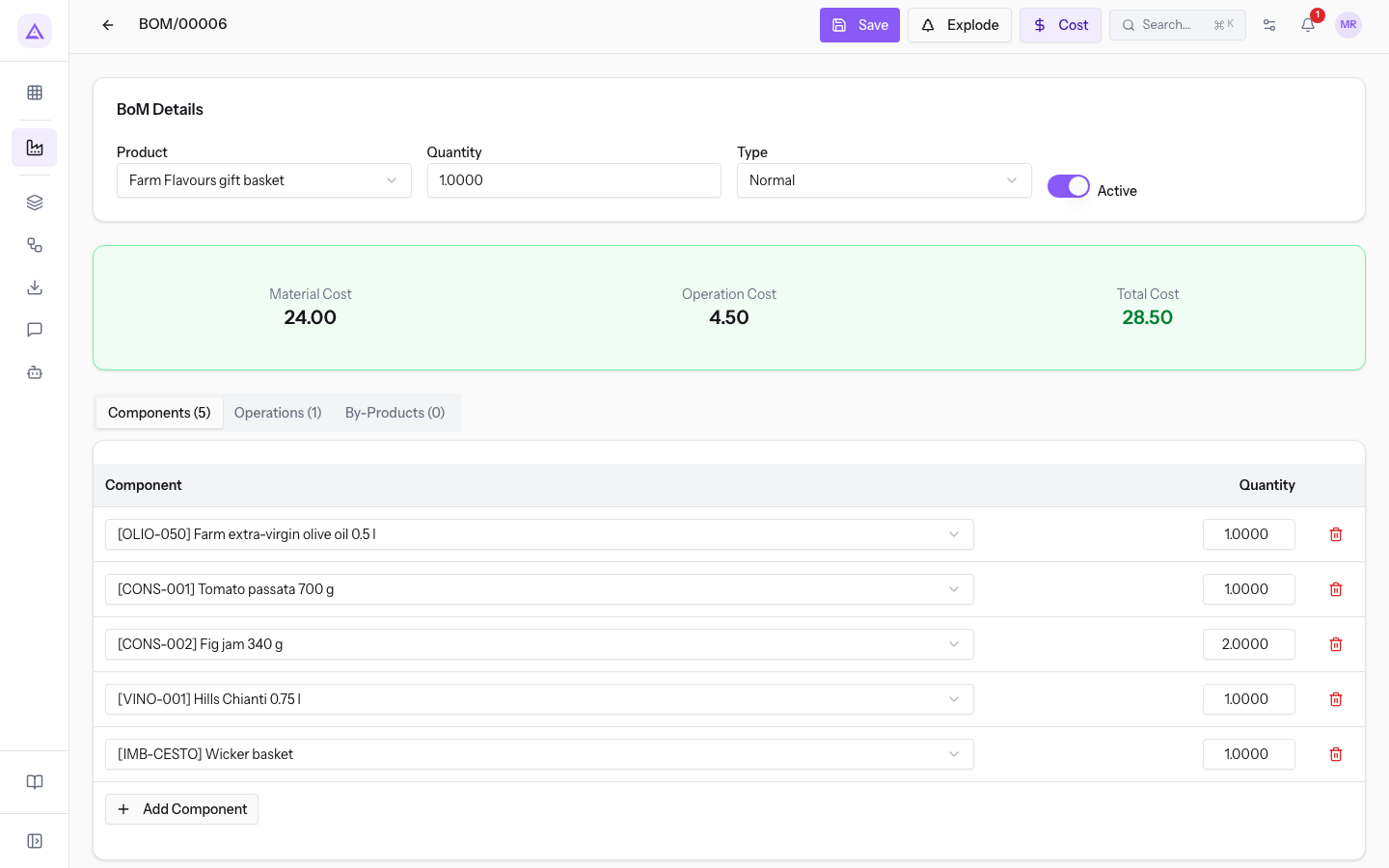
BOM/00006, the Farm Flavours gift basket, has 5 components and 1 operation: Material Cost 24.00, Operation Cost 4.50, Total Cost 28.50.
View the structure of a bill of materials
The structure window lists the components and operations of the bill of materials. It shows the quantities of the bill of materials and the cost of each component. Open the bill of materials from the list, for example BOM/00003, and press Explode. The BoM Structure window opens.
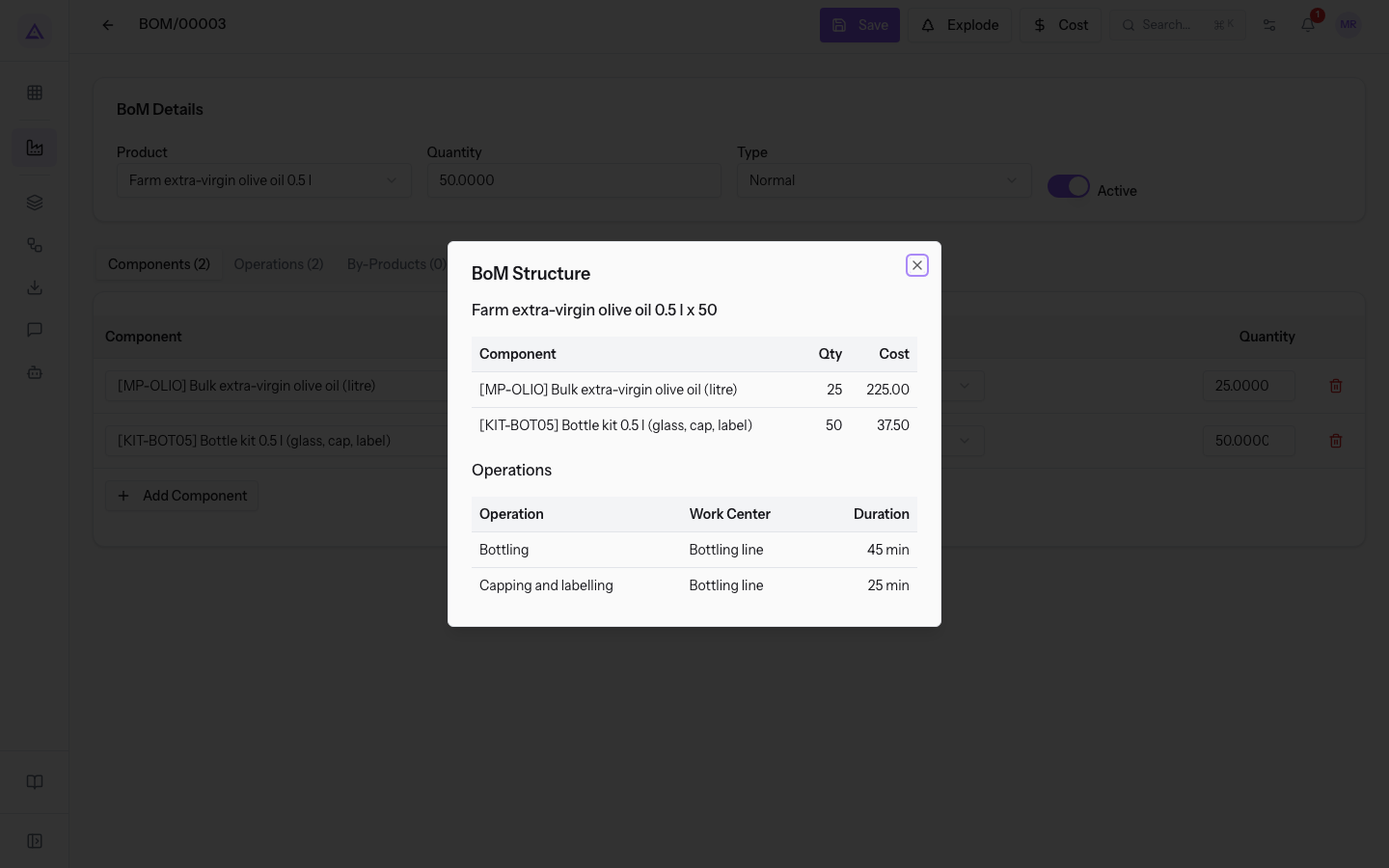
The window shows:
- The product and the quantity of the bill of materials: for BOM/00003, Farm extra-virgin olive oil 0.5 l x 50.
- The components table, with the columns:
- Component: the code and name of the component.
- Qty: the quantity needed for the quantity of the bill of materials.
- Cost: the cost of the component multiplied by the quantity.
- The operations table, only if the bill of materials has operations, with the operation name, the work center and the duration in minutes.
For BOM/00003 the components table shows Bulk extra-virgin olive oil (litre), quantity 25, cost 225.00, and Bottle kit 0.5 l (glass, cap, label), quantity 50, cost 37.50. The sum of 262.50 matches the cost of the components for 50 bottles: 5.25 per bottle.
Note: the window does not show the cost of the operations. To see it, use Cost.
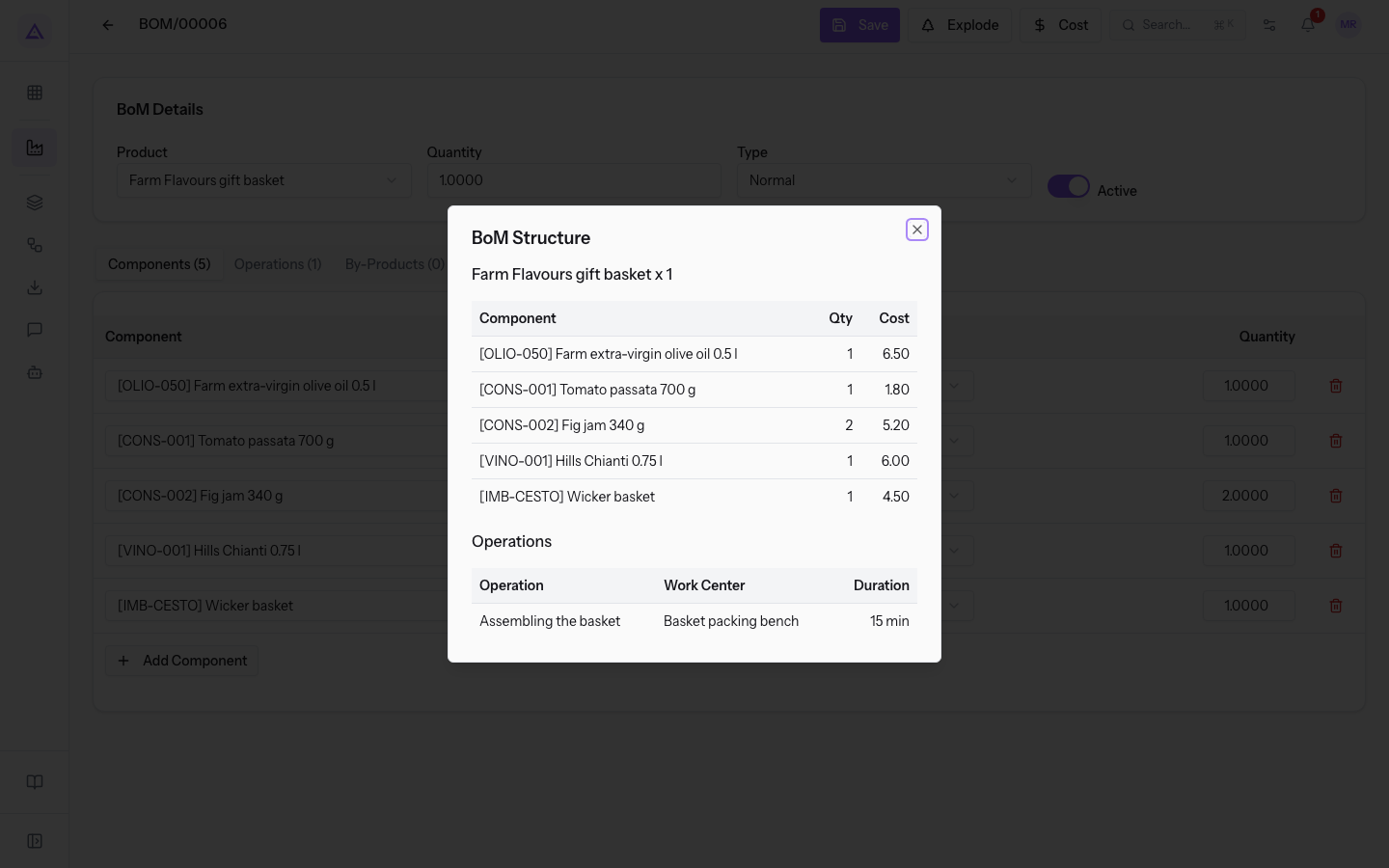
For BOM/00006 the window shows Farm Flavours gift basket x 1. Among the components there are Farm extra-virgin olive oil 0.5 l, quantity 1, cost 6.50, and Tomato passata 700 g, quantity 1, cost 1.80.
See it on your company, not on a slide deck.
In 30 minutes we map the software you use today.We show you how much work and how much margin Archimedes gives back.
Show me on my business →What industry are you in?
One tap — it lets us prepare the demo around your world.
What tools do you use today?
Pick the ones you recognise — or just type them. It helps us show you how they migrate.
Last step: your details.
We reply within one working day — and right after, if you like, you pick the demo slot yourself.
We couldn't send your request. Try again, or write to us at [email protected].
By sending, you agree to your data being processed so we can get back to you about the demo. Privacy notice.
Preview form — nothing is sent from this page.
Want to schedule the demo now?
Your call: book the slot you prefer yourself, or we'll call you to arrange it.
Live availability, 30 minutes, instant confirmation. The calendar opens in a new tab.
Lock in your slot ↗We'll get back to you within one working day — and we'll join the call already knowing your world.
The calendar is open in another tab: pick a slot and the demo is booked. Can't see it? Reopen it ↗
Preview page: nothing was sent.
Our calendar is live: take the slot that suits you and the demo is booked. 30 minutes, instant confirmation, no waiting.
Lock in your slot ↗