Construction - Qualification and Tenders
All modules
Understanding the economic operator's qualification file
Construction - Qualification and Tenders · 2 of 13 · 5 min read
The qualification file collects the data a construction company uses to prove it meets the requirements to take part in public tenders (D.Lgs. 36/2023). With the Construction Tenders module, you keep this data up to date and generate the administrative documents from it.
Note: the module does not manage tenders, calls for bids or offers: there is no tender to assess, in preparation, submitted, won or lost. It does not connect to tender portals, ANAC, the Virtual File of the Economic Operator or PEC. The file's deadlines do not appear in the contact's Deadlines tab.
What an economic operator is
The economic operator is a contact activated for the qualification file. It is not a separate register: the module adds fields and tabs to the contact.
The six tabs of the file appear only on contacts activated as economic operators. Having the Type field set to Company is not enough.
- If the company takes part in public tenders, activate the contact as an economic operator: the procedure is in Activating a company as an economic operator and filling in its data.
- If the contact is in the address book for other reasons, do not activate it: it stays without tender data.
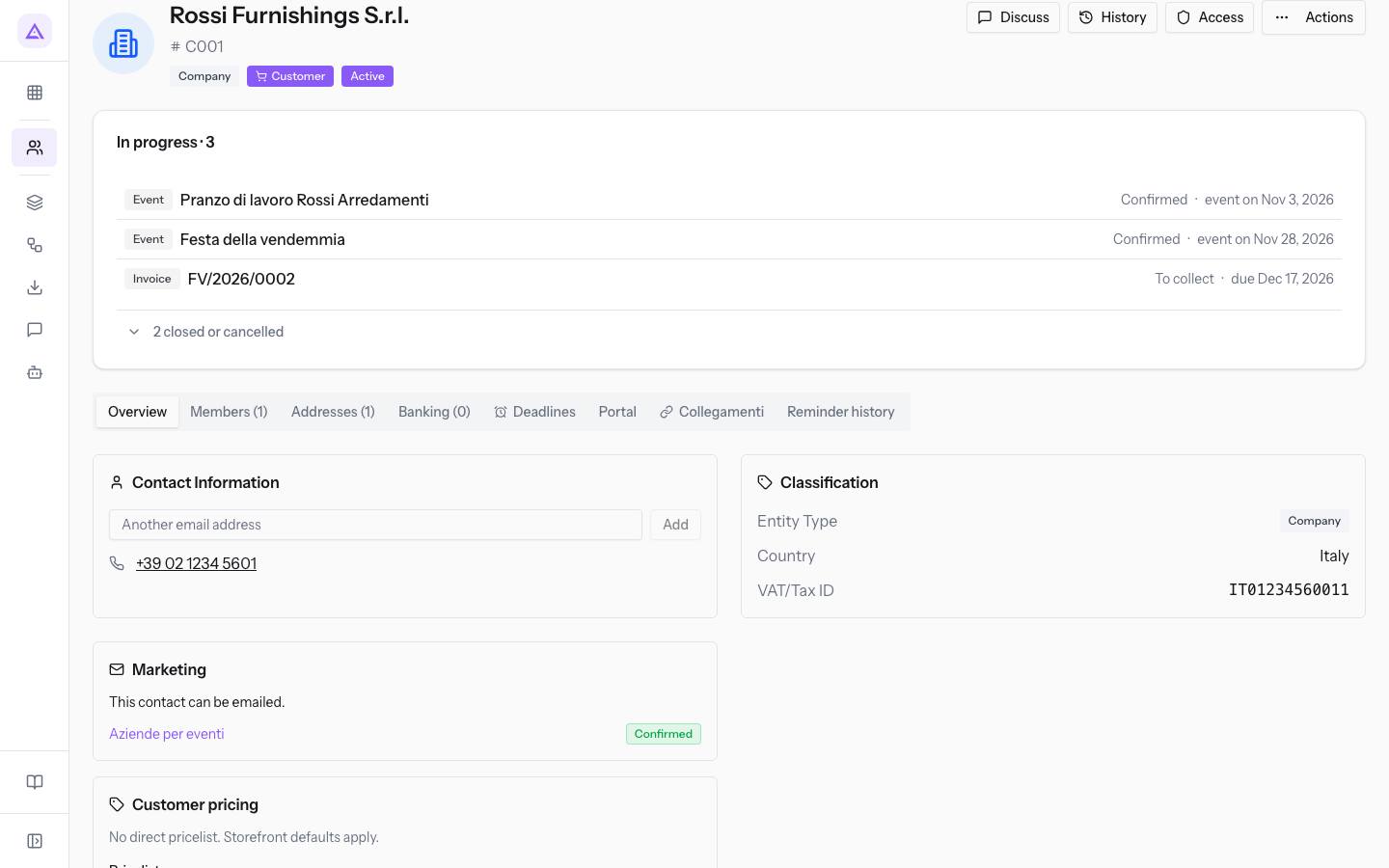
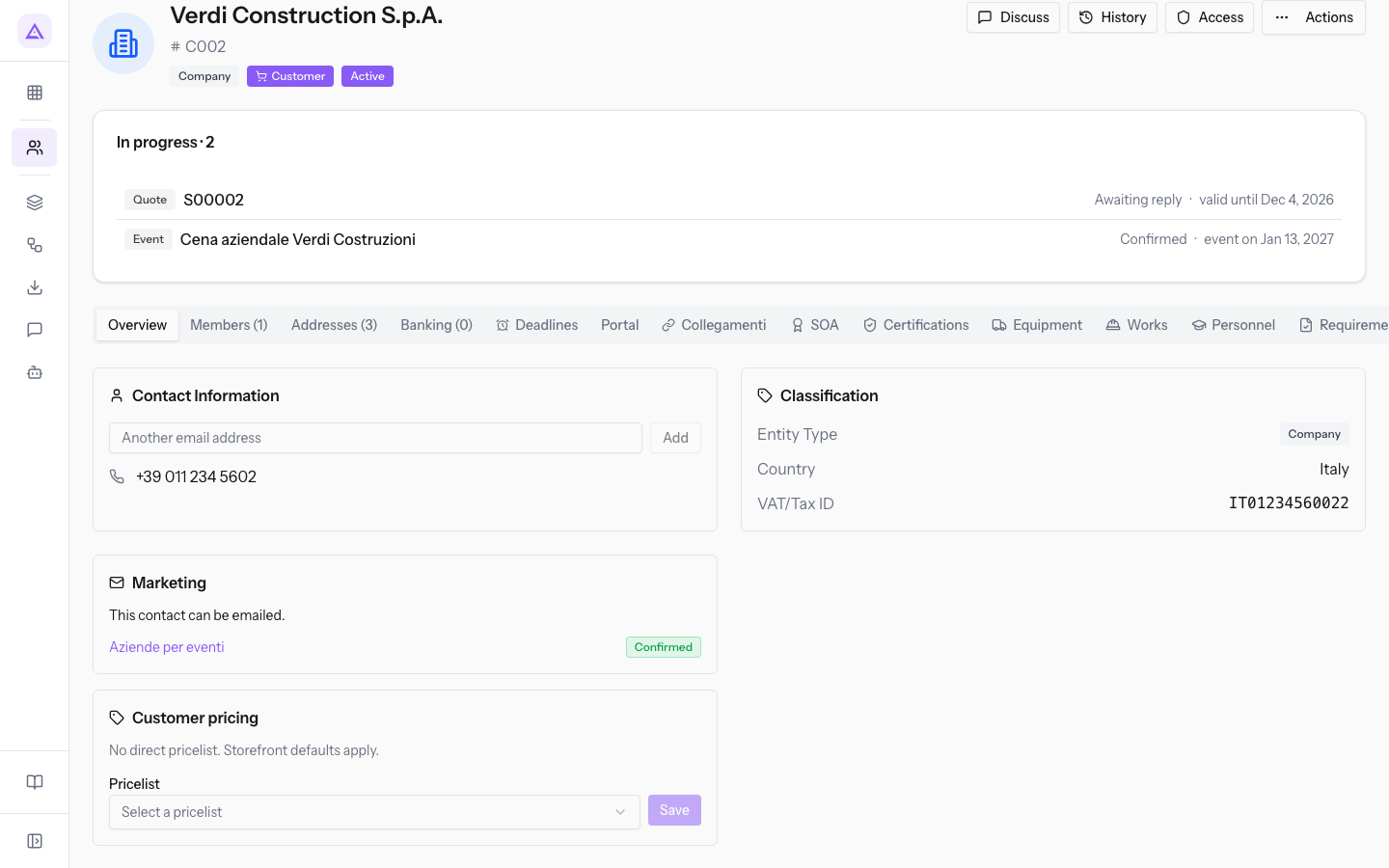
Verdi Construction S.p.A. is activated and shows the SOA, Certifications, Equipment, Works, Personnel and Requirements tabs. Rossi Furnishings S.r.l. is also of type Company, but it is not activated and does not have these tabs.
Opening the file
The file is on the contact page, because every piece of data belongs to an economic operator.
- Open Contacts.
- Press the row of the economic operator, that is Verdi Construction S.p.A. in the demo organization.
- Choose the tab you need.
What each tab contains
Each tab of the file collects one type of data and has its own title.
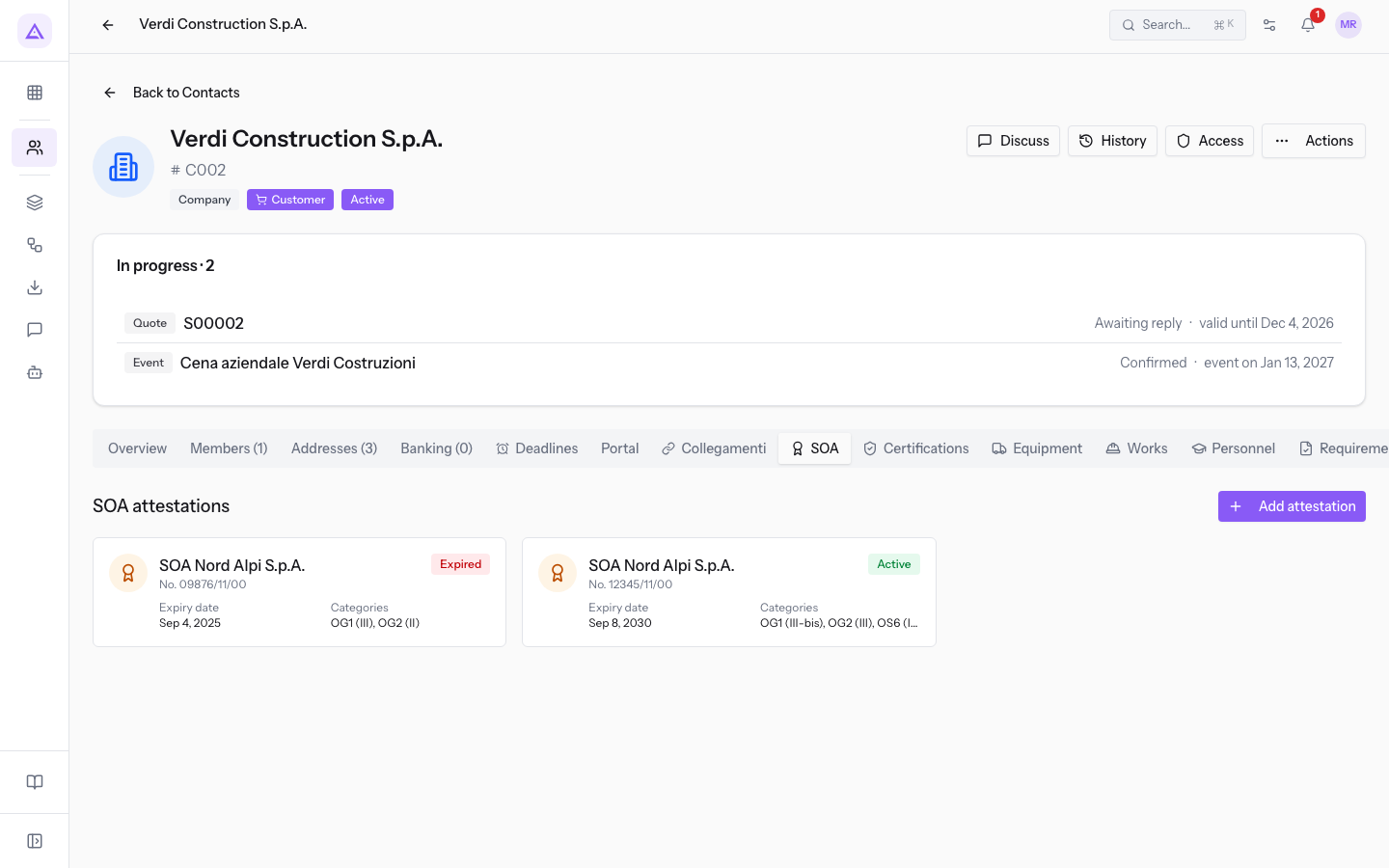
- SOA: with the title SOA attestations, it lists the attestations with body, number, status, Expiry date and Categories. Attestation No. 12345/11/00 from SOA Nord Alpi S.p.A. is Active and has the categories OG1 (III-bis), OG2 (III), OS6 (II) and OS30 (I).
- Certifications: it lists the certifications with type, body, status, Number and Expiry date. The ISO 9001 (Quality) from Italy Quality Bureau S.r.l. is Active and has number IT-Q-04512.
- Equipment: with the title Equipment fleet, it lists the equipment with category, brand and model, status, Plate / serial number and Title. The Liebherr 71 K crane is Under maintenance and is Owned.
- Works: with the title Works executed, it lists the works with subject, contracting authority, status, Amount and Work end. «Conservative restoration of the Barn» for Demo Company S.r.l. is In progress, with an amount of €385,000.
- Personnel: with the title Personnel qualifications, it lists the qualifications with person, type, Issuing body and Expiry date. George Farrow has the Crane licence expiring on Dec 17, 2026.
- Requirements: with the title General requirements / compliance, it lists the compliance items with type, reference, outcome and dates, for example Valid until and Issued on. The DURC INAIL_45123987 is Regular and is valid until Jan 21, 2027.
Where the site data is
The site data does not have a tab of its own in the file: it is in the contact's Addresses (3) tab, which shows the number of addresses in brackets.
Open the Edit Address window of an address to read it in the Site / warehouse (Tenders) section. The registered office at Corso Francia 48 has Site type set to Registered office and Ownership title set to Owned.
- Site type: the function of the address. The options are Registered office, Operational site, Warehouse, Depot, Construction site / base site and Office.
- Size (sqm): the surface area of the site in square metres.
- Ownership title: the title under which the company holds the site. The options are Owned, Rented, Leased and Free loan (comodato).
- Cadastral reference: the cadastral data of the site, for example Foglio 12, mappale 345, sub. 7.
Reading the cards
In the six tabs of the file, each entry appears as a card with an icon, a title, a subtitle, a coloured status label and the first two data points.
The card for attestation No. 12345/11/00 has the title SOA Nord Alpi S.p.A., the status label Active, and the first two data points Expiry date and Categories.
Note: the cards in the Personnel tab do not have a status label: the expiry is read from the Expiry date field.
Opening the side panel of an entry
The card shows only the main data. The side panel shows all the fields of the entry and lets you edit or delete it.
Before you start: deleting an entry requires the
Tender Managergroup. TheTender Usergroup can read, create and edit the file's data, but cannot delete it.
- Press the card. The side panel opens with all the fields: for attestation No. 09876/11/00 it adds Issue date, Three-year expiry, ISO 9001 held and Notes.
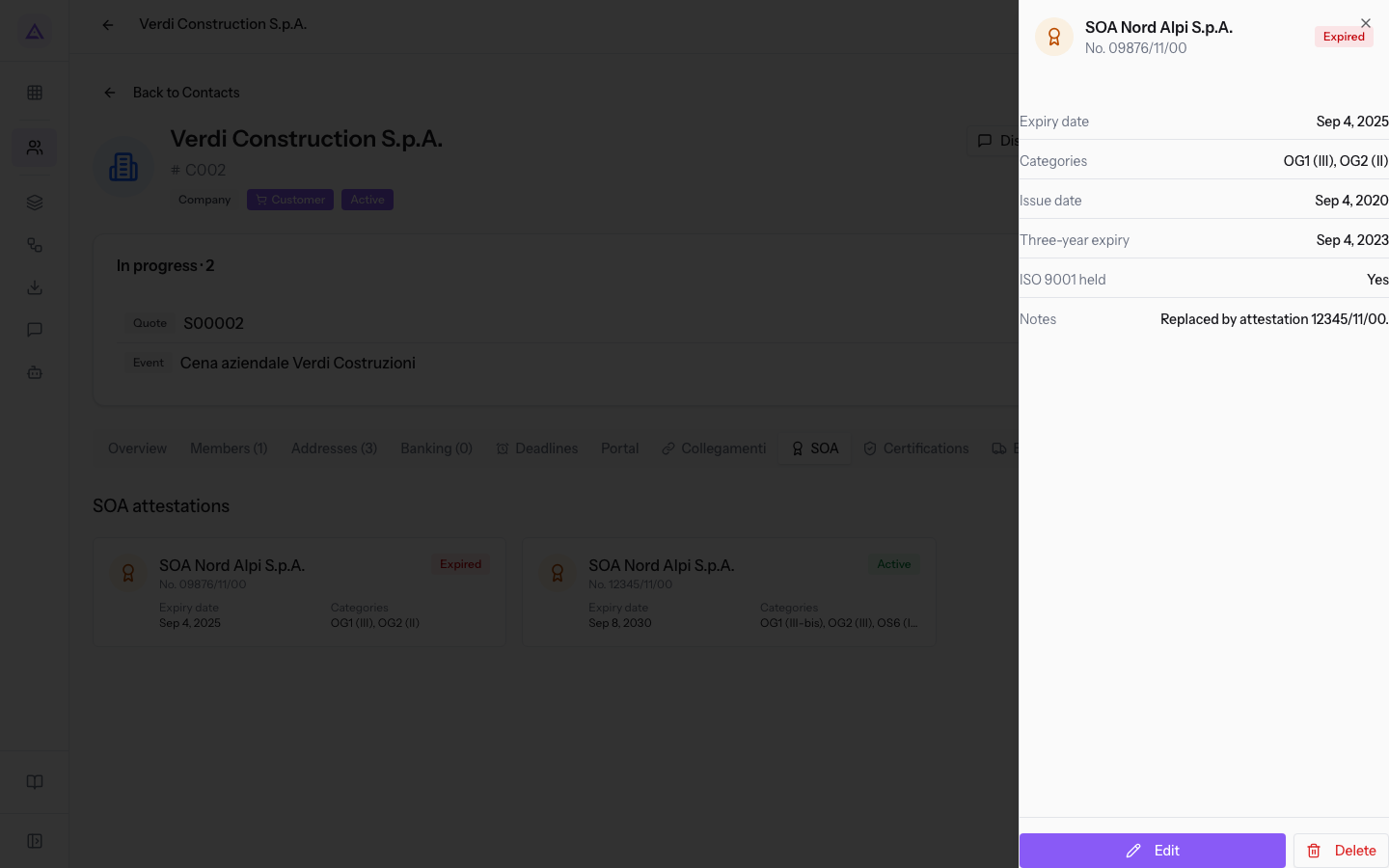
- Use Edit to correct the entry or Delete to remove it. The details are in Correct or delete a dossier entry.
The Tender documents page
The file is updated from the contact page. The Construction Tenders menu item instead opens the Tender documents page, which is used to produce the administrative documents.
- If you need to record or correct a piece of data, open the contact page.
- If you need to produce a document, open Construction Tenders.
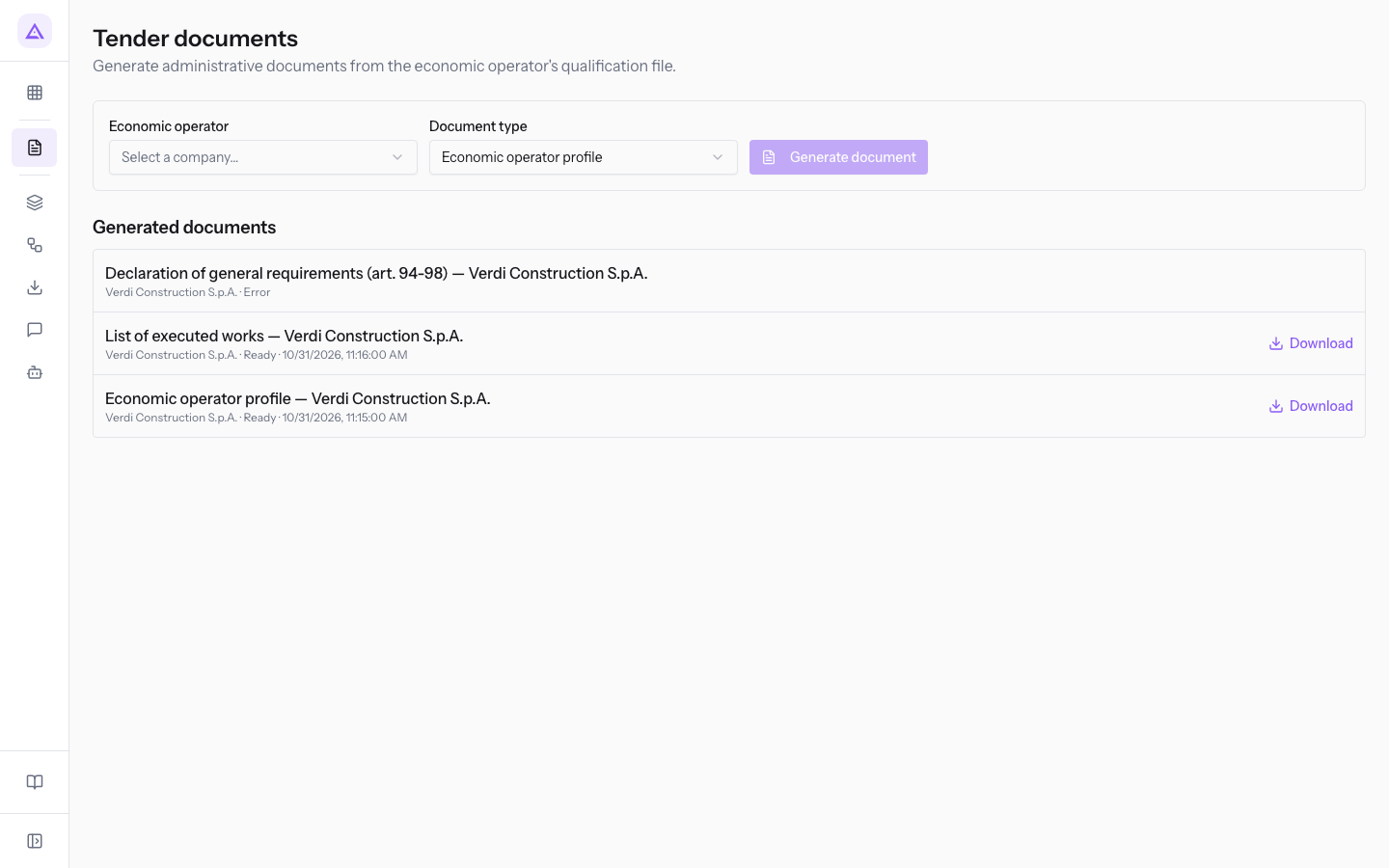
The page contains the generation panel and the Generated documents section. In the panel, choose Economic operator and Document type, then press Generate document. The Economic operator list offers only contacts activated as economic operators: in the demo organization, Verdi Construction S.p.A.
Document type offers these options. The PDFs are Italian legal texts, so they stay in Italian even when the app is in English.
- Economic operator profile
- Declaration of general requirements (art. 94-98)
- Declaration of technical and economic capacity requirements
- List of executed works
See it on your company, not on a slide deck.
In 30 minutes we map the software you use today.We show you how much work and how much margin Archimedes gives back.
Show me on my business →What industry are you in?
One tap — it lets us prepare the demo around your world.
What tools do you use today?
Pick the ones you recognise — or just type them. It helps us show you how they migrate.
Last step: your details.
We reply within one working day — and right after, if you like, you pick the demo slot yourself.
We couldn't send your request. Try again, or write to us at [email protected].
By sending, you agree to your data being processed so we can get back to you about the demo. Privacy notice.
Preview form — nothing is sent from this page.
Want to schedule the demo now?
Your call: book the slot you prefer yourself, or we'll call you to arrange it.
Live availability, 30 minutes, instant confirmation. The calendar opens in a new tab.
Lock in your slot ↗We'll get back to you within one working day — and we'll join the call already knowing your world.
The calendar is open in another tab: pick a slot and the demo is booked. Can't see it? Reopen it ↗
Preview page: nothing was sent.
Our calendar is live: take the slot that suits you and the demo is booked. 30 minutes, instant confirmation, no waiting.
Lock in your slot ↗