Compliance
All modules
Producing the compliance dossier for an inspection
Compliance · 14 of 14 · 3 min read
The compliance dossier collects everything an inspection requires into a single document. From this page you produce it and download the dossiers you have produced in the past.
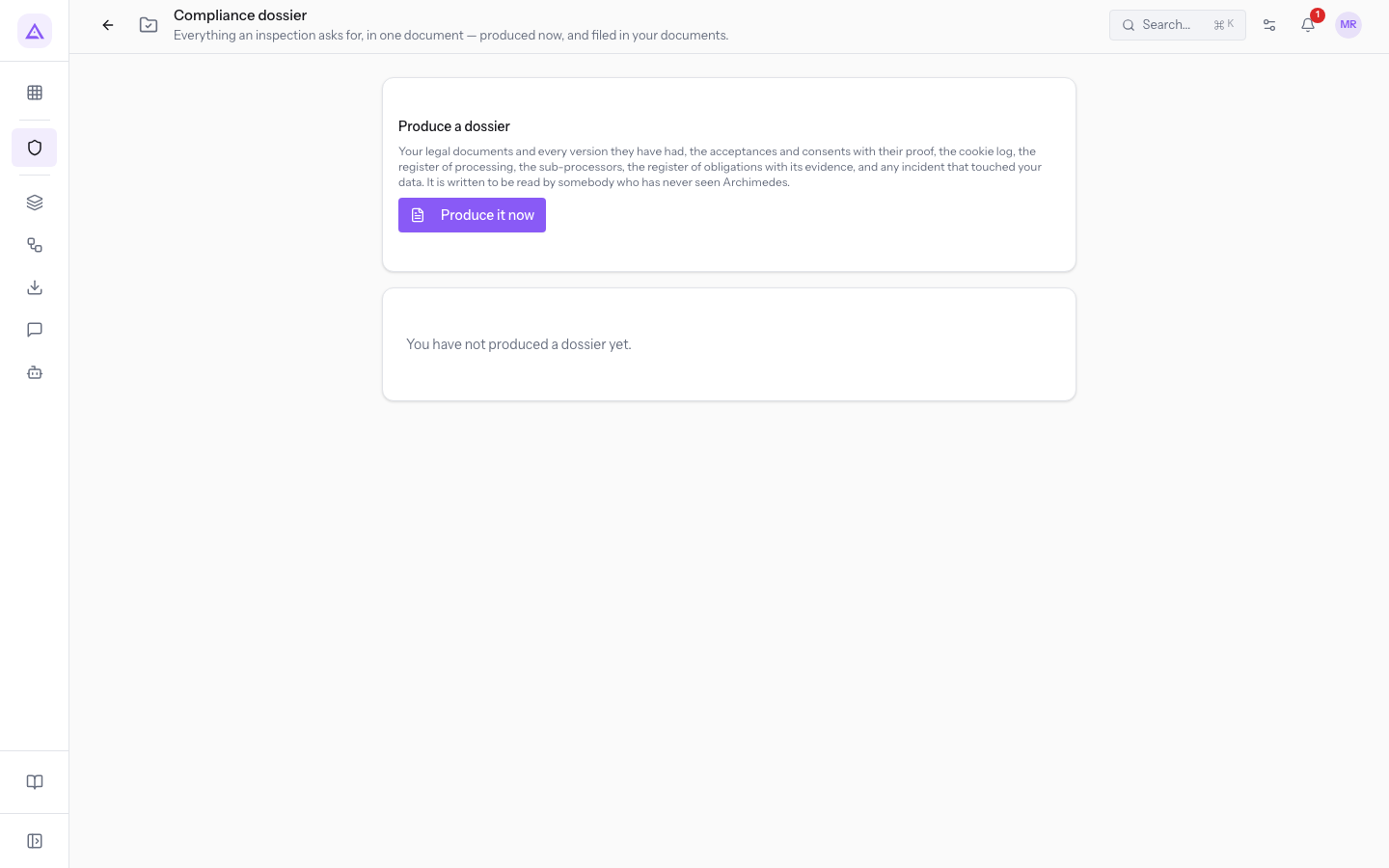
The Compliance dossier page
The Compliance dossier page opens with the Dossier button in the module overview. The subtitle summarises what it is for: «Tutto ciò che chiede un'ispezione, in un unico documento: prodotto ora e archiviato tra i tuoi documenti.»
The page has two parts:
- the Produce a dossier panel, with the list of what the dossier contains and the Produce it now button;
- the list of dossiers already produced, most recent first.
What the dossier contains
The dossier brings together the records the module keeps for the company:
- legal documents and every version of them;
- acceptances and consents, with the relevant proof;
- the cookie register;
- the processing register;
- sub-processors;
- the obligation register with the evidence;
- every incident that involved the company's data.
The document is written for someone who has never seen Archimedes. You can therefore hand it as-is to an inspector.
Tip: before producing the dossier, update the status of obligations and attach the evidence in the compliance register. The dossier reports the obligation register as it stands at the moment you produce it.
Producing a dossier
A dossier captures a snapshot of the company's situation at the moment you produce it. Produce a new one for each inspection or request, so the data is up to date.
- In the Produce a dossier panel press Produce it now. The button remains inactive while the dossier is being produced.
- When the dossier is ready, a message appears with its reference and confirmation that it has been archived among your documents. The dossier also appears at the top of the page list.
Note: the dossier PDF is automatically archived among the company's documents. You do not need to save it manually.
The list of produced dossiers
Every produced dossier remains in the list with its own index. This way whoever hands over the PDF can verify that the file in hand is the one produced by the platform. Until you produce one, the list shows You have not produced a dossier yet.
Each row in the list shows:
- Reference: the code that identifies the dossier.
- Produced on: the date and time of production, followed by the name of the user who produced it.
- Records: the total number of rows the dossier contains.
- Size: the file size, in B, KB or MB.
- Download: downloads the dossier PDF.
- Sections: below the row, one entry for each section of the dossier, with the number of rows in brackets. A section for which nothing has been recorded appears with a different panel.
See it on your company, not on a slide deck.
In 30 minutes we map the software you use today.We show you how much work and how much margin Archimedes gives back.
Show me on my business →What industry are you in?
One tap — it lets us prepare the demo around your world.
What tools do you use today?
Pick the ones you recognise — or just type them. It helps us show you how they migrate.
Last step: your details.
We reply within one working day — and right after, if you like, you pick the demo slot yourself.
We couldn't send your request. Try again, or write to us at [email protected].
By sending, you agree to your data being processed so we can get back to you about the demo. Privacy notice.
Preview form — nothing is sent from this page.
Want to schedule the demo now?
Your call: book the slot you prefer yourself, or we'll call you to arrange it.
Live availability, 30 minutes, instant confirmation. The calendar opens in a new tab.
Lock in your slot ↗We'll get back to you within one working day — and we'll join the call already knowing your world.
The calendar is open in another tab: pick a slot and the demo is booked. Can't see it? Reopen it ↗
Preview page: nothing was sent.
Our calendar is live: take the slot that suits you and the demo is booked. 30 minutes, instant confirmation, no waiting.
Lock in your slot ↗