Contracts
All modules
Changing a signed contract with an amendment
Contracts · 11 of 15 · 4 min read
An amendment changes the terms of a signed contract and keeps the previous ones. It records, for example, an increase in the maintenance fee, a moved expiry date, or a cost item added to a supply contract. The signed text does not change: amendments are read in the Amendments tab.
When to use an amendment
A contract in Draft can be changed freely. A contract Awaiting signature cannot be changed and does not accept amendments. Once it is signed, amount, expiry, notice and cost items can only be changed with an amendment.
- If the contract is Signed, Active or in Notice window, the page shows the Amend button.
- If you need to change the amount, expiry or notice, use the Amend button.
- If you need to add or remove cost items, work in the Cost items tab: the changes become a single amendment.
- If the contract is Expired or Terminated, you cannot record an amendment: to continue, use Renew, which creates a new draft.
Clauses are not changed with an amendment. Tacit renewal and termination are also recorded as amendments in the Amendments tab. If the Invoicing module is active, the recurring billing linked to the contract is updated by the amendments.
Changing amount, expiry or notice
The Amend the contract window changes the header terms of the contract.
- Open the contract and press Amend. The Amend the contract window opens, with the text Change the terms; what they were is kept in the amendment.
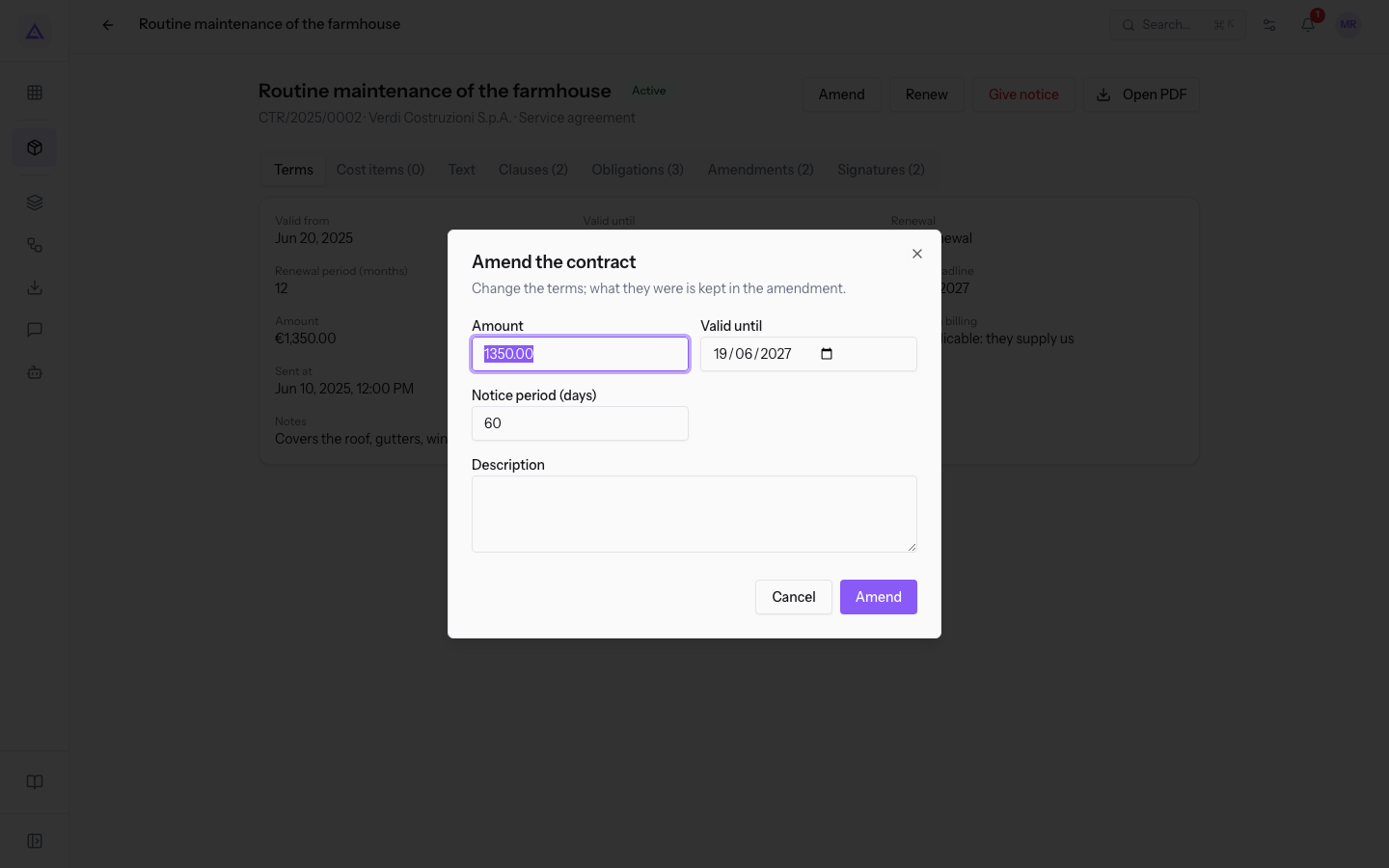
- Edit the fields that change and write in the Description what is changing.
- Press Amend in the window. The message Amendment recorded appears.
The fields in the window start from the contract's current value:
- Amount: the contract amount, for example
1350.00. - Valid until: the contract's end date.
- Notice period (days): the notice days for termination.
- Description: the text explaining the change. Without a description the amendment is not recorded.
Note: the window only changes amount, expiry and notice. Cost items are changed from the Cost items tab.
Adding or removing cost items
On a contract that is Signed, Active or in Notice window, you can add or remove cost items. Changes are not saved right away: they accumulate and go out together as a single amendment.
- In the contract's Cost items tab, press Add a cost item, fill in the window and press Add. To remove an item, press the Remove icon on its row.
- Below the list the box These changes to a signed contract go out as one amendment. Describe them for the counterparty. appears. Repeat step 1 for all changes of the same amendment.
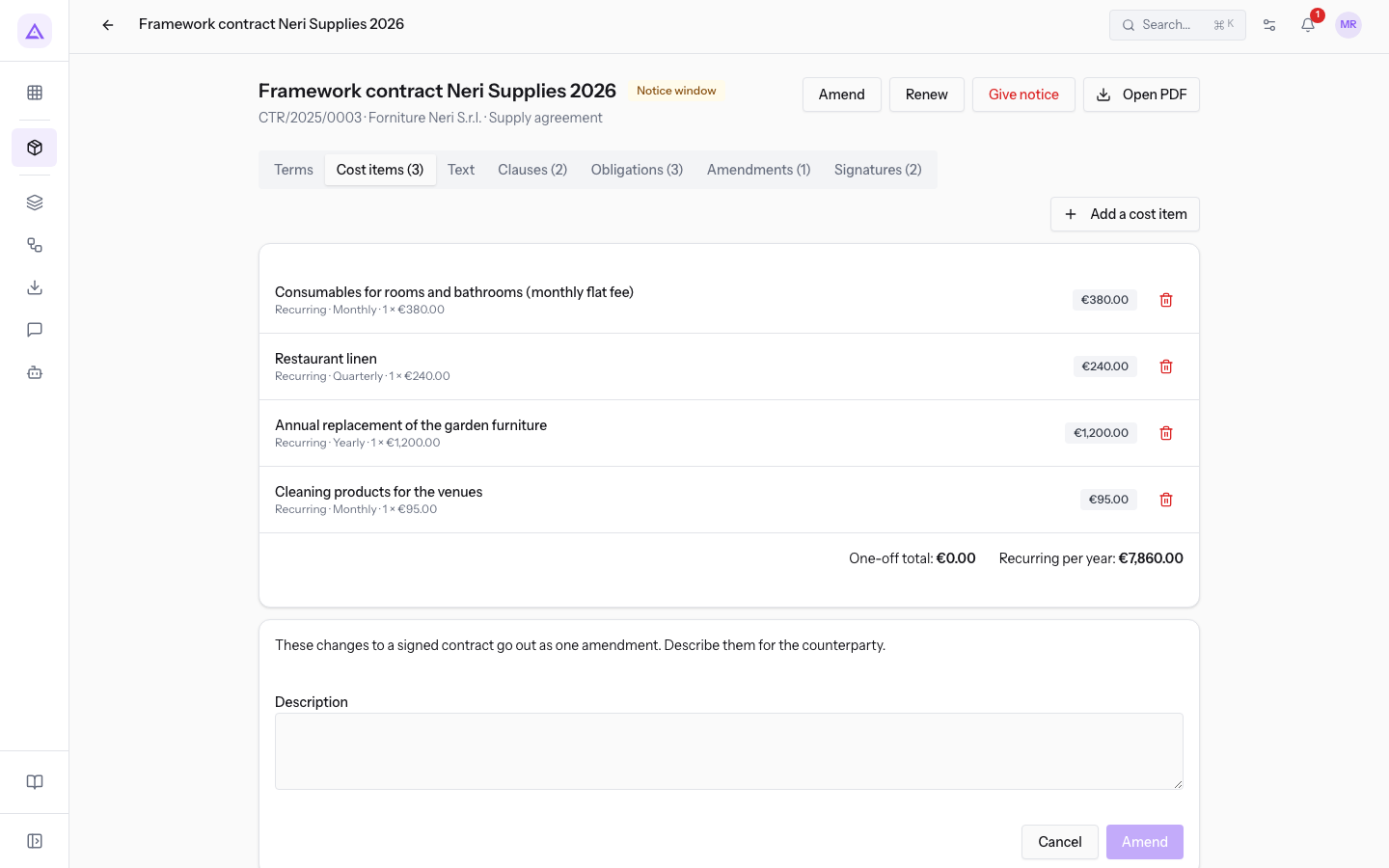
- Write the Description of the changes for the counterparty.
- Press Amend. The button is only active after you write the description. The message Amendment recorded appears.
To discard all pending changes, press Cancel in the box. The fields of the Add a cost item window are described in Prepare a draft: terms, cost items, clauses and text.
Important: pending changes are not saved until you press Amend. If you reload the page, they are lost.
Reading the Amendments tab
The Amendments tab lists all amendments, numbered in order. The number in brackets in the tab name shows how many there are.
Each amendment shows:
- the number preceded by the # symbol, for example #1;
- the type: Amendment, Tacit renewal, Termination or Price update;
- the effective date;
- the description;
- the changes, one line per field, in the form "field: before → after". An empty value appears as "—".
In the change lines, values appear as they are recorded: dates in year-month-day format, amounts with a dot as decimal separator, renewal rules as stored, such as tacit and none. For cost items, each item is written as description (quantity × price), followed for recurring items by the cadence; items are separated by a semicolon.
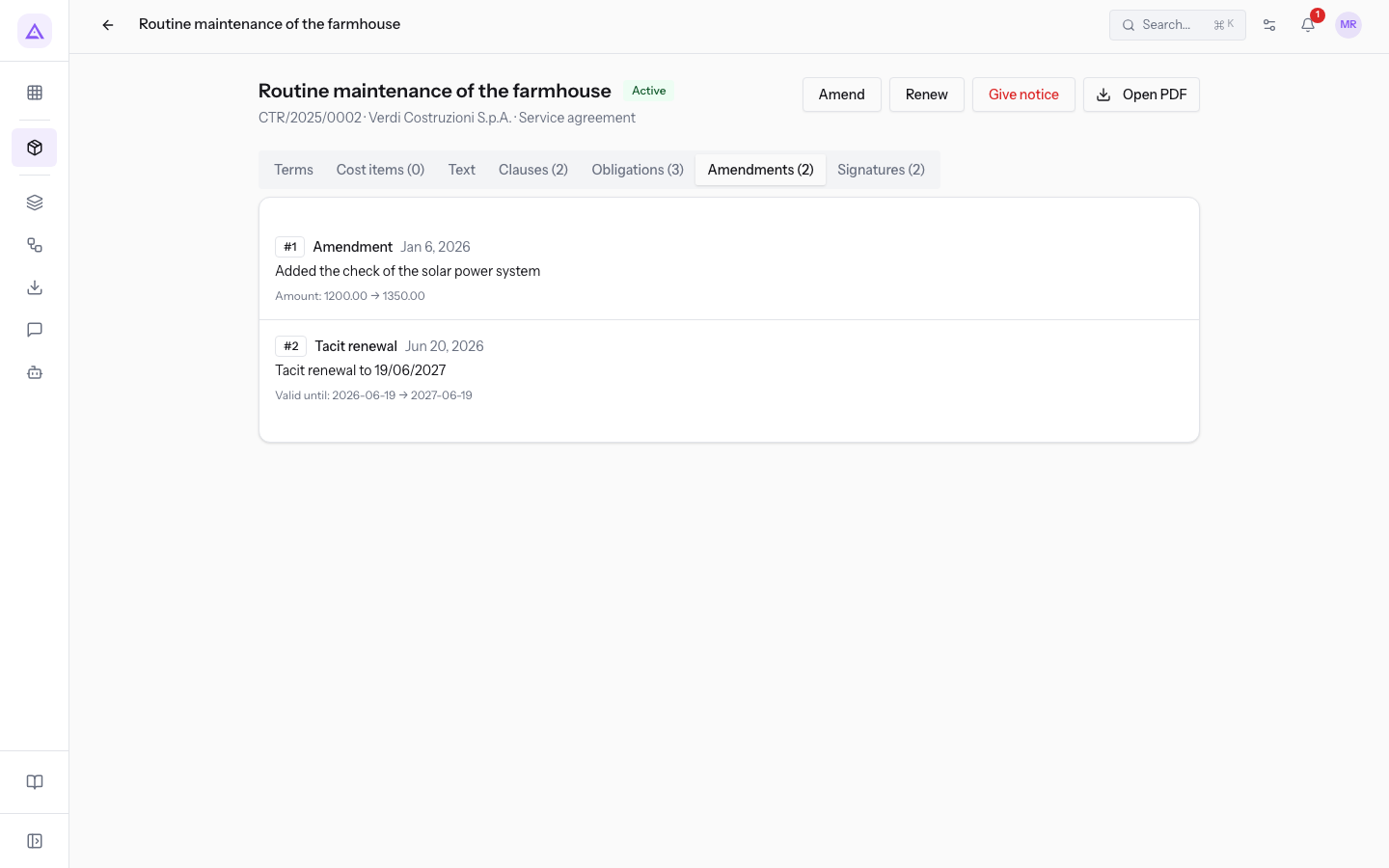
On Routine maintenance of the farmhouse the tab shows two amendments:
- #1, of type Amendment: "Added the check of the solar power system", with the Amount line bringing the amount to the current value
1350.00. - #2, of type Tacit renewal: recorded when the contract renewed by itself at expiry.
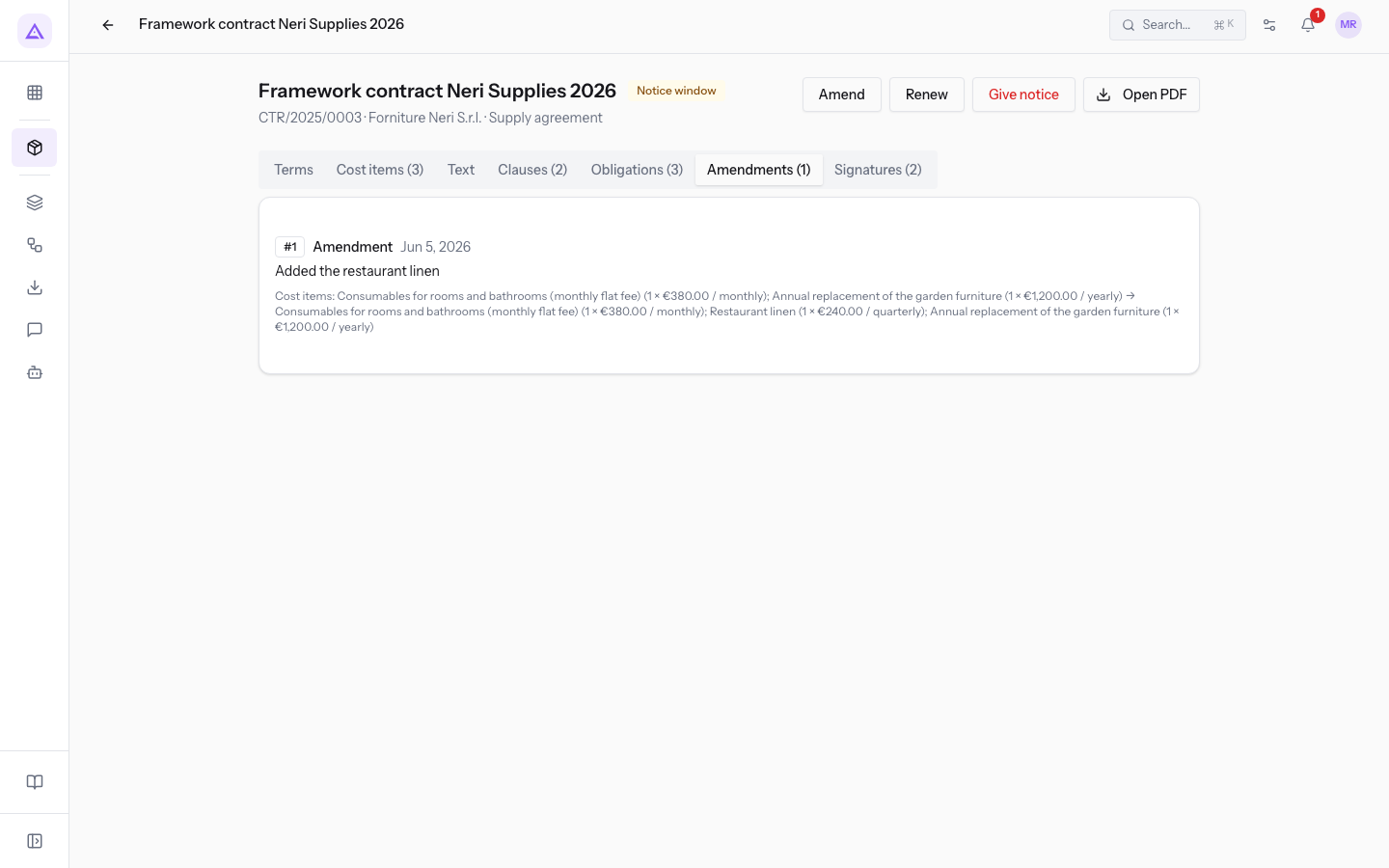
On Framework contract Neri Supplies 2026 amendment #1 shows the Cost items line with the list of items before and after adding the restaurant linen.
A contract with no changes shows No amendments.
See it on your company, not on a slide deck.
In 30 minutes we map the software you use today.We show you how much work and how much margin Archimedes gives back.
Show me on my business →What industry are you in?
One tap — it lets us prepare the demo around your world.
What tools do you use today?
Pick the ones you recognise — or just type them. It helps us show you how they migrate.
Last step: your details.
We reply within one working day — and right after, if you like, you pick the demo slot yourself.
We couldn't send your request. Try again, or write to us at [email protected].
By sending, you agree to your data being processed so we can get back to you about the demo. Privacy notice.
Preview form — nothing is sent from this page.
Want to schedule the demo now?
Your call: book the slot you prefer yourself, or we'll call you to arrange it.
Live availability, 30 minutes, instant confirmation. The calendar opens in a new tab.
Lock in your slot ↗We'll get back to you within one working day — and we'll join the call already knowing your world.
The calendar is open in another tab: pick a slot and the demo is booked. Can't see it? Reopen it ↗
Preview page: nothing was sent.
Our calendar is live: take the slot that suits you and the demo is booked. 30 minutes, instant confirmation, no waiting.
Lock in your slot ↗