Field record book (QdC)
All modules
Calculate tank loads for a treatment
Field record book (QdC) · 15 of 15 · 3 min read
The Calcola botte page calculates, before a treatment, how many tanks are needed to cover a plot and how much product to pour into each one. It starts from the surface area, the water volume per hectare, the tank capacity, and the product dose per hectare.
Note: these screens currently use Italian interface labels. The instructions preserve the names shown on screen; the screenshots show the same controls.
What the calculation is for
The calculation divides the total treatment water into full tanks and a final partial tank. It then distributes the product at the same concentration in each tank.
- If the surface area requires an exact number of tanks, the last tank is empty (0 L).
- If you leave the dose empty, the calculation returns only the water and tanks, with the product at 0.
The result is not saved and does not create an operation in the log. To record the treatment use Operazioni.
Calculating the tanks
Open the Calcola botte menu item in the QdC. The page shows the Parametri box. After the calculation, the Risultato box appears below.
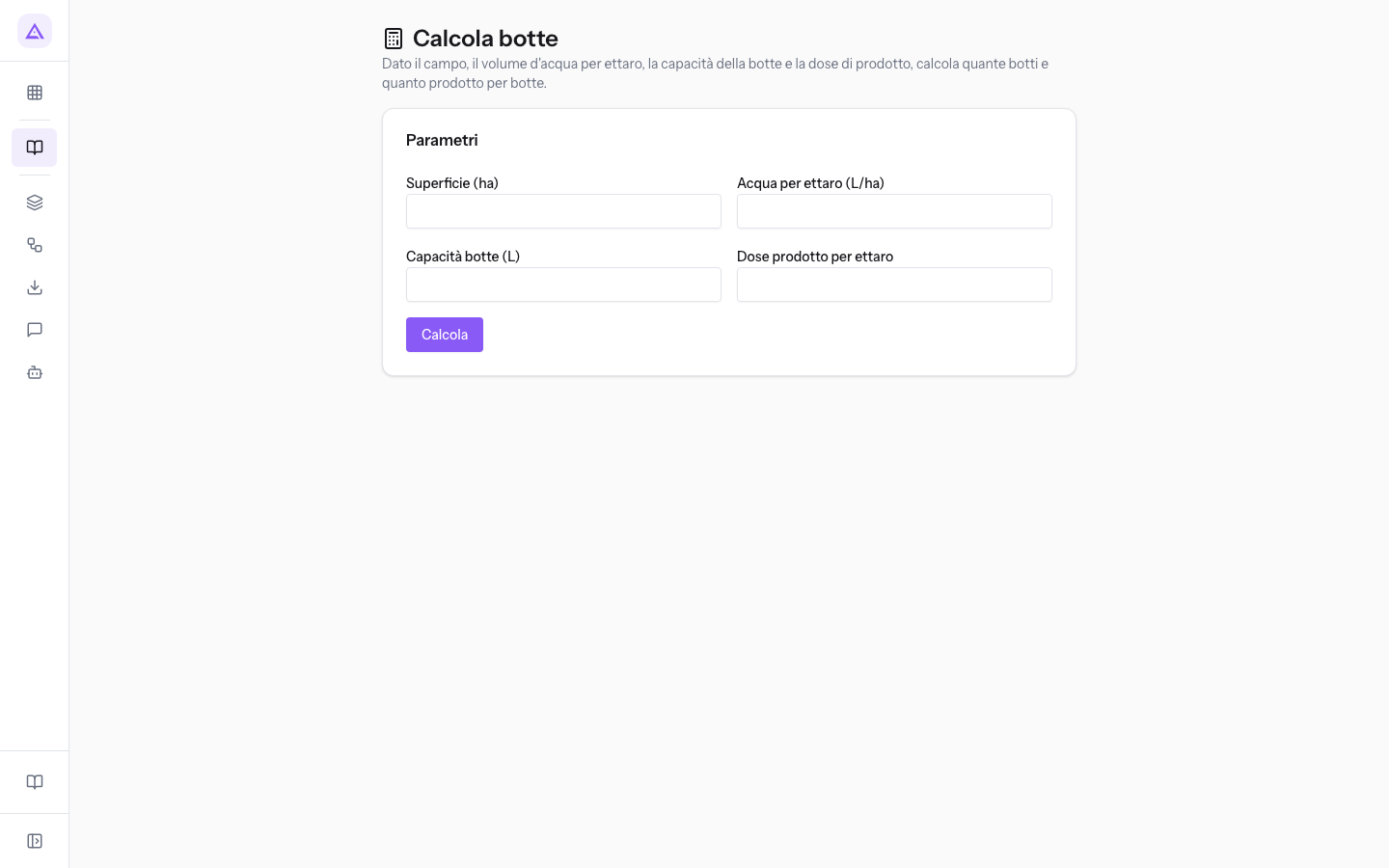
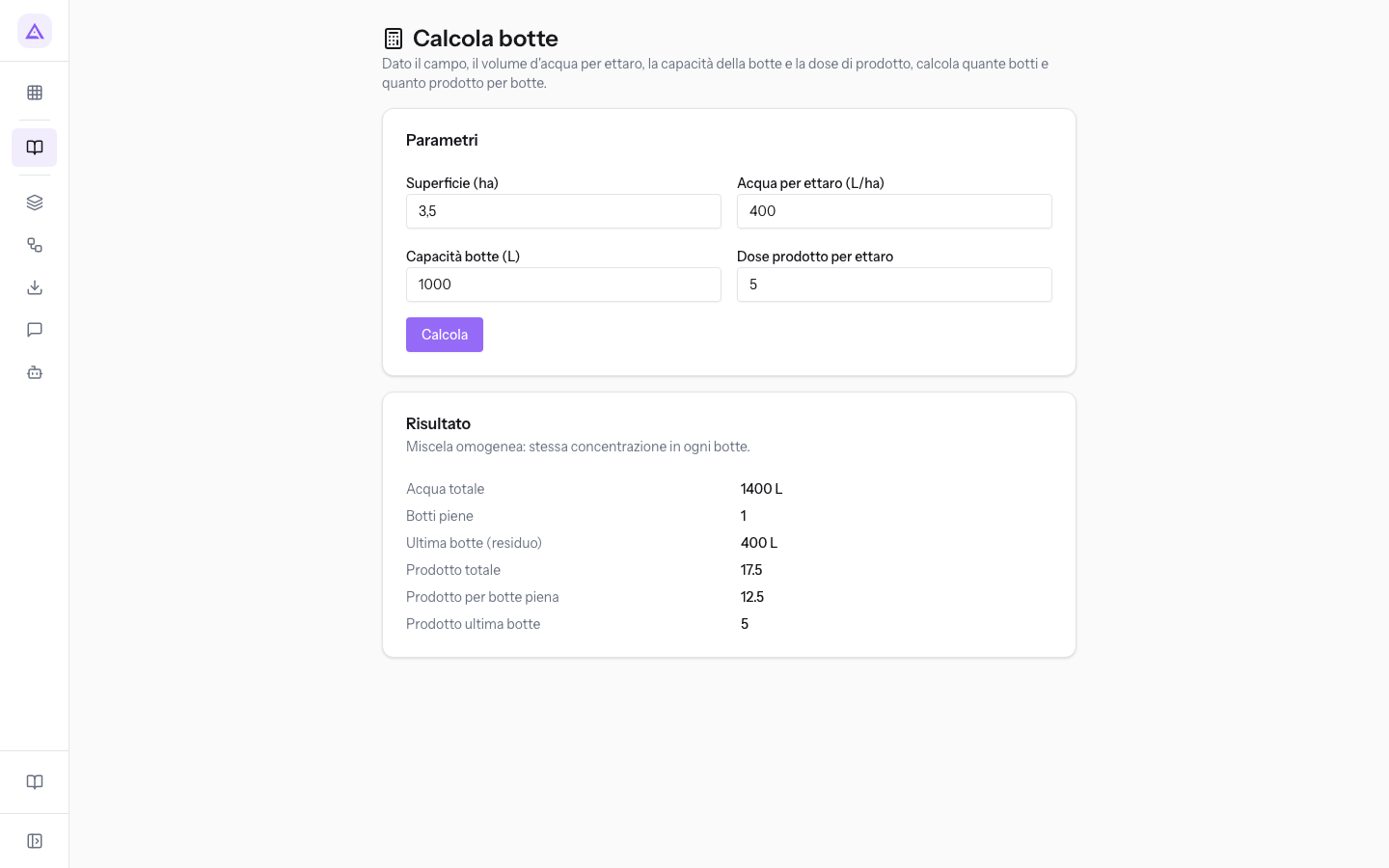
- In the Parametri box fill in the fields. Use 3.5 in Superficie (ha) for Vigna Sangiovese, 400 in Acqua per ettaro (L/ha), 1000 in Capacità botte (L) for Atomizzatore Nobili 1000 L and 5 in Dose prodotto per ettaro for Zolfo bagnabile 80 WG at 5 kg/ha.
- Press Calcola. If one of the required fields is missing, the page shows the message «Superficie, acqua/ha e capacità botte sono obbligatori» and calculates nothing.
The Parametri box fields:
- Superficie (ha): the area to treat, in hectares. Accepts decimals. The field is required and must be greater than zero.
- Acqua per ettaro (L/ha): the volume of water to distribute per hectare, in litres. The field is required and must be greater than zero.
- Capacità botte (L): the volume of the equipment's tank, in litres. The field is required and must be greater than zero.
- Dose prodotto per ettaro: the quantity of product per hectare, in the product's unit of measurement (kg or L). The field is optional.
Important: the Dose prodotto per ettaro field does not indicate the unit of measurement. Write the dose in the unit shown on the product label: the product values in the result are in the same unit.
Reading the result
The Risultato box shows the note «Miscela omogenea: stessa concentrazione in ogni botte». Every tank, full or partial, contains the product in proportion to the water.
- Acqua totale: the surface area multiplied by the water per hectare, in litres. In the example it is 1400 L.
- Botti piene: the number of tanks filled to capacity. In the example it is 1.
- Ultima botte (residuo): the litres of water in the last partial tank. In the example it is 400 L.
- Prodotto totale: the surface area multiplied by the dose per hectare. In the example it is 17.5 (kg).
- Prodotto per botte piena: the product to pour into each full tank. In the example it is 12.5 (kg).
- Prodotto ultima botte: the product to pour into the last partial tank. In the example it is 5 (kg).
Note: product results are rounded to four decimal places, water litres to two.
See it on your company, not on a slide deck.
In 30 minutes we map the software you use today.We show you how much work and how much margin Archimedes gives back.
Show me on my business →What industry are you in?
One tap — it lets us prepare the demo around your world.
What tools do you use today?
Pick the ones you recognise — or just type them. It helps us show you how they migrate.
Last step: your details.
We reply within one working day — and right after, if you like, you pick the demo slot yourself.
We couldn't send your request. Try again, or write to us at [email protected].
By sending, you agree to your data being processed so we can get back to you about the demo. Privacy notice.
Preview form — nothing is sent from this page.
Want to schedule the demo now?
Your call: book the slot you prefer yourself, or we'll call you to arrange it.
Live availability, 30 minutes, instant confirmation. The calendar opens in a new tab.
Lock in your slot ↗We'll get back to you within one working day — and we'll join the call already knowing your world.
The calendar is open in another tab: pick a slot and the demo is booked. Can't see it? Reopen it ↗
Preview page: nothing was sent.
Our calendar is live: take the slot that suits you and the demo is booked. 30 minutes, instant confirmation, no waiting.
Lock in your slot ↗