Field record book (QdC)
All modules
Record a field operation
Field record book (QdC) · 7 of 15 · 5 min read
The Operazioni register collects the farm's field operations: treatments, fertilisations, harvests, monitoring and other work. From here you create an operation, indicate the plots worked and the operators, and edit it until it is signed off.
Note: these screens currently use Italian interface labels. The instructions preserve the names shown on screen; the screenshots show the same controls.
The Operations register
The register lists all operations, in every status. A signed-off operation is immutable, as required by Legislative Decree 150/2012.
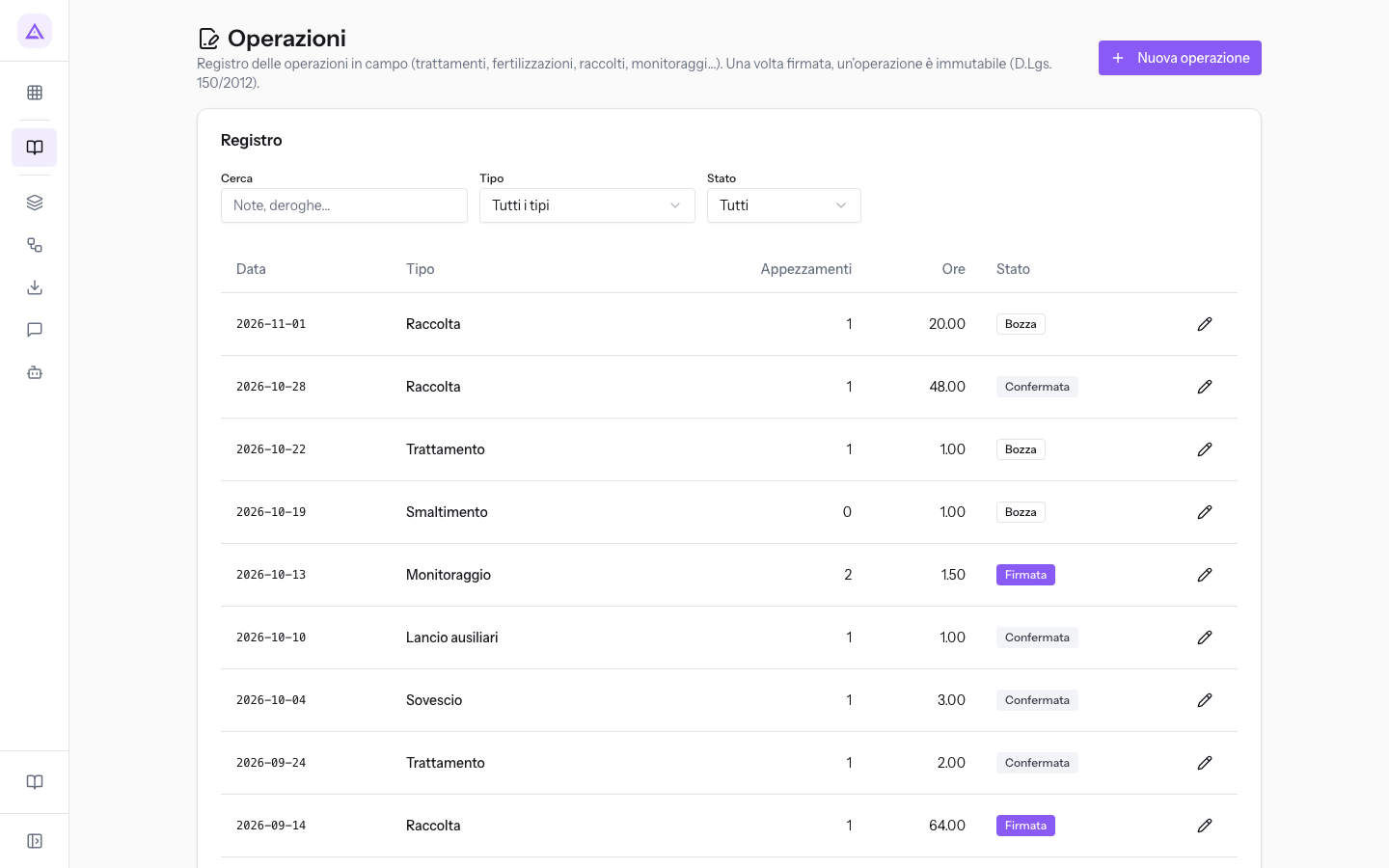
At the top there are three filters:
- Cerca: searches the text of notes and derogations. Typing Moraiolo finds the harvest on Oliveto della Strada.
- Tipo: shows only operations of one type. The initial value is Tutti i tipi.
- Stato: shows only operations in one status. The options are Tutti, Bozza, Confermata and Firmata.
For each operation the register shows the date, type, plots, hours and status. Click on a row to open the operation.
Operation types
The type indicates what work was done. The form is the same for all types: only the value of the Tipo field changes.
Operations with distributed products:
- Trattamento: a phytosanitary treatment.
- Fertilizzazione: a fertilisation.
- Corroborante: the distribution of a corroborant.
- Sostanza di base: the distribution of a basic substance.
- Confusione sessuale: the placement of pheromone dispensers.
- Concia sementi: seed dressing.
- Disinfezione magazzino: warehouse disinfection.
- Post-raccolta: a post-harvest treatment.
Field work:
- Lancio ausiliari: the release of beneficial insects.
- Semina and Trapianto: crop planting.
- Sovescio: the incorporation of a green manure crop.
- Irrigazione: an irrigation intervention.
- Generica: work that does not fall under the other types.
Harvest and other:
- Raccolta: the harvest of the product, such as the Moraiolo harvest on Oliveto della Strada.
- Smaltimento: waste disposal.
- Monitoraggio: a field inspection.
Creating an operation
A new operation starts in Bozza. It can be edited and, with the necessary permission, deleted. Confirmed operations remain editable, but their form no longer offers Elimina. Signed operations are read-only.
Before you start: to record an operation you need at least the Utente QdC permission. Plots and operators are chosen from the registry: register them first.
- In Operazioni click Nuova operazione.
- In the Dati operazione panel choose the Tipo and enter the Data.
- In the Appezzamenti panel click Aggiungi appezzamento for each plot worked and enter the area actually worked.
- In the Operatori panel click Aggiungi operatore for each person who worked and choose their role.
- Click Salva.
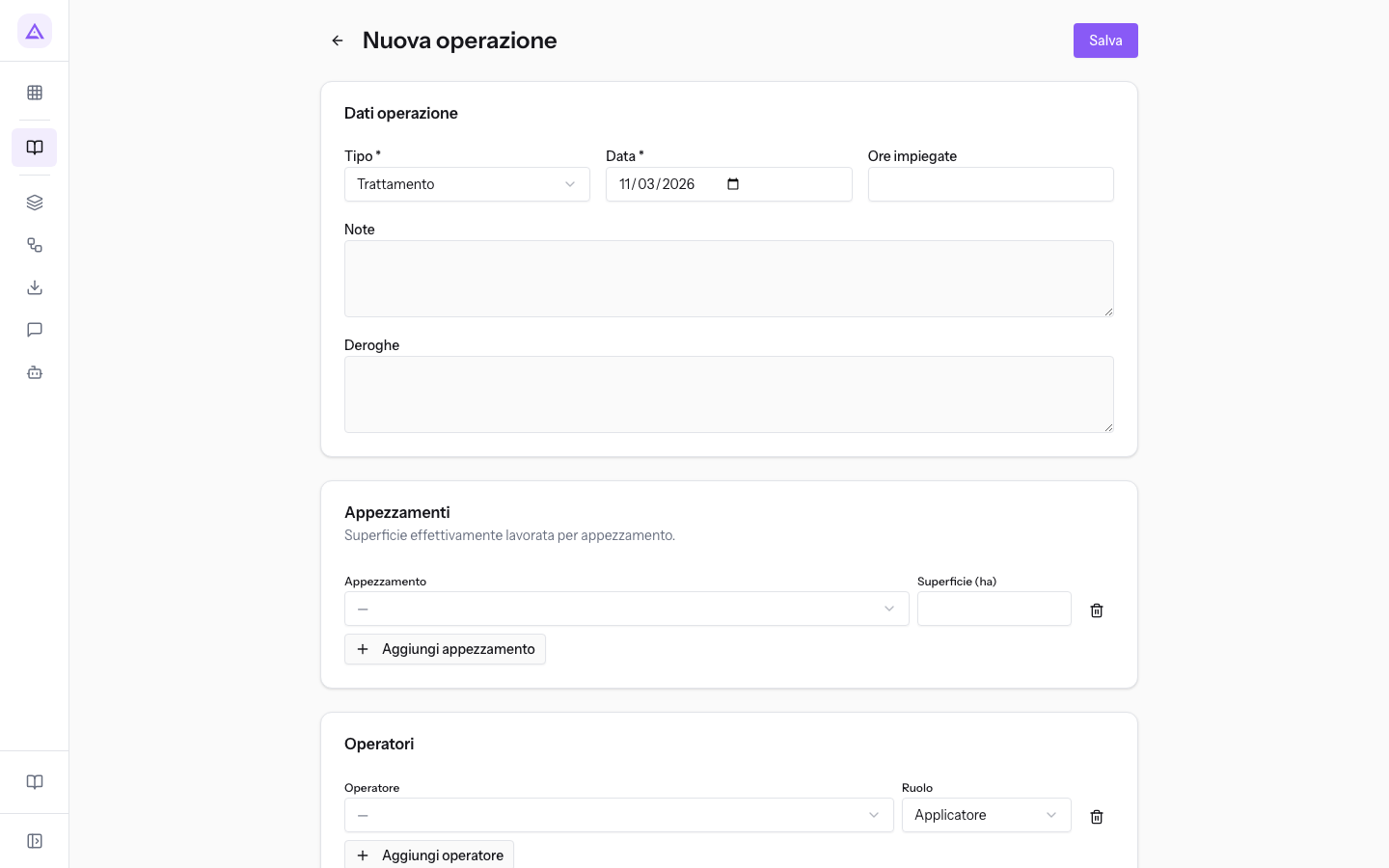
To return to the list without saving use Torna al registro operazioni.
The Dati operazione panel
The panel describes the operation as a whole.
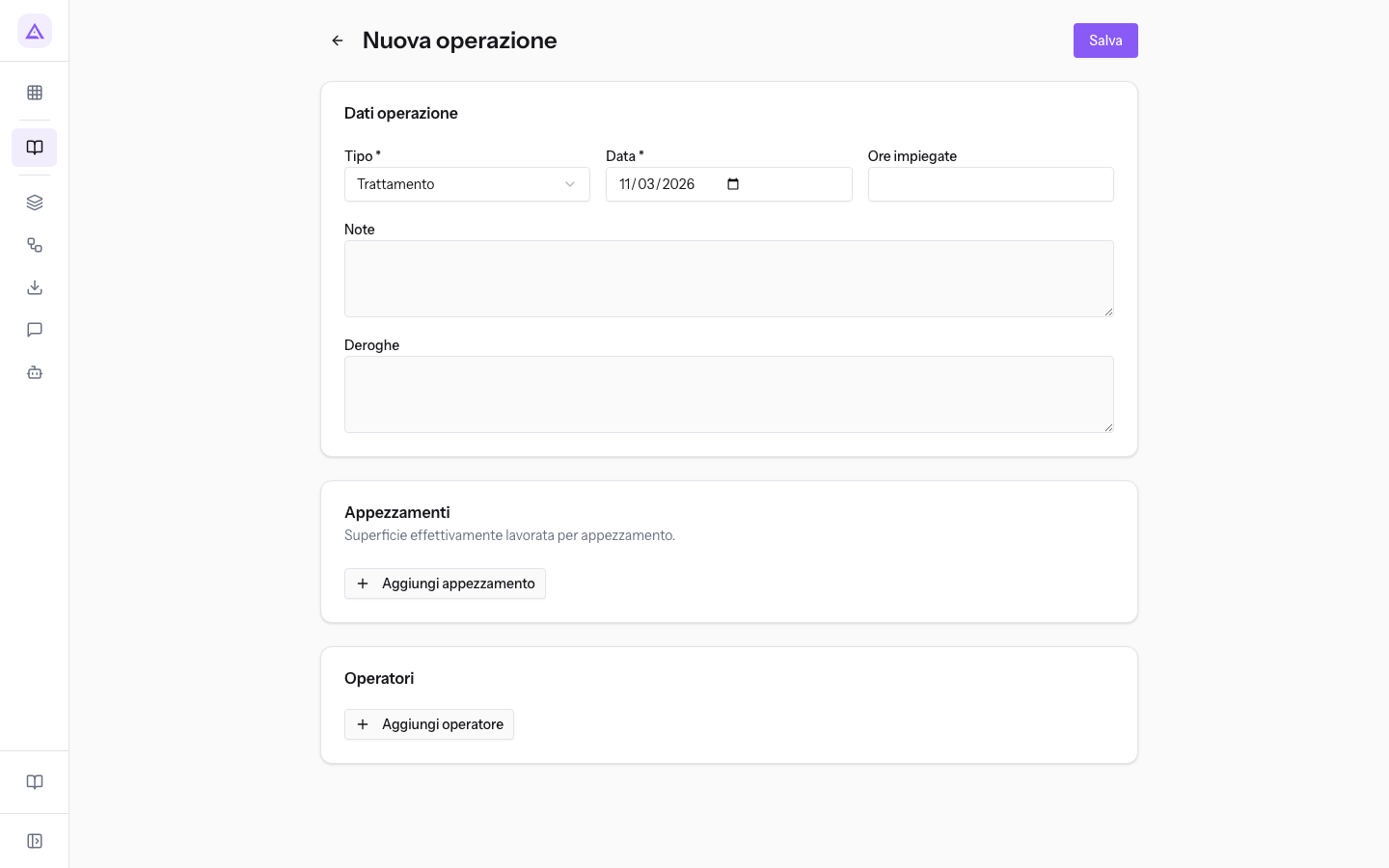
- Tipo: the type of operation, to be chosen from those in the list above. A new operation starts from Trattamento. The field is required.
- Data: the day the operation was performed. The field is required and comes pre-filled: correct it if the operation is from a different day.
- Ore impiegate: the hours of work, including decimals, such as 20.00 hours for the Moraiolo harvest.
- Note: a free description of the work. The text can be searched using the register's Cerca filter.
- Deroghe: any derogations applied. This text can also be searched using the Cerca filter.
Note: the check reads the product’s current stored authorisation status. It compares authorisation expiry, calibration expiry and threshold validity with the operation date. An incorrect date changes these comparisons.
The Appezzamenti panel
Each row indicates a plot and the area actually worked. An operation can involve multiple plots: the treatment with protein bait against the olive fly has one row for Oliveto del Poggio (4.2 ha) and one for Oliveto della Strada (2.8 ha).
- Appezzamento: the plot worked, chosen from those registered in the registry.
- Superficie (ha): the hectares worked on that plot. If you worked only part of the plot, enter the part worked.
To remove a row use Rimuovi appezzamento.
The Operatori panel
Each row indicates a person and the role they had in the operation. Add one row for each role: in the treatment with bait on the olive groves Luigi Bandini is Applicatore, Stefano Rinaldi Preparatore and Paolo Marchetti Supervisore.
- Operatore: the person, chosen from the farm's employees.
- Ruolo: the role in the operation. A new row starts from Applicatore.
- Preparatore: prepared the mixture.
- Applicatore: distributed the product or performed the work.
- Supervisore: supervised the work.
- Contoterzista: performed the work on behalf of the farm.
To remove a row use Rimuovi operatore.
Editing or deleting an operation
Open the operation from the register. The status appears next to the title, such as Bozza for the Moraiolo harvest.
- Until the operation is signed off, change the fields and click Salva.
- On a draft there is also the Elimina button.
- A Firmata operation is read-only: it has no Salva or Elimina and shows the date it was signed.
Important: a signed-off operation can no longer be edited or deleted. Check the data before signing it.
To move an operation from Bozza to Confermata and then to Firmata follow Confirming and signing off register operations.
See it on your company, not on a slide deck.
In 30 minutes we map the software you use today.We show you how much work and how much margin Archimedes gives back.
Show me on my business →What industry are you in?
One tap — it lets us prepare the demo around your world.
What tools do you use today?
Pick the ones you recognise — or just type them. It helps us show you how they migrate.
Last step: your details.
We reply within one working day — and right after, if you like, you pick the demo slot yourself.
We couldn't send your request. Try again, or write to us at [email protected].
By sending, you agree to your data being processed so we can get back to you about the demo. Privacy notice.
Preview form — nothing is sent from this page.
Want to schedule the demo now?
Your call: book the slot you prefer yourself, or we'll call you to arrange it.
Live availability, 30 minutes, instant confirmation. The calendar opens in a new tab.
Lock in your slot ↗We'll get back to you within one working day — and we'll join the call already knowing your world.
The calendar is open in another tab: pick a slot and the demo is booked. Can't see it? Reopen it ↗
Preview page: nothing was sent.
Our calendar is live: take the slot that suits you and the demo is booked. 30 minutes, instant confirmation, no waiting.
Lock in your slot ↗