Transport
All modules
Capabilities: what a vehicle can do and what a product requires
Transport · 5 of 18 · 4 min read
A capability is a feature or permit of a vehicle, for example Tail lift, Area C access or Pallet truck on board. The capability catalog lets you specify what each vehicle can do and what each product requires to be delivered.
How capabilities work
Capabilities form a single catalog for the organization. Vehicles declare the capabilities they have. Logistic families declare the capabilities they require, from the same catalog.
A vehicle is suitable for a product if it has all the capabilities the product requires. No capability is predefined: you write the catalog yourself.
- If a trip carries a product that requires a capability the vehicle does not have, the trip shows Missing capabilities, in Planning and on the trip record. The warning does not block the trip: it is up to you to change the vehicle or remove the order.
- Compose trips never assigns an order to a vehicle that does not have the required capabilities. If no available vehicle has them, the order stays among Not planned with the reason "no available vehicle with sufficient capabilities and capacity".
The Upright metal cabinet family, the one the Metal cabinet, 2 doors belongs to, requires Tail lift. The Brambilla rigid truck GA 110 BB has only Pallet truck on board, so the draft trip for Verdi Costruzioni S.p.A. in Turin shows "Missing capabilities: Tail lift". How to resolve the warning is explained in A trip from draft to closure.
Choose capabilities based on what actually determines whether a vehicle can make a delivery:
- If a product can only be unloaded with specific equipment, create a capability for that equipment, such as
Tail lift. - If a zone requires an access permit, create a capability for that permit, such as
Area C access.
Where capabilities are assigned
The catalog is managed in settings. Capabilities are assigned in two places:
- To logistic families, in the Required capabilities field: the family's products require those capabilities. See Logistic families: how a product travels.
- To vehicles, in their record: the vehicle has those capabilities. See The fleet: adding and managing vehicles.
The capability catalog
The Capabilities tab in Transport › Settings lists the organization's capabilities with their name and description. The Transport User group can also create and edit them; only Transport Manager can delete them.
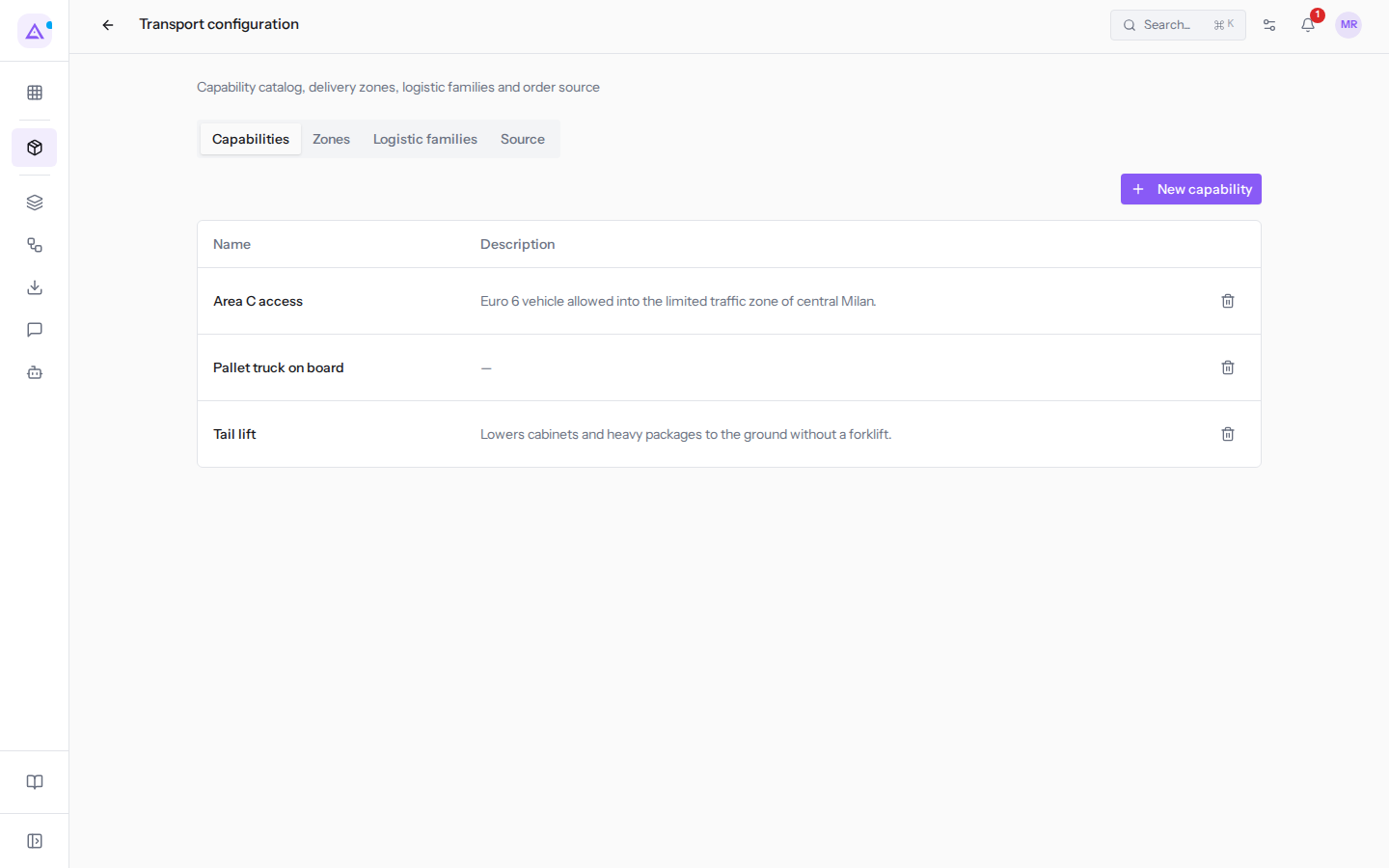
In the Description field, write when the capability is needed, so that whoever assigns vehicles understands what it means: for Area C access it is "Euro 6 vehicle allowed into the limited traffic zone of central Milan." Pallet truck on board has no description and the list shows "—".
Creating a capability
Create a capability for every feature or permit that determines which vehicle can make a delivery.
- Open Transport › Settings and click the Capabilities tab.
- Click New capability.
- Fill in the fields in the New capability window.
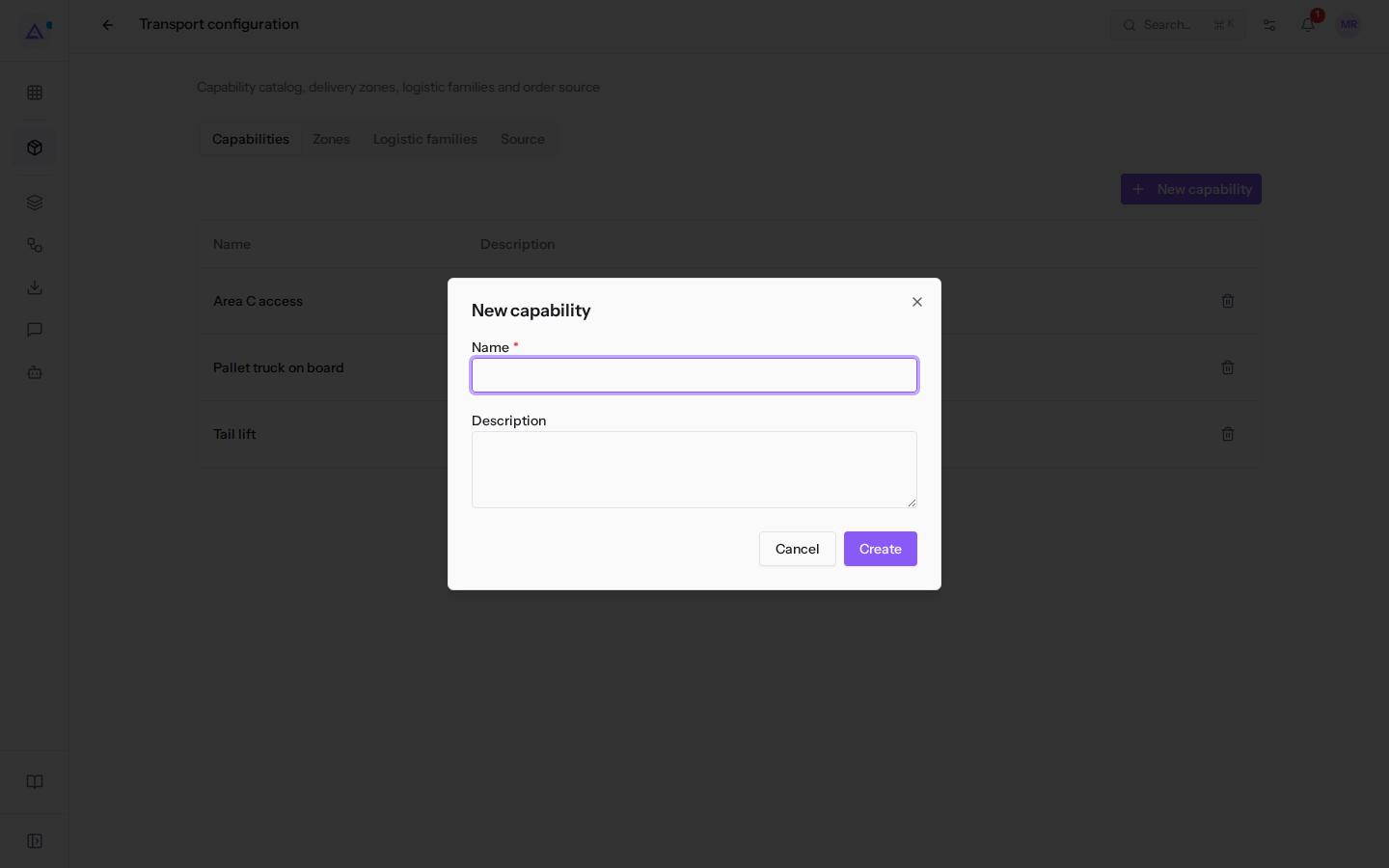
- Click Create. The new capability immediately appears among the vehicle's options and among the Required capabilities of logistic families.
The window's fields:
- Name: the name of the capability, as it appears on vehicles and logistic families. For example
Pallet truck on board. This field is required. - Description: what the capability allows. This field is optional.
Editing a capability
You can change the name or description of an existing capability. Vehicles and families remain linked to the capability even if you rename it.
- Open Transport › Settings and click the Capabilities tab.
- Click on the capability row, for example
Tail lift. The Edit window opens.
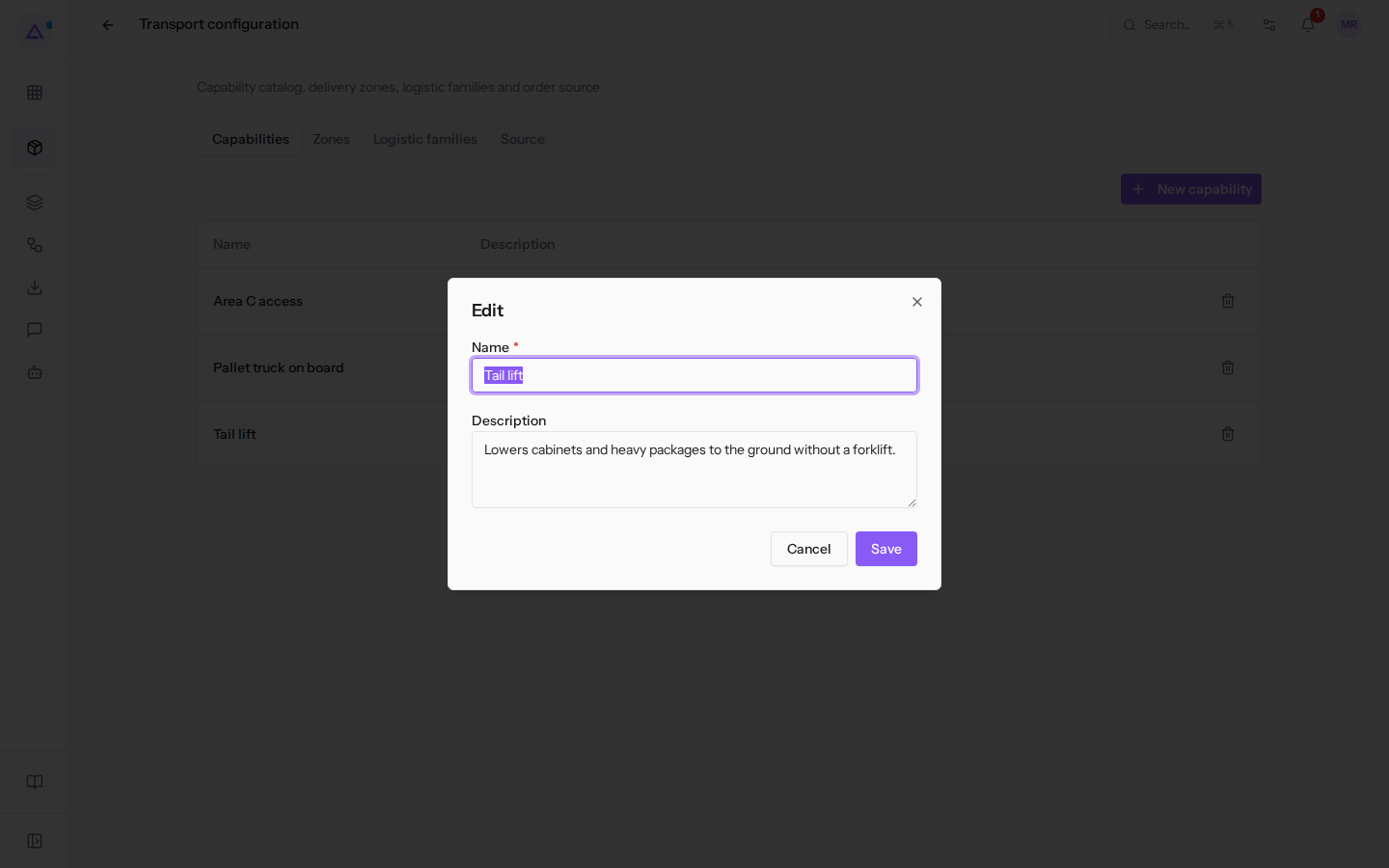
- Change the Name or Description. The description of
Tail liftis "Lowers cabinets and heavy packages to the ground without a forklift." - Click Save.
The fields are the same as when creating: Name is required, Description is optional.
Deleting a capability
To delete a capability, click the bin icon on its row and confirm the Delete this capability? prompt. The Transport Manager group is required.
The deleted capability disappears from the vehicles that had it. However, families that required it continue to require it: trips with those products report it among Missing capabilities and Compose trips can no longer find a suitable vehicle.
Important: before deleting a capability, open every logistic family that requires it and uncheck it from Required capabilities. Only then delete the capability.
See it on your company, not on a slide deck.
In 30 minutes we map the software you use today.We show you how much work and how much margin Archimedes gives back.
Show me on my business →What industry are you in?
One tap — it lets us prepare the demo around your world.
What tools do you use today?
Pick the ones you recognise — or just type them. It helps us show you how they migrate.
Last step: your details.
We reply within one working day — and right after, if you like, you pick the demo slot yourself.
We couldn't send your request. Try again, or write to us at [email protected].
By sending, you agree to your data being processed so we can get back to you about the demo. Privacy notice.
Preview form — nothing is sent from this page.
Want to schedule the demo now?
Your call: book the slot you prefer yourself, or we'll call you to arrange it.
Live availability, 30 minutes, instant confirmation. The calendar opens in a new tab.
Lock in your slot ↗We'll get back to you within one working day — and we'll join the call already knowing your world.
The calendar is open in another tab: pick a slot and the demo is booked. Can't see it? Reopen it ↗
Preview page: nothing was sent.
Our calendar is live: take the slot that suits you and the demo is booked. 30 minutes, instant confirmation, no waiting.
Lock in your slot ↗