Transport
All modules
Delivery notes (DDT)
Transport · 16 of 18 · 5 min read
The delivery note (DDT) accompanies the goods from the yard to the customer. In Archimedes every transport order has a single DDT: it is generated by the trip on which the order is loaded, or sent by the external order management system.
How a DDT is created
An order can receive a DDT in two ways. These determine the number, who issues it, and the PDF.
- Archimedes creates it when you click Generate delivery notes on the trip card. The number has the format
TR-2026/00001and on the order card the DDT carries the Internal label. - The management system that sends orders, if it already numbers its DDTs, sends them to Archimedes via the API key. Archimedes keeps the received number and PDF without renumbering them; on the order card the DDT carries the From ERP label.
Generate delivery notes skips orders that already have a DDT. If the ERP sends a DDT for an order, however, it replaces the existing one, even one Archimedes generated.
Generating a trip's DDTs
Generate delivery notes creates a DDT for every order in the trip that does not yet have one. Orders that already have one are skipped. The button is located at the bottom of the card, next to Delivery documents for the trip's orders:, and appears only on Confirmed or Departed trips.
Generate them after confirmation and before departure: the goods must travel with their DDT, and the driver can find the DDTs on their phone only if they already exist.
- Open Transport › Planning.
- Click on the trip, for example Ducato van.
- At the bottom of the trip card click Generate delivery notes. The result appears next to it, for example "2 generated, 0 already present".
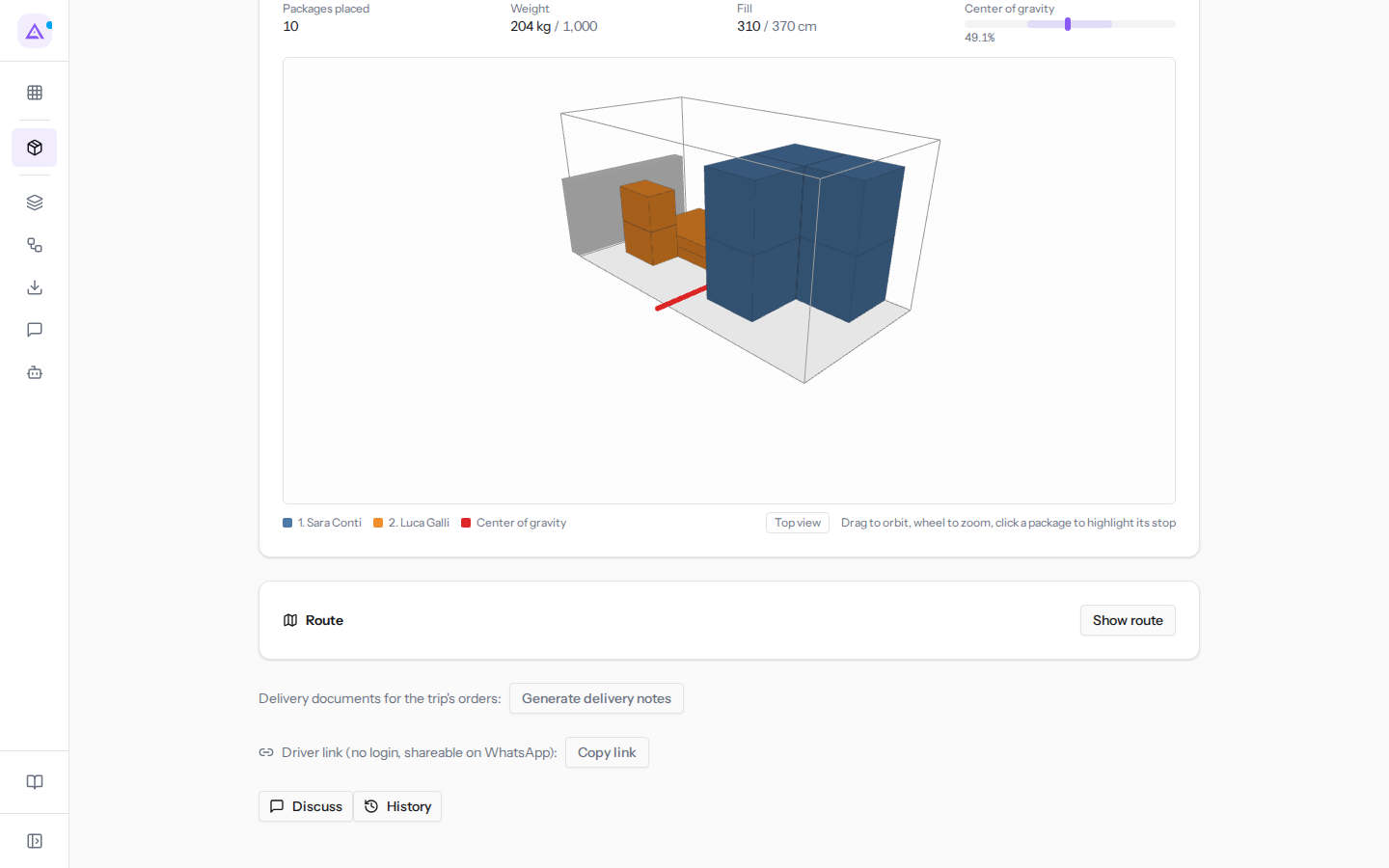
Today's trip of the Daily van, Departed, already has the DDTs for its three orders ORD-2026-0151, ORD-2026-0153 and ORD-2026-0154: you can see them on each order's card. The Ducato van trip, Confirmed, with orders ORD-2026-0155 and ORD-2026-0156, does not yet have them. The trip card does not list the DDTs: to find out whether an order has one, open the order.
What a generated DDT contains
Every field of the DDT is filled in automatically at the time of generation.
- Number:
TR-followed by the year and a five-digit sequential number. The numbering is unique per organization, resets every year, and has no gaps. - Date: the trip date.
- Carrier: your company's name with the vehicle plate, such as
Azienda Demo S.r.l. — GH 412 KM. If the vehicle belongs to a subcontractor, the subcontractor's name with the plate, such asAutotrasporti Brambilla S.r.l. — GA 110 BB. - Reason: always
Vendita. - Packages and weight: calculated from the order lines using the products' logistics families, as in the order's estimated load.
Important: a generated DDT cannot be voided, deleted, or regenerated. It is a fiscal document numbered sequentially without gaps: check orders, vehicle, and trip date before clicking Generate delivery notes.
An order that already has a DDT keeps it even if it is moved to another trip: Generate delivery notes does not create another one.
DDTs in Documents
Every DDT, generated or received, is stored in the customer's folder in Documents, named DDT followed by the number, in the DDT subfolder: for example in Rossi Arredamenti S.r.l.'s folder you find DDT TR-2026/00012.
The archived PDF is the issued copy: when you download the DDT you always get that one, even if the order or organization data has changed in the meantime.
Note: an order without a customer in the address book has no customer folder, so its DDT is not archived in Documents. This is the case of ORD-2026-0162 for Bar Centrale di Paolo Riva: when it has a DDT, you will find it only on the order card.
DDTs received from the management system
When the management system sends the DDT, the number, carrier, reason, packages and weight are those of the received document, not those calculated by Archimedes. If it arrives with a PDF, that is the document that is archived and downloaded.
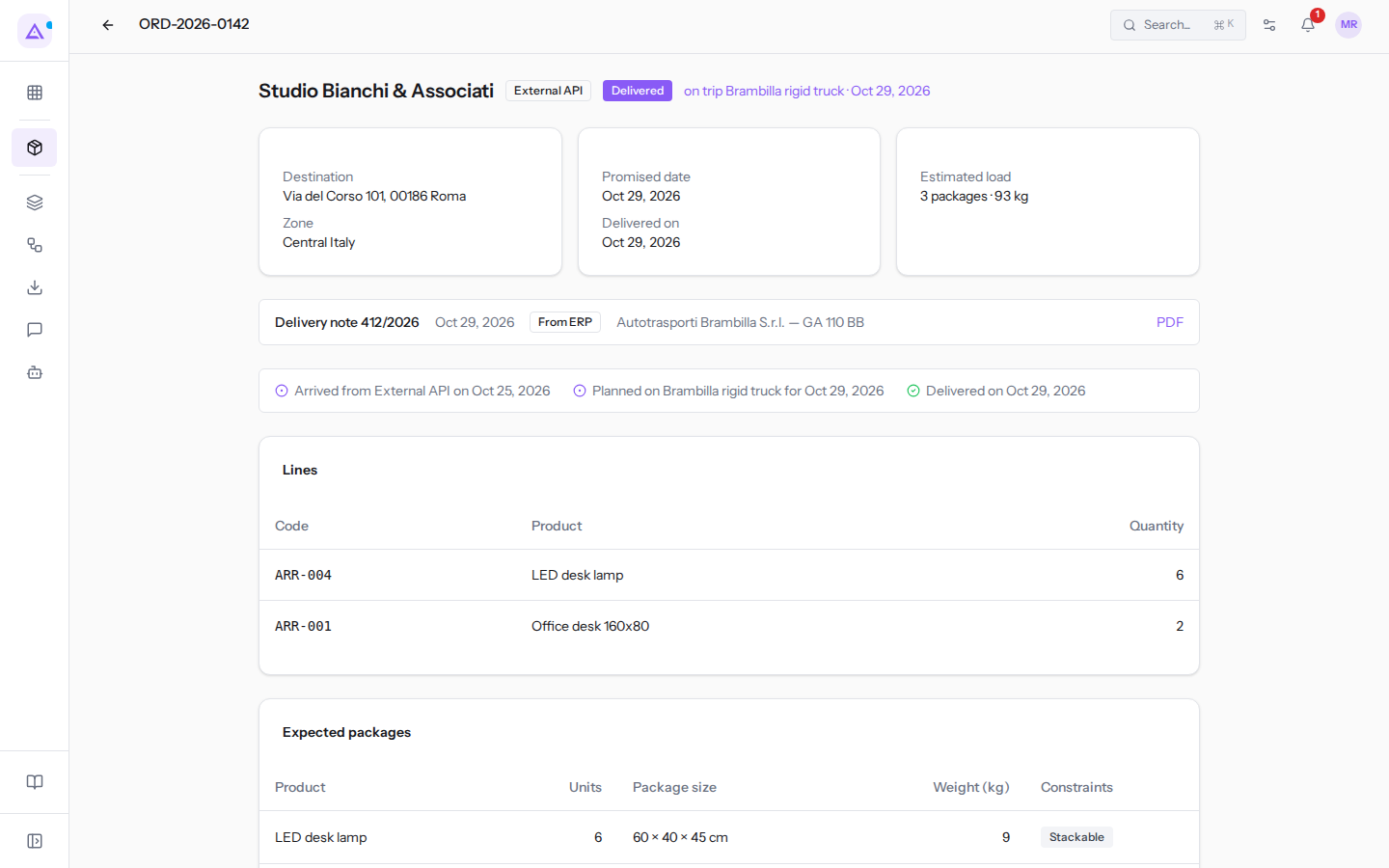
Order ORD-2026-0142 for Studio Bianchi & Associati, delivered on trip Brambilla rigid truck · Oct 29, 2026, has the DDT Delivery note 412/2026 with the From ERP label and the carrier Autotrasporti Brambilla S.r.l. — GA 110 BB. All other DDTs have Archimedes' TR- number and the Internal label.
Viewing and downloading the PDF
An order's DDT is opened from the order card.
- Open Transport › Orders.
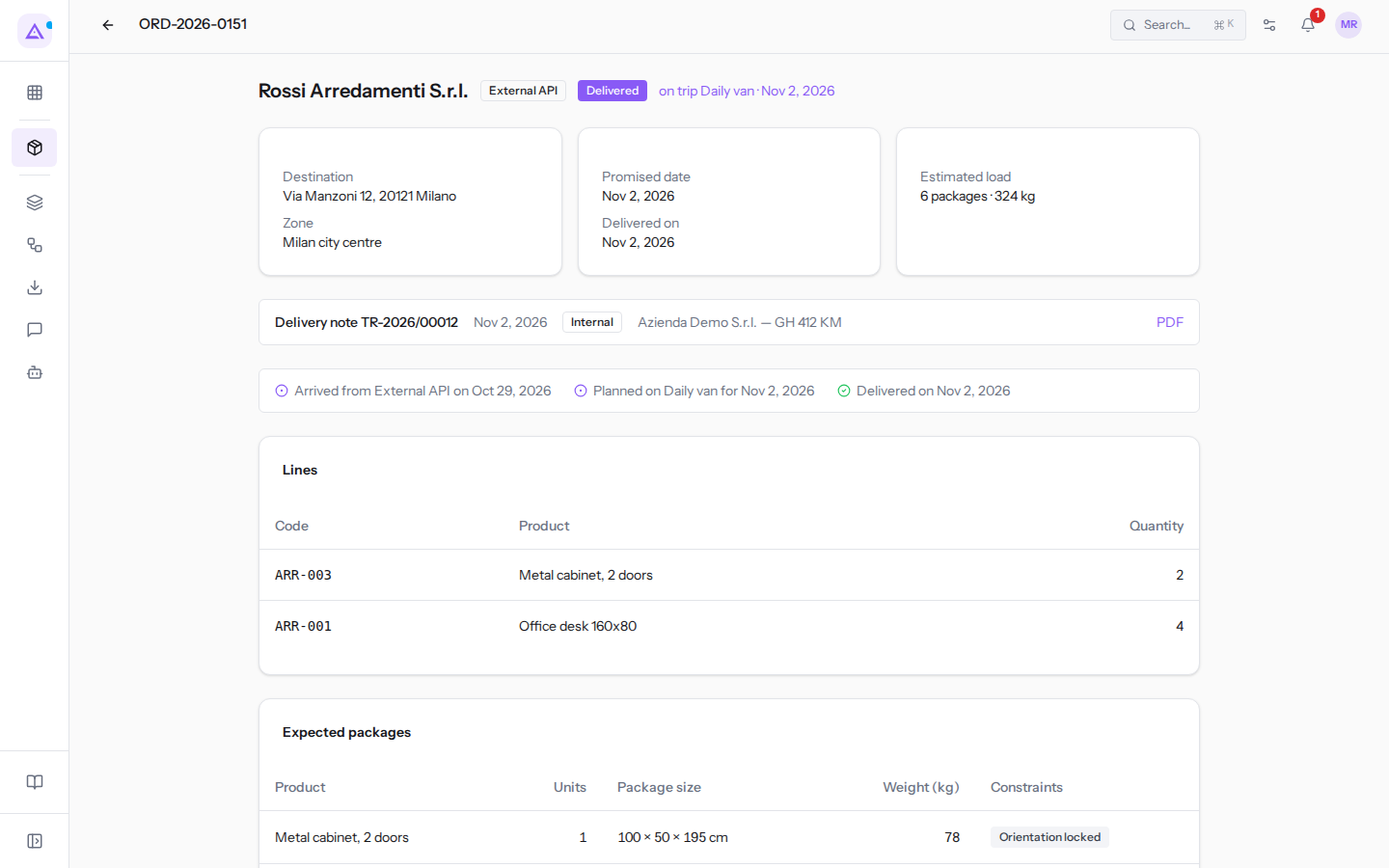
- Click on the order reference, for example ORD-2026-0151 for Rossi Arredamenti S.r.l.
- In the DDT strip, below the boxes, read the number, date, source and carrier; click PDF to open it.
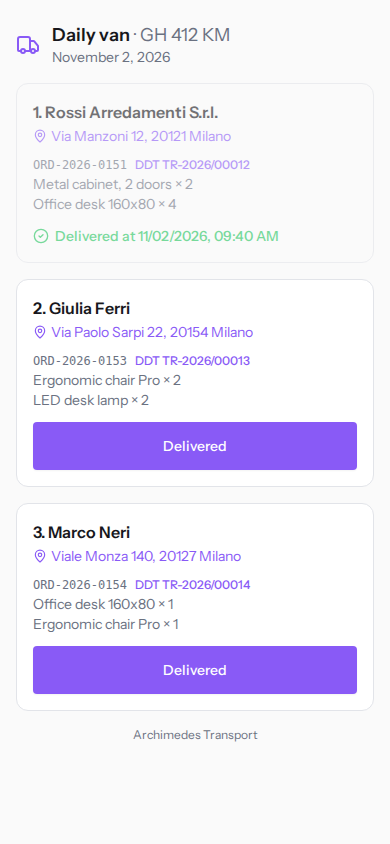
The driver opens the DDTs for their trip from the phone, on the page they receive via Copy link. The page exists from the moment the trip is confirmed. See The driver's page on the phone.
For the other stages of a trip see A trip from draft to closure.
See it on your company, not on a slide deck.
In 30 minutes we map the software you use today.We show you how much work and how much margin Archimedes gives back.
Show me on my business →What industry are you in?
One tap — it lets us prepare the demo around your world.
What tools do you use today?
Pick the ones you recognise — or just type them. It helps us show you how they migrate.
Last step: your details.
We reply within one working day — and right after, if you like, you pick the demo slot yourself.
We couldn't send your request. Try again, or write to us at [email protected].
By sending, you agree to your data being processed so we can get back to you about the demo. Privacy notice.
Preview form — nothing is sent from this page.
Want to schedule the demo now?
Your call: book the slot you prefer yourself, or we'll call you to arrange it.
Live availability, 30 minutes, instant confirmation. The calendar opens in a new tab.
Lock in your slot ↗We'll get back to you within one working day — and we'll join the call already knowing your world.
The calendar is open in another tab: pick a slot and the demo is booked. Can't see it? Reopen it ↗
Preview page: nothing was sent.
Our calendar is live: take the slot that suits you and the demo is booked. 30 minutes, instant confirmation, no waiting.
Lock in your slot ↗